





One team sees hard bounces. Another sees fake trial accounts. Another sees poor segmentation. RevOps sees duplicate records and stale fields. Legal asks where the data came from. That is why enterprise-grade email data quality platforms need to do more than validate addresses in a spreadsheet.
You’ll learn
- What enterprise-grade email data quality means
- Which features separate enterprise-ready platforms from basic validators
- Why Bouncer fits enterprise email verification, hygiene, enrichment, and deliverability workflows
- How email data quality connects with CRM governance, API workflows, security, and sender reputation
- Which tools and platform categories enterprises often compare
- How to evaluate enterprise platforms without focusing only on accuracy claims
- How to build a practical enterprise email data quality workflow
What enterprise-grade email data quality means
Email data quality is the degree to which email-related records are accurate, complete, valid, current, unique, secure, and useful for the workflows they support. In enterprise teams, this usually means the email address itself, plus source, consent, region, engagement, account, verification status, suppression reason, enrichment fields, and CRM ownership.
Enterprise-grade email data quality platforms need to support more than one department. Marketing wants cleaner campaign lists. Sales wants reachable leads. RevOps wants consistent CRM fields. Product wants fewer fake signups. Customer success wants accurate customer communication. Compliance teams want source and permission clarity. Deliverability owners want fewer bounces, fewer complaints, and safer sender reputation.
General data quality frameworks often include dimensions such as accuracy, completeness, consistency, validity, timeliness, and uniqueness. Gartner notes that data quality dimensions and metrics help organizations understand impact, while IBM describes core dimensions such as accuracy, completeness, consistency, timeliness, validity, and uniqueness. For email data, those dimensions translate into practical questions: is the email real, current, unique, permission-aware, properly segmented, and safe to use?
An enterprise-ready platform should help teams answer those questions at scale.
Why basic email validation is not enough
A basic validator can tell you whether an email address looks valid. That is helpful, but it is not enough for enterprise operations.
Enterprises often need:
- Large-volume verification
- API validation
- Batch processing
- CRM integrations
- User roles and team management
- Security controls
- Reliable exports
- Automated list hygiene
- Form protection
- Toxicity or risk checks
- Deliverability testing
- Enrichment
- Regional data handling
- Audit-friendly fields
- Suppression workflows
A CSV-only verifier may work for a small campaign. It will not support a global company with several CRMs, marketing platforms, product forms, agencies, and regional teams.
| Basic validator | Enterprise-grade platform |
| Uploads one list at a time | Supports bulk, API, automation, and integrations |
| Returns simple valid/invalid status | Provides richer output and risk categories |
| Works mainly for marketing | Supports marketing, sales, RevOps, product, and compliance |
| Requires manual cleanup | Supports recurring hygiene and CRM workflows |
| Focuses on bounce reduction | Supports deliverability, enrichment, and sender reputation |
| Limited governance | Supports teams, roles, source tracking, and process rules |
| Solves one campaign problem | Supports ongoing data quality operations |
This is why enterprise-grade email data quality platforms should be evaluated by workflow depth, not only verification accuracy.
Bouncer
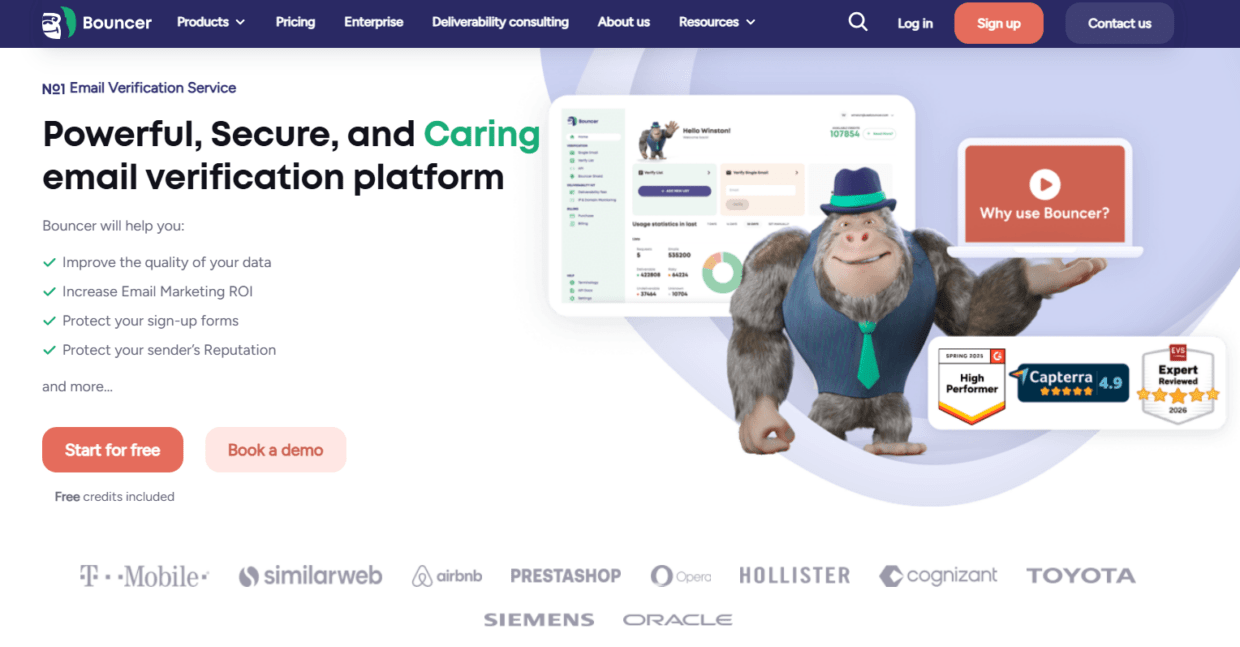
Bouncer is a strong fit for enterprise-grade email data quality because it covers verification, API workflows, bulk processing, form protection, toxicity checks, deliverability, enrichment, automation, and integrations.
For list validation, Bouncer’s email list verification helps teams verify whether addresses appear deliverable without sending emails to recipients. Bouncer checks syntax, DNS and MX records, SMTP server signals, and proprietary validation logic. Its verification app also includes useful enterprise-friendly capabilities such as free email verification sampling, bounce estimate, rich output, and organization management.
For large files, bulk email verification helps teams clean CRM exports, customer databases, prospect files, old mailing lists, global campaign segments, and agency client lists.
For technical teams, Email Verification API supports real-time validation and batch workflows. Bouncer’s real-time API docs explain that it checks emails at the moment of entry, checks syntax and domain, contacts underlying SMTP servers, and returns the best result available within the time window. The batch sync endpoint can process up to 10,000 emails in a single request, which matters for backend and RevOps workflows.
For entry-point protection, Bouncer Shield helps protect forms from invalid, fake, or malicious email submissions. For ongoing connected hygiene, Bouncer AutoClean can automatically keep email lists clean, show job dashboards, and use CRM fields such as Bouncer Recommends to segment or trigger workflows.
Bouncer also supports Toxicity Check for potentially harmful emails, Deliverability Kit for inbox placement, blocklists, SPF, DKIM, DMARC, and SpamAssassin checks, Company Data Enrichment for company-level context, and integrations for connected workflows.
That range makes Bouncer more than a verifier. It is an email data quality platform for teams that need verification, prevention, automation, and deliverability context in one place.
What enterprise teams should expect from email data quality platforms
Enterprise teams need platforms that can handle complexity without creating more operational work.
At minimum, a platform should support:
- Bulk verification for large lists.
- Real-time API validation for forms and products.
- Batch API for backend processing.
- Clear result categories.
- Team management and workspace controls.
- CRM and marketing integrations.
- Secure data handling.
- Recurring hygiene or automation.
- Suppression-friendly outputs.
- Risk detection beyond simple invalids.
- Deliverability context.
- Reporting or export fields that RevOps can use.
| Enterprise requirement | Why it matters |
| Scale | Large lists, global campaigns, multiple systems |
| API flexibility | Forms, products, lead routing, backend jobs |
| Rich output | Better CRM segmentation and suppression |
| Security | Email data often contains personal data |
| Integrations | Reduces manual exports and import errors |
| Automation | Keeps hygiene continuous rather than reactive |
| Governance | Supports roles, regions, and list ownership |
| Deliverability checks | Shows inbox placement and blocklist risk |
| Enrichment | Improves segmentation and routing |
| Audit-friendly fields | Helps track source, status, and decisions |
An enterprise-grade platform should make data quality easier to operationalize. If every verification job still ends in a manual spreadsheet debate, the platform is not doing enough.
Data quality dimensions applied to email
Enterprise buyers often think in data quality dimensions. For email data, those dimensions become highly practical.
| Data quality dimension | What it means for email data | Example platform capability |
| Accuracy | The email address and related fields are correct | Email verification and enrichment checks |
| Completeness | Key fields are present | Required CRM fields and enrichment |
| Consistency | Fields follow the same format across systems | CRM sync and standardized status fields |
| Validity | Data fits expected rules | Syntax, domain, MX, status validation |
| Timeliness | Data is current enough to use | Reverification cadence and AutoClean |
| Uniqueness | Records are not duplicated | CRM deduplication and merge workflows |
| Integrity | Records connect correctly to accounts and consent | CRM governance and source tracking |
| Security | Data is protected during processing | Secure API and vendor controls |
| Usability | Teams can act on results | Clear statuses and recommended actions |
Bouncer directly supports accuracy, validity, timeliness, and usability through verification, API checks, rich outputs, AutoClean, and risk statuses. It can also support completeness and segmentation through Company Data Enrichment. CRM tools then help with duplication, field governance, and record integrity.
Enterprise use cases
Enterprise-grade email data quality platforms usually need to serve several use cases at once.
Marketing operations
Marketing operations teams need clean lists before campaigns. They care about bounce rate, segmentation, suppression, consent fields, source quality, and campaign readiness.
Bouncer helps marketing ops verify lists, sample risky databases, suppress invalids, identify toxicity, and check deliverability before major sends.
RevOps
RevOps teams care about CRM hygiene, lifecycle status, routing, field consistency, and reporting. They need verification results in the CRM, not in a one-off CSV.
Bouncer AutoClean and integrations help RevOps keep verification closer to CRM workflows.
Sales operations
Sales ops teams need reachable leads before sequences. They also need catch-all, role-based, disposable, and unknown statuses handled consistently.
Bouncer helps verify prospect files and reduce bounced sales outreach.
Product and growth
Product teams need to prevent fake or invalid signups. Growth teams need clean acquisition data.
Bouncer’s API and Bouncer Shield can validate emails at entry.
Customer marketing
Customer marketing teams need accurate customer communication and clean reactivation segments.
Bouncer supports list verification before lifecycle, renewal, and winback campaigns.
Compliance and governance
Compliance teams need source clarity, suppression logic, privacy controls, and data minimization.
Email verification does not replace compliance processes, but it supports cleaner, more accurate data governance.
Enterprise platform categories
Enterprise email data quality usually requires a mix of platform categories.
| Platform category | Main job | Example role in enterprise workflow |
| Email verification platform | Checks deliverability and risk | Bouncer validates addresses before send or entry |
| CRM data quality tool | Cleans duplicates and field consistency | Keeps records structured |
| Enrichment platform | Adds company or contact context | Improves routing and segmentation |
| Deliverability platform | Tests inbox placement and reputation | Checks sender readiness |
| Consent management tool | Manages permission and preferences | Keeps eligibility separate from validity |
| Marketing automation platform | Sends campaigns and tracks results | Uses clean, eligible segments |
| Data warehouse or CDP | Centralizes customer data | Stores status and source fields |
| Workflow automation tool | Moves data between systems | Runs validation steps in workflows |
Bouncer fits the email verification, risk detection, enrichment, form protection, and deliverability side of the stack. It works best when paired with good CRM governance and consent management.
How to compare enterprise-grade email data quality platforms
Do not compare platforms only by headline accuracy. Accuracy claims matter, but enterprise teams need more.
Ask these questions:
- Can it handle our volume?
- Does it support API and batch workflows?
- Can non-technical teams upload files?
- Can results sync into CRM fields?
- Does it support recurring verification?
- Can it protect forms?
- Does it identify risky or toxic contacts?
- Does it support deliverability testing?
- Can it enrich company data?
- Does it support team management?
- How does it handle security and privacy?
- Can regional teams use it without creating chaos?
- Does pricing scale predictably?
- Can RevOps build workflows from the results?
| Evaluation area | What good looks like |
| Scale | Handles large lists and high API volume |
| API | Real-time and batch workflows |
| Manual workflows | Easy CSV or app-based verification |
| Output quality | Actionable statuses and recommended fields |
| Automation | Recurring checks and CRM-driven workflows |
| Security | Clear data handling and secure access |
| Integrations | CRM, ESP, marketing, and automation platforms |
| Risk detection | Toxicity or reputation-related flags |
| Deliverability | Inbox placement, blocklist, authentication checks |
| Enrichment | Company context for segmentation |
| Governance | Teams, organizations, access, and ownership |
| Pricing | Predictable at enterprise volume |
Bouncer performs well across these categories because it does not stop at one verification method.
Why API flexibility matters
Enterprise systems rarely rely on one upload flow.
A product signup may need real-time validation. A CRM cleanup may need batch verification. A marketing team may need CSV upload. A data team may need API processing. A RevOps team may need recurring checks. A regional team may need integrations.
Bouncer supports several workflows:
- Real-time verification for entry-point checks.
- Batch sync for larger automated jobs.
- Bulk verification for large campaign files.
- List verification app for non-technical teams.
- AutoClean for connected CRM workflows.
- Bouncer Shield for forms.
This flexibility matters because enterprise data quality is not a single team’s problem. One platform needs to serve several workflows without forcing every team into the same process.
Why CRM automation matters
Enterprise teams often fail when verification results do not make it back into the CRM.
A cleaned CSV may help one campaign, but it does not prevent the same invalid contacts from returning later. A CRM field can.
Useful CRM fields include:
- Email verification status
- Verification date
- Verification source
- Risk category
- Toxicity status
- Suppression reason
- Reverify date
- Source system
- Region
- Language
- Consent status
- Lead source
- Last engagement date
Bouncer AutoClean helps connected platforms use verification results more operationally. Its page describes the ability to monitor and manage jobs, see last and next runs, and use Bouncer Recommends in the CRM to segment or trigger workflows.
This is the difference between “we cleaned a file” and “we improved data quality operations.”
Why form protection matters
Many enterprise data-quality problems begin at forms.
Forms collect demo requests, trials, gated content leads, webinar registrations, newsletter signups, partner submissions, checkout emails, product waitlists, and account registrations. If these forms accept invalid, fake, disposable, or malicious emails, the CRM or database becomes polluted.
Bouncer Shield and the Email Verification API help stop bad records at entry.
This is especially important for enterprise teams because one form can feed several systems. A single bad signup can create a CRM contact, start an automation, trigger a sales notification, enter a campaign, affect attribution, and inflate funnel reporting.
Form protection is not only deliverability work. It is data-quality prevention.
Why toxicity checks matter
Enterprise teams often work with high-volume lists, third-party data, old CRM records, cold outreach, partner lists, regional imports, and reactivation segments. Some records may appear deliverable but still carry risk.
Bouncer’s Toxicity Check helps identify potentially harmful emails. This can support suppression and review decisions before risky sends.
Use toxicity checks before:
- Cold outreach
- Old-list reactivation
- Partner imports
- Purchased or questionable files
- Global database cleanup
- Event follow-up
- Inactive customer campaigns
- ESP migrations
- High-volume campaigns
Enterprise-grade email data quality platforms should help teams see beyond valid vs invalid. Risk categories matter because sender reputation and data trust depend on more than mailbox existence.
Why deliverability context matters
Email data quality and deliverability are connected, but not identical.
A clean list reduces bounce risk. It does not guarantee inbox placement. Enterprise senders also need to check authentication, blocklists, spam placement, and sender reputation.
Bouncer’s Deliverability Kit supports inbox placement, blocklist, SPF, DKIM, DMARC, and SpamAssassin checks. Google’s sender guidelines also make clear that authentication, low spam complaint rates, and easy unsubscribe matter for bulk senders.
| Deliverability area | Why enterprises need it |
| Inbox placement | Shows whether emails reach inbox or spam |
| Blocklist status | Finds domain or IP reputation issues |
| SPF | Confirms authorized sending sources |
| DKIM | Confirms message signing |
| DMARC | Supports alignment and policy |
| SpamAssassin | Flags content and technical issues |
| Complaint rate | Shows recipient dissatisfaction |
| Unsubscribe function | Helps reduce spam complaints |
Enterprise email data quality platforms should connect with deliverability checks, especially before major sends, reactivation, global campaigns, and new domain launches.
Enrichment in enterprise email data quality
Enrichment helps enterprise teams improve segmentation and routing.
Bouncer’s Company Data Enrichment enriches customer data with publicly available company information. This can help teams segment by company context, improve CRM completeness, and support sales routing.
Enterprise enrichment should be purposeful. More data is not always better. Useful enrichment fields may include company name, domain, industry, company size, region, or business category. Overly personal or irrelevant fields can create governance and privacy risk.
Use enrichment after verification where possible. There is little value in enriching invalid records that should not be used.
| Enrichment use case | Useful fields |
| B2B routing | Company size, domain, industry |
| Global segmentation | Region, country, company location |
| Account matching | Company name and domain |
| Campaign relevance | Industry or business category |
| Sales prioritization | Company size and account type |
| CRM completeness | Missing company fields |
| Agency reporting | Company-level segmentation |
| Customer marketing | Account or business context |
Enrichment supports enterprise data quality when it improves a clear workflow.
Security and privacy expectations
Enterprise-grade platforms need strong data handling. Email addresses often count as personal data, and enterprise lists can include customers, prospects, employees, partners, and users across regions.
Ask vendors:
- Where is data processed?
- How long is data stored?
- Can data be deleted?
- Who can access account data?
- How are API keys secured?
- Does the platform support user roles?
- Can workspaces or organizations be separated?
- Does the vendor support GDPR-conscious workflows?
- Are logs and exports controlled?
- Can enterprise teams manage access?
Bouncer positions itself around secure email verification and offers GDPR-related content and workflows. Still, enterprises should review legal, procurement, security, and vendor documentation before adopting any platform.
A tool can be useful and still need formal security review. Enterprise-grade does not mean skipping due diligence.
Governance fields enterprises should store
The platform is only part of the answer. Enterprises also need fields that make data quality operational.
Store:
- Email verification status
- Verification date
- Verification source
- Risk category
- Toxicity status
- Deliverability recommendation
- Suppression reason
- Consent status
- Consent source
- Region
- Language
- Source system
- Original source
- Last engagement
- Reverify after date
- Enrichment source
- Enrichment date
| Field | Why it matters |
| Verification status | Shows address usability |
| Verification date | Prevents stale trust |
| Risk category | Helps segmentation and review |
| Toxicity status | Supports reputation protection |
| Suppression reason | Prevents accidental sends |
| Consent source | Supports eligibility decisions |
| Region | Supports localization and compliance |
| Source system | Helps audit bad data |
| Last engagement | Helps reactivation decisions |
| Enrichment date | Shows data freshness |
Enterprise-grade email data quality platforms become more valuable when their outputs feed these fields.
A practical enterprise workflow
A mature workflow should cover entry, storage, cleanup, enrichment, sending, and monitoring.
Entry
Use API validation or Bouncer Shield on forms, signups, checkouts, demo requests, and product flows.
Storage
Store verification status, source, consent, region, and risk category in the CRM or data platform.
Cleanup
Run bulk verification before migrations, large sends, cold outreach, reactivation, and regional imports.
Enrichment
Enrich usable records with company-level data where it improves routing or segmentation.
Governance
Apply suppression, consent, duplicate, and region rules before records enter campaigns.
Deliverability
Use Deliverability Kit before major sends and after performance drops.
Monitoring
Review invalid rates, bounce rates, complaint rates, and engagement by source, region, and platform.
| Stage | Platform capability |
| Entry | API validation or Shield |
| Storage | CRM integration and status fields |
| Cleanup | Bulk verification |
| Automation | AutoClean |
| Enrichment | Company Data Enrichment |
| Risk review | Toxicity Check |
| Campaign readiness | Deliverability Kit |
| Reporting | CRM and ESP metrics |
This workflow is what separates enterprise-grade hygiene from occasional list cleanup.
Platform selection scorecard
Use this scorecard when comparing vendors.
| Criteria | Weight | What to look for |
| Verification accuracy | High | Strong validation signals and clear statuses |
| API support | High | Real-time and batch workflows |
| Bulk capacity | High | Large list processing |
| CRM integration | High | Status fields and recurring workflows |
| Automation | High | Scheduled or trigger-based hygiene |
| Security | High | Enterprise-ready data handling |
| Toxicity checks | Medium to high | Risk detection beyond invalids |
| Deliverability tools | Medium to high | Inbox placement and authentication checks |
| Enrichment | Medium | Useful company context |
| Governance | High | Teams, ownership, and audit-friendly outputs |
| Pricing predictability | Medium | Scales with volume |
| Usability | High | Works for technical and non-technical teams |
Bouncer is strong when enterprises need verification, API, automation, toxicity, deliverability, enrichment, and integrations in one ecosystem.
Key takeaways
- Enterprise-grade email data quality platforms need to support verification, API validation, bulk processing, automation, CRM workflows, enrichment, risk checks, and deliverability context.
- Bouncer is a strong fit because it includes email list verification, bulk verification, Email Verification API, Bouncer Shield, AutoClean, Toxicity Check, Deliverability Kit, Company Data Enrichment, and integrations.
- Enterprise email data quality should cover accuracy, completeness, consistency, validity, timeliness, uniqueness, governance, and usability.
- Basic validators are useful, but enterprise teams need workflows that support marketing, sales, RevOps, product, compliance, and deliverability teams.
- Real-time validation protects new records, while bulk verification cleans existing records.
- CRM fields should store verification status, verification date, source, risk category, suppression reason, region, and reverify date.
- Enrichment should support clear segmentation or routing use cases, not uncontrolled data collection.
- Deliverability checks matter because clean data alone does not guarantee inbox placement.
Conclusion
Enterprise-grade email data quality platforms are not just tools for checking if an email address exists. They support the operating system around email data: entry checks, bulk verification, CRM hygiene, risk detection, enrichment, suppression, deliverability testing, and ongoing governance.
Bouncer fits this need well because it gives enterprise teams several connected layers. You can verify lists, validate emails through API, protect forms, automate CRM hygiene, check toxicity, test deliverability, enrich company data, and connect workflows through integrations. Sign up for a free trial now.
For enterprise teams, the goal is not only fewer bounces. It is cleaner systems, safer campaigns, better segmentation, stronger sender reputation, and email data that teams can trust.
FAQ
What are enterprise-grade email data quality platforms?
Enterprise-grade email data quality platforms help large teams verify email addresses, clean CRM data, protect forms, automate hygiene, enrich records, detect risk, and monitor deliverability. They are built for scale, governance, security, and multi-team workflows.
Is Bouncer an enterprise-grade email data quality platform?
Yes, Bouncer can support enterprise-grade email data quality workflows through email list verification, bulk verification, Email Verification API, Bouncer Shield, AutoClean, Toxicity Check, Deliverability Kit, Company Data Enrichment, and integrations.
What is the difference between email verification and email data quality?
Email verification checks whether an email address appears valid and deliverable. Email data quality is broader. It includes verification, source quality, suppression, consent fields, enrichment, CRM hygiene, duplicate control, freshness, and deliverability readiness.
Why do enterprises need API-based email verification?
Enterprises need API-based email verification because email addresses enter through forms, apps, product signups, checkouts, lead routing, and backend systems. API validation helps stop bad records before they spread into CRM and marketing workflows.
What data quality dimensions matter for email data?
Key dimensions include accuracy, completeness, consistency, validity, timeliness, uniqueness, integrity, security, and usability. For email data, these dimensions affect reachability, segmentation, permission, CRM trust, and campaign performance.
How does AutoClean help enterprise teams?
Bouncer AutoClean helps enterprise teams keep connected email lists cleaner through recurring verification jobs. It can show job status, last and next runs, and CRM fields that teams can use for segmentation or workflow triggers.
Does enrichment replace verification?
No. Enrichment adds useful company or contact context, while verification checks whether an email address appears usable. Enterprise teams should usually verify records before enriching them when email reachability matters.
Can email data quality improve deliverability?
Yes, better email data quality can reduce hard bounces, suppress risky records, and improve audience relevance. It does not solve every deliverability issue alone. Authentication, complaints, engagement, sending volume, and inbox placement also matter.


