





Yahoo gets stricter. Corporate inboxes delay or bury it. If you need to know how to improve inbox placement fast, the answer is not one magic subject line. It is a rapid reset of the signals mailbox providers use to decide whether your email belongs in the inbox.
You’ll learn
- Why inbox placement is different from delivery
- Which fixes can help quickly and which ones need time
- How list quality affects inbox placement
- Where Bouncer supports inbox placement checks, verification, form protection, and risk detection
- How authentication, complaints, engagement, and volume influence filtering
- Why “send more” can make inbox placement worse
- How to rebuild safer sending patterns after placement drops
Inbox placement is not the same as delivery
Delivery means the receiving server accepted the email. Inbox placement means the email landed somewhere useful, usually the primary inbox, focused inbox, or a visible inbox category instead of spam, junk, quarantine, promotions, or another low-visibility area.
This difference matters because many teams look only at delivery rate. A campaign can show a high delivery rate and still underperform badly because too many messages land outside the inbox.
Mailbox providers use many signals to decide placement. Authentication matters. Sender reputation matters. Complaint rates matter. Recipient engagement matters. List quality matters. Sending consistency matters. Content can matter too, but it is often overblamed because it is easier to edit than data quality.
Google’s sender guidelines require all senders to authenticate email with SPF or DKIM, while bulk senders need SPF, DKIM, and DMARC. Google also expects senders to keep spam rates low and provide easy unsubscribe for marketing messages. Yahoo’s sender best practices also emphasize authentication, low complaint rates, and proper unsubscribe handling.
So, how to improve inbox placement fast?
Start with the signals providers can judge quickly: clean the list, stop risky sends, check authentication, lower complaints, reduce volume to weak segments, and test placement before scaling again.
Fast does not mean instant. It means you stop feeding the filters bad signals.
Why inbox placement drops
Inbox placement usually drops because a sender pattern changed or a bad pattern finally caught up with the domain.
A list that has not been verified starts bouncing. A reactivation campaign reaches dormant subscribers. A purchased or partner list gets added. A new sender domain ramps too quickly. A CRM migration breaks suppression fields. A public form collects fake emails for months. A campaign gets more spam complaints than usual. A sender adds volume before engagement can support it.
Sometimes the drop appears provider-specific. Gmail weakens first. Or Outlook begins filtering B2B messages more harshly. Or Yahoo shows delays. Or corporate domains reject or quarantine messages because security gateways do not like the sender pattern.
The common thread is trust. Mailbox providers are deciding whether your emails look wanted, legitimate, and safe.
Inbox placement improves when the sender sends cleaner, more expected, better-authenticated, lower-risk email for long enough to rebuild better signals.
What can improve quickly
Some inbox placement levers can help quickly because they stop new negative signals.
Suppressing hard bounces can help immediately. Verifying a risky list before the next send can prevent more bad-address signals. Pausing inactive segments can reduce ignores and complaints. Fixing broken authentication can remove a technical barrier. Making unsubscribe easier can lower spam complaints. Reducing volume can calm provider filtering after a spike.
Other levers take time. Reputation recovery, engagement improvement, domain trust, and provider-level confidence do not reset in one send.
A useful way to think about speed:
| Lever | Can help quickly? | Why |
| Suppressing hard bounces | Yes | Stops repeated sends to invalid addresses |
| Verifying next campaign list | Yes | Reduces bounce and risky-contact exposure |
| Fixing SPF, DKIM, DMARC | Yes, once DNS propagates | Removes authentication failures |
| Pausing inactive segments | Yes | Reduces low-engagement and complaint risk |
| Adding clear unsubscribe | Yes | Gives people a safer exit than spam reporting |
| Reducing sudden volume | Yes | Prevents more aggressive filtering |
| Rebuilding domain reputation | Not instantly | Requires better sending behavior over time |
| Improving engagement quality | Gradually | Needs better targeting and audience fit |
| Repairing damage from spam traps | Gradually | Requires source cleanup and reputation recovery |
| Changing subject lines | Sometimes, but limited | Helps only if content/expectation was the issue |
This is why fast improvement is mostly about triage. You cannot force providers to trust you instantly, but you can stop giving them reasons to distrust you.
Bouncer
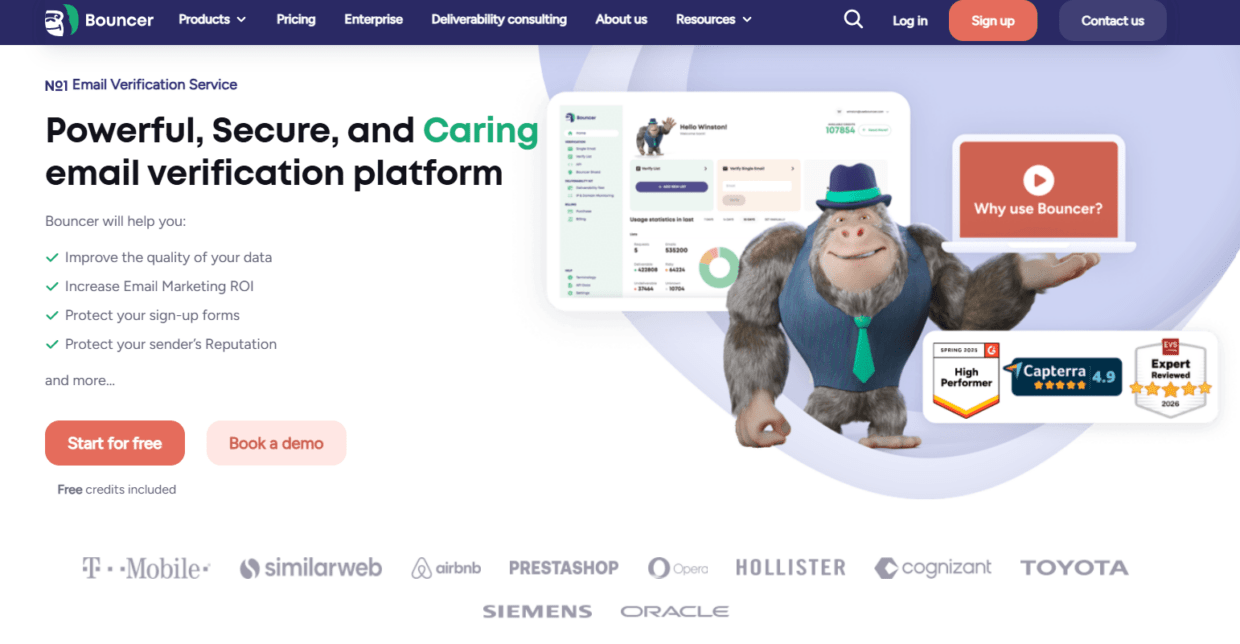
Bouncer fits the inbox placement recovery workflow because it covers list quality, risky records, form protection, and deliverability testing.
Bouncer’s Deliverability Kit helps test inbox placement, IP and domain blocklists, SPF and DKIM, DMARC, and SpamAssassin. This is especially useful when your ESP says emails are delivered, but engagement suggests messages are landing in spam or low-visibility folders.
Bouncer’s email list verification helps verify whether email addresses appear deliverable before campaigns. For larger files, bulk email verification helps process CRM exports, cold outreach files, old newsletter segments, ecommerce lists, and global campaign audiences. For uncertain databases, free email list sampling can help estimate risk before full verification.
For risky lists, Toxicity Check can help identify potentially harmful email addresses that may damage reputation. For entry-point prevention, Email Verification API validates emails inside forms, apps, signups, and workflows. Bouncer Shield helps protect forms from invalid, fake, or malicious submissions.
For ongoing hygiene, Bouncer AutoClean can help connected platforms keep lists cleaner through recurring verification jobs. Integrations help teams keep verification closer to the systems they already use. Company Data Enrichment can add useful company context after verification where segmentation needs it.
Bouncer cannot make mailbox providers trust a sender overnight. But it helps you find and remove the list-quality and technical issues that often drag inbox placement down.
The list-quality problem behind poor placement
Poor inbox placement is not always caused by spammy copy. Often, it starts with the audience.
Mailbox providers learn from how people interact with your emails. If your list includes stale, invalid, uninterested, poorly sourced, or risky contacts, the campaign sends weak signals even if the message is well written.
Hard bounces suggest poor data quality. Spam complaints suggest poor expectations. Low engagement suggests the message is not wanted or the audience is too cold. Repeated sends to inactive contacts can train providers that people do not care about your emails. Spam trap exposure can damage reputation even more seriously.
A clean list does not guarantee inbox placement, but a poor list makes good placement harder.
This is why fast inbox placement repair usually starts with the next audience, not the next creative concept. Send to verified, engaged, source-safe contacts first. Hold old, inactive, cold, unknown, and weak-source records until the sender stabilizes.
A smaller list can produce better placement than a larger list if the larger one carries too many negative signals.
The authentication problem
Authentication is the technical proof that your emails are allowed to come from your domain. If SPF, DKIM, DMARC, or alignment is broken, mailbox providers have less reason to trust the message.
Google’s current sender guidance says all senders need SPF or DKIM authentication, while bulk senders must meet additional requirements, including SPF, DKIM, DMARC, alignment, and unsubscribe rules. Yahoo’s sender best practices also require authentication and low complaint rates.
For teams asking how to improve inbox placement fast, authentication is one of the first things to review because it can be checked quickly. It may not solve every placement issue, but broken authentication can sabotage the whole recovery.
Review every platform that sends email on your behalf. ESP, CRM, sales engagement platform, ecommerce tool, product notification system, webinar platform, support tool, billing tool, and regional email platforms can all affect sender trust.
If one tool sends without proper alignment, it can create inconsistent signals. Inbox placement recovery becomes much easier when every sender path is clean.
The complaint problem
A spam complaint is stronger than a passive ignore. It tells the provider the recipient did not want your email.
Complaints often come from one of these issues:
The source was weak.
The contact did not expect the message.
The campaign was too broad.
The offer did not match the audience.
The email cadence was too heavy.
The unsubscribe link was hard to find.
The sender name was unclear.
The subject line overpromised.
The list was too old.
Mailbox providers do not need your explanation. They see the complaint signal.
If you want to improve inbox placement quickly, reduce the chance of complaints. Send to people with clearer expectations. Make unsubscribe visible. Avoid cold or dormant segments while reputation is unstable. Remove sources that produced complaints. Segment by engagement. Keep messaging aligned with what people signed up for.
A sender can survive a few bounces more easily than a pattern of people saying “I did not want this.”
The volume problem
Volume spikes can cause placement issues, especially when the audience is weak.
If a domain usually sends 20,000 emails per week and suddenly sends 250,000 to an old list, providers may react. If a new domain jumps into high-volume cold outreach, providers may react. If a brand sends to dormant contacts during a seasonal campaign without verification, providers may react.
Volume itself is not the enemy. Untrusted volume is.
During recovery, volume should follow trust. Start with the cleanest, most engaged contacts. Do not lead with reactivation, purchased lists, cold prospects, or broad global segments. If early signals stay healthy, gradually expand.
This feels slower, but it can be the fastest safe route back to the inbox.
The content problem, honestly
Content can affect inbox placement, but it is usually not the first thing to blame.
Yes, misleading subject lines, broken HTML, suspicious links, link shorteners, image-only emails, spammy wording, and poor formatting can create issues. A confusing sender name or missing unsubscribe can also push people to complain.
But many teams obsess over copy because it is visible. They rewrite subject lines five times while sending to an old unverified list. That is backwards.
Fix content when it creates confusion, complaints, or technical spam signals. Use a clear sender identity. Keep claims honest. Make the email easy to understand. Use links carefully. Test rendering. Avoid hiding unsubscribe. But do not expect content tweaks to save a damaged list or broken authentication.
Bouncer’s Deliverability Kit includes SpamAssassin testing, which can help catch content and technical signals before a send. Use that as part of pre-send QA, not as the only deliverability control.
What inbox placement recovery looks like by scenario
Inbox placement issues do not all come from the same place. The right response depends on the pattern.
| Scenario | Likely issue | Best immediate move |
| Delivered rate looks high, but engagement drops | Spam or low-visibility placement | Run inbox placement tests and compare by provider |
| Gmail placement drops first | Gmail reputation, complaints, engagement, authentication | Check Postmaster signals, list quality, and auth |
| Outlook filters B2B campaigns | Corporate/domain reputation or content/security signals | Test placement and review B2B domain segment |
| Spam placement after old-list send | Stale contacts and weak engagement | Verify list and pause inactive segments |
| Spam placement after new domain launch | Volume too fast or weak auth | Slow ramp and check SPF/DKIM/DMARC |
| Poor placement after import | Suppression or source issue | Audit import and restore suppression fields |
| Ecommerce promo lands in spam | Old customers, complaints, or heavy volume | Verify old segments and reduce dormant sends |
| Cold outreach placement drops | Source, complaints, or sending pattern | Pause weak sources and restart with smaller verified segment |
This is the only scenario table in the article. The rest needs judgment, because inbox placement recovery is rarely a tidy checklist.
Use engaged contacts to rebuild better signals
Engaged contacts are your safest recovery audience.
They have clicked, replied, bought, booked, logged in, submitted a form, attended a webinar, or recently interacted with your brand. These people give mailbox providers better signals because they are more likely to show interest.
If you are trying to recover inbox placement, do not start with dormant contacts. Do not start with a big reactivation list. Do not start with a purchased list. Do not start with the widest possible newsletter segment.
Start with the people most likely to want the email.
For ecommerce, that may be recent buyers, active subscribers, loyalty customers, or people who browsed or bought recently. For SaaS, it may be active users, recent demo requests, product-qualified leads, trial users, or engaged newsletter readers. For B2B outbound, it may be a small, verified, manually reviewed account list rather than a large enrichment export.
Inbox placement improves when recipient behavior improves. Engaged audiences help produce that behavior.
Clean the database, not only the campaign list
A campaign cleanup helps once. Database hygiene helps repeatedly.
If hard bounces, invalids, toxic contacts, or unsubscribed records only get removed from one campaign list, they can return later through another export, sync, or sales workflow. That is how deliverability problems repeat.
Store verification status, suppression reason, source, verification date, risk category, and last engagement in your CRM or marketing platform. Make those fields visible to the people building audiences.
Bouncer AutoClean can help keep connected lists cleaner. API validation and Bouncer Shield can prevent new bad records. Integrations can reduce manual upload/export work. This matters because inbox placement problems often come from process leaks, not one-time mistakes.
A healthy email program should not need a panic cleanup before every important send.
Do not use a new domain as a shortcut
When inbox placement drops, some teams want to move to a new domain or subdomain immediately.
Sometimes domain separation is part of a healthy sending architecture. Transactional email, marketing email, sales outreach, and product notifications may need different sender streams.
But using a new domain to escape poor behavior rarely works for long. If the same bad lists, complaints, volume spikes, and weak targeting move to the new domain, the problem follows. New domains also need careful ramping and trust-building.
A new domain is not a washing machine for bad data.
Fix the list. Fix authentication. Fix suppression. Fix source quality. Fix engagement strategy. Then decide whether the sender architecture needs changes.
Protect the next 30 days
Fast inbox placement improvement should focus on the next few sends, not just the next one.
For the next 30 days, avoid risky experiments. Keep volume controlled. Use verified lists. Send to engaged contacts first. Do not run aggressive reactivation. Do not import new third-party data without verification. Do not change too many variables at once.
Monitor provider-level results. Gmail, Yahoo, Outlook, Microsoft 365, Apple Mail, and corporate domains may behave differently. A blended campaign report can hide the issue. If Gmail is weak but Outlook is fine, the fix may differ from a global placement drop.
Use Deliverability Kit before major sends and after suspicious drops. Check blocklists, authentication, and inbox placement. Pair that with list verification and engagement review.
Recovery is easier when the next few sends are intentionally conservative.
Where Bouncer fits before, during, and after recovery
Before the next send, Bouncer helps you verify the list, sample uncertain segments, run Toxicity Check, and test inbox placement through Deliverability Kit.
During recovery, Bouncer helps you keep risky records out of the sendable audience. You can use verification results and risk categories to decide which segments stay paused.
After the campaign, Bouncer supports prevention. API validation and Shield protect forms. AutoClean supports recurring hygiene in connected tools. Integrations help reduce manual list handling. Company Data Enrichment can add useful company context for segmentation after verification.
That means Bouncer is not only a “clean the list once” tool. It can support the full inbox placement workflow: data quality, risk control, technical checks, and prevention.
What not to do when inbox placement drops
- Do not send more to make up for lower engagement.
- Do not blame subject lines before checking list quality.
- Do not move a risky list to a new domain.
- Do not keep mailing hard bounces from another platform.
- Do not hide unsubscribe.
- Do not restart with inactive contacts.
- Do not rely on one global delivery rate.
- Do not assume “delivered” means “inbox.”
- Do not skip provider-level monitoring.
- Do not treat inbox placement as only a content problem.
These mistakes are common because they feel active. But inbox placement usually improves through restraint, cleaner signals, and better targeting.
Key takeaways
- How to improve inbox placement fast starts with reducing negative signals: bounces, complaints, risky records, weak authentication, and unstable volume.
- Inbox placement is different from delivery. An email can be accepted by the server and still land in spam or a low-visibility folder.
- Bouncer supports inbox placement recovery through Deliverability Kit, email list verification, bulk verification, free list sampling, Toxicity Check, Email Verification API, Bouncer Shield, AutoClean, integrations, and Company Data Enrichment.
- Google and Yahoo sender guidance makes authentication, low complaints, and easy unsubscribe especially important.
- List quality is often the fastest practical lever because invalid, stale, toxic, and unengaged contacts create poor provider signals.
- Recovery should begin with engaged, verified, source-safe contacts.
- Content fixes help when they reduce confusion or complaints, but they cannot compensate for a bad list or broken authentication.
- A new domain will not fix bad sending habits.
Conclusion
If you want to know how to improve inbox placement fast, start with the parts of the sending system that create trust. Verify the list. Suppress risky records. Fix authentication. Reduce complaints. Lower volume to weak segments. Send first to people most likely to engage. Test inbox placement before major campaigns.
Bouncer fits this recovery work because it helps teams check inbox placement, verify lists, detect risky records, protect forms, automate hygiene, and prevent new bad data from entering. It cannot force an instant reputation reset, but it can help you stop the signals that make inbox placement worse.
The inbox is earned through patterns. Make the next few sends cleaner, safer, and more wanted than the last few.
FAQ
How can I improve inbox placement fast?
You can improve inbox placement fast by verifying your next list, suppressing hard bounces, pausing inactive segments, checking SPF, DKIM, and DMARC, reducing spam complaints, lowering risky volume, and sending first to engaged contacts.
Can Bouncer help improve inbox placement?
Yes. Bouncer can help through Deliverability Kit, email list verification, bulk verification, free list sampling, Toxicity Check, Email Verification API, Bouncer Shield, AutoClean, integrations, and Company Data Enrichment. These tools support list quality, inbox placement testing, and prevention.
What is the difference between delivery and inbox placement?
Delivery means the receiving server accepted the email. Inbox placement means the email landed in the inbox instead of spam, junk, quarantine, or a low-visibility folder. A campaign can have high delivery and poor inbox placement.
Why did my inbox placement suddenly drop?
Common causes include stale lists, high bounces, spam complaints, weak engagement, broken authentication, sudden volume spikes, old reactivation campaigns, purchased data, poor suppression, or provider-specific reputation issues.
Does fixing SPF, DKIM, and DMARC improve inbox placement?
Fixing authentication can help because mailbox providers need to verify the sender. It does not guarantee inbox placement on its own. List quality, complaints, engagement, and reputation still matter.
Should I send to inactive contacts during inbox placement recovery?
No, not at first. Inactive contacts can create weak engagement and complaint risk. Start recovery with verified, engaged, source-safe contacts, then expand carefully after signals improve.
Can subject lines fix inbox placement?
Subject lines can help if they reduce confusion or complaints, but they will not fix invalid emails, poor reputation, broken authentication, spam trap risk, or weak engagement. Start with list and sender signals first.
How long does inbox placement recovery take?
Some fixes can help quickly, such as suppressing hard bounces or fixing authentication. Reputation recovery takes longer because mailbox providers need to see cleaner sending behavior over several sends.


