





Some email addresses do not die loudly.
They sit in your CRM. They stay in old newsletter segments. They appear in exported lead lists. They may even look perfectly normal at first glance.
Then one day, they start bouncing.
That is the problem with zombie Gmail accounts: old, inactive Gmail addresses that still exist in your database, but no longer belong in your active email campaigns.
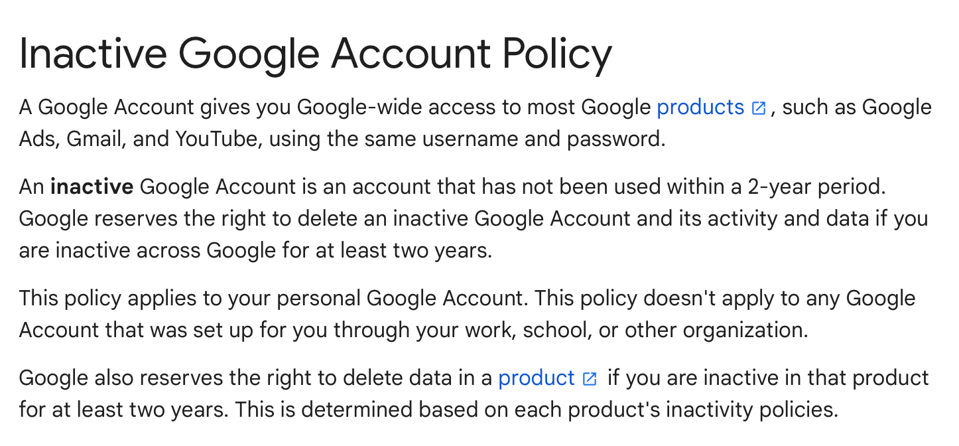
And with Google’s inactive account policy, this problem has become harder to ignore. Google may delete personal accounts that have not been used for at least two years, including Gmail data connected to those accounts. For marketers, sales teams, and deliverability managers, that means one thing: old Gmail contacts deserve a closer look.
Not because every inactive Gmail address will disappear overnight. But because old, unverified, unengaged contacts can quietly damage your email performance long before someone on your team notices the pattern.
If Gmail is already rejecting messages, use the bounce text as a diagnostic signal; our Gmail bounce-back guide covers the most common causes and fixes.
What are zombie Gmail accounts?
A zombie Gmail account is not an official Google term. It is a practical way to describe Gmail addresses that still live inside your email list but show signs of being dead, abandoned, risky, or no longer useful.
They might include:
- Gmail accounts that have not engaged with your emails in years
- personal accounts that users created once and forgot about
- addresses collected through old lead magnets, giveaways, or events
- contacts imported into your CRM years ago
- leads from cold outreach campaigns that never replied
- free Gmail addresses from trial users who never converted
- accounts that may now bounce because Google removed them
The dangerous part is that these addresses often look harmless.
They do not always have obvious typos. They may not look fake. They may have entered your database through a real signup form. Some may even have opened or clicked emails years ago.
But email lists age. People abandon inboxes. Jobs change. Personal accounts get replaced. Old aliases stop serving any purpose.
At some point, a contact can move from “inactive subscriber” to “deliverability risk.”
Why Google’s inactive account cleanup matters
Google’s inactive account policy applies to personal Google Accounts that have not been used for at least two years. Google says it may delete those accounts and their activity or data.
For the account owner, this is mostly a security and data management issue.
For senders, it creates a different problem.
If your list contains old Gmail contacts, some of those addresses may eventually stop accepting mail. When that happens, your campaigns may see more hard bounces from segments that looked stable before.
That matters because inbox providers pay attention to sender behavior. If you keep sending to addresses that bounce, ignore your emails, or never show signs of engagement, you send a poor signal.
Why old Gmail contacts are risky for email deliverability
Zombie Gmail accounts are not only a bounce problem. They can also distort how you read your email performance.
Imagine you have a list of 80,000 contacts. A big chunk came from old campaigns, free trials, event downloads, and newsletter signups from three or four years ago. Many of those addresses are Gmail accounts.
Your email platform still shows them as subscribers. Your CRM still treats them as marketable. Your team still counts them when planning campaigns. But many of them have not opened, clicked, replied, bought, booked, or logged in for years.
That means your real reachable audience may be much smaller than your database suggests.
This creates several problems:
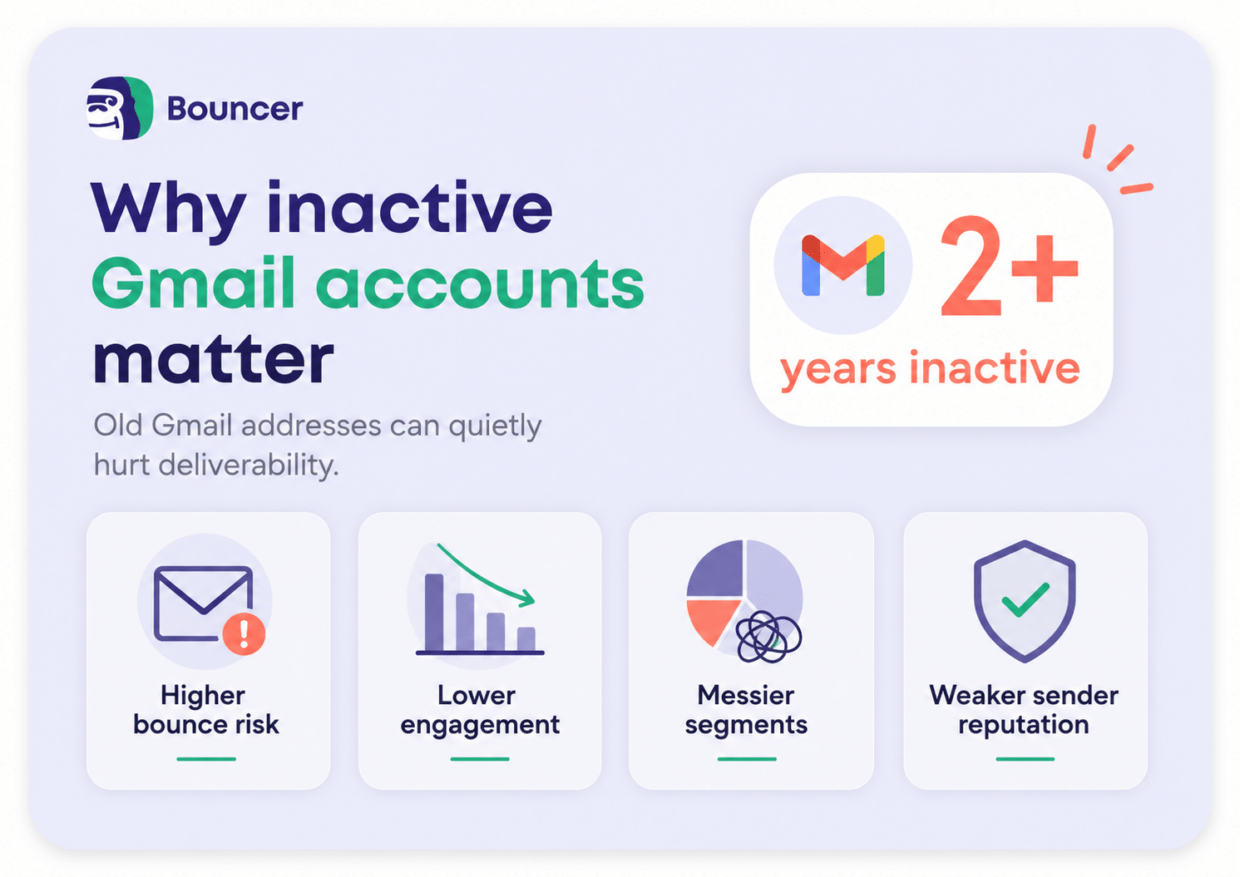
- First, your bounce rate may climb when inactive accounts start disappearing or stop accepting mail.
- Second, your engagement rate may look weaker because you keep sending to people who no longer care, no longer use that inbox, or no longer exist.
- Third, your sender reputation may take unnecessary damage because you are treating old data like fresh data.
- And fourth, your team may make bad decisions from inflated list numbers.
A list of 100,000 contacts sounds strong. A list of 100,000 contacts where 35,000 are stale, unverified, or inactive is a different story.
The real problem is not Google. It is list decay.
Google’s policy is the trigger, but list decay is the bigger issue.
Every email list decays over time. That happens even when you follow good practices.
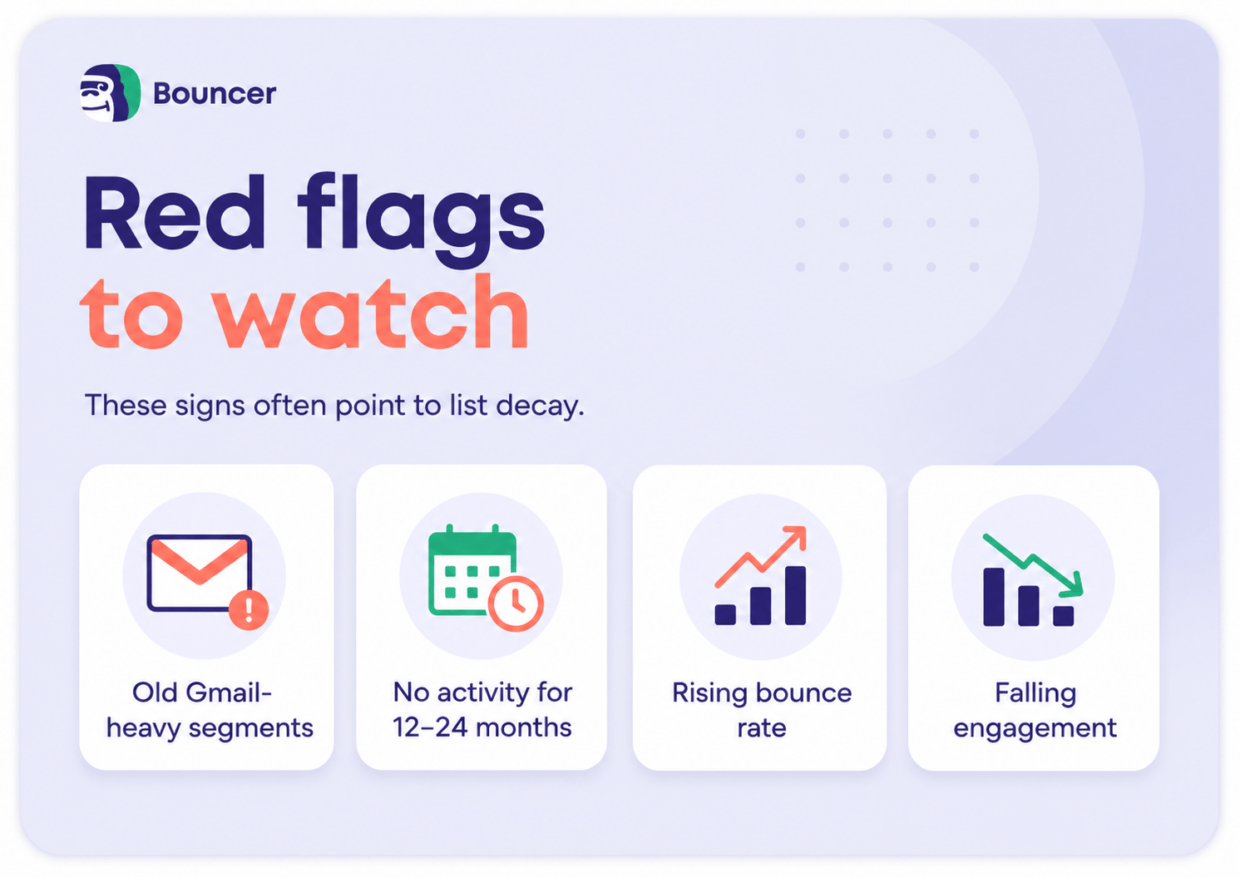
People change email addresses. They abandon accounts. They switch jobs. They stop caring about a topic. They sign up for a resource and never return. They use temporary or low-commitment addresses. They forget they ever joined your list.
So the question is not “Will my list decay?” It will.
The real question is: “How quickly can I spot it before it hurts performance?”
That is where many teams struggle.They clean obvious hard bounces, or remove unsubscribes. They may even suppress spam complaints.
But they often leave long-term inactive contacts untouched because removing them feels painful.
Nobody wants to make the list smaller – but sometimes, a smaller list is the healthier list.
How zombie Gmail accounts affect your metrics
Your bounce rate may rise
If Google deletes an inactive Gmail account, messages to that address may bounce. If you have many old Gmail contacts, this can increase your bounce rate across affected campaigns.
A high bounce rate can hurt your sender reputation, especially when it becomes a pattern instead of a one-time issue.
Your engagement rate may drop
Inactive accounts do not click. They do not reply. They do not visit your website. They do not convert.
So when you keep sending to them, your engagement metrics weaken.
This matters because mailbox providers look at engagement signals. If your emails often get ignored, your campaigns may have a harder time reaching the inbox.
Your segmentation becomes less reliable
Old Gmail contacts can pollute your segments.
For example:
- You may have a “newsletter subscribers” segment, but it may include people who have not interacted with your brand since 2021.
- You may have a “trial users” segment, but some contacts may belong to abandoned personal accounts.
- You may have an “event leads” segment, but many addresses may no longer have any real value.
The segment still exists. The audience quality has changed.
Your campaign decisions get worse
Bad data creates bad marketing decisions.
If you think your list is bigger and healthier than it is, you may:
- overestimate campaign reach
- misread weak performance as a content problem
- spend more on sending volume than necessary
- delay list cleaning because the database “looks fine”
- run re-engagement campaigns to contacts that should be suppressed first
Zombie accounts make your list look more alive than it really is.
How to find zombie Gmail accounts in your list
You do not need to panic-delete every inactive Gmail address.
That would be too aggressive.
Instead, start with a structured review.
1. Pull all Gmail contacts with no activity in 12–24 months
Start with Gmail addresses that show no recent engagement.
Look at opens if you must, but do not rely on them alone. Apple Mail Privacy Protection and other privacy changes have made opens less reliable.
Focus more on meaningful activity:
- clicks
- replies
- purchases
- form submissions
- product logins
- demo bookings
- account activity
- recent email engagement across multiple campaigns
If a Gmail contact has shown no useful activity in one or two years, it belongs in a risk review segment.
2. Separate inactive from valuable dormant contacts
Not every quiet contact is worthless.Some people do not click newsletters but still buy. Some do not engage with marketing emails but use your product. Some may return during seasonal campaigns.
So do not judge Gmail contacts on email engagement alone.
Cross-check other data where possible:
- CRM activity
- purchase history
- product usage
- sales conversations
- support tickets
- recent website activity
- account status
A paying customer with low newsletter engagement is different from a free Gmail lead who downloaded one ebook four years ago.
3. Verify old Gmail-heavy segments before big campaigns
Before you send a major campaign to an old segment, verify the list.
This is especially important for:
- old newsletter lists
- webinar registrants from past years
- event lead exports
- cold outreach lists
- dormant trial accounts
- old lead magnet downloads
- contacts imported from another CRM
- lists that nobody has cleaned in months
Email verification helps you spot risky, invalid, or undeliverable addresses before they create bounce problems.
4. Do not run one huge re-engagement blast to a stale list
This is a common mistake.
A team finds an old segment and thinks:
“Let’s send one re-engagement campaign and see who comes back.”
That sounds logical, but it can backfire if the segment contains too many invalid or risky addresses.
A better approach:
- verify first
- remove or suppress invalid addresses
- split the remaining contacts into smaller batches
- start with the most recent or most promising segment
- monitor bounce rate, complaint rate, and engagement
- stop if results look poor
Re-engagement should help you recover good contacts, not punish your sender reputation.
5. Create a sunset policy for long-term inactive contacts
A sunset policy defines when you stop sending regular campaigns to inactive subscribers.
For example:
- no clicks or meaningful engagement in 6 months: reduce frequency
- no engagement in 12 months: move to re-engagement
- no engagement after re-engagement: suppress from marketing campaigns
- no engagement in 24 months: verify again or remove from active sends
The exact timing depends on your business model and campaign frequency.
But the principle is simple: people should not stay in your active email audience forever just because they never unsubscribed.
Silence is a signal too.
How Bouncer helps with zombie Gmail accounts
Bouncer helps you check which email addresses are safe to contact before you send.
For old Gmail-heavy lists, this matters because you do not want to wait for a campaign to reveal the problem through bounces.
With Bouncer, you can verify your email list and identify addresses that may be invalid, risky, or unsafe to keep in active campaigns. That gives your team a cleaner starting point before newsletter sends, cold outreach, re-engagement campaigns, or CRM cleanup projects.
Bouncer is especially useful when you deal with:
- old lead lists
- dormant subscribers
- CRM exports
- event contacts
- high-volume newsletter sends
- cold email lists
- Gmail-heavy databases
- segments with declining engagement
Email verification will not fix every deliverability issue on its own. You still need good consent practices, relevant content, smart segmentation, and proper sending infrastructure.
But it helps remove one of the most avoidable risks: sending to addresses that should not be in your campaign anymore.

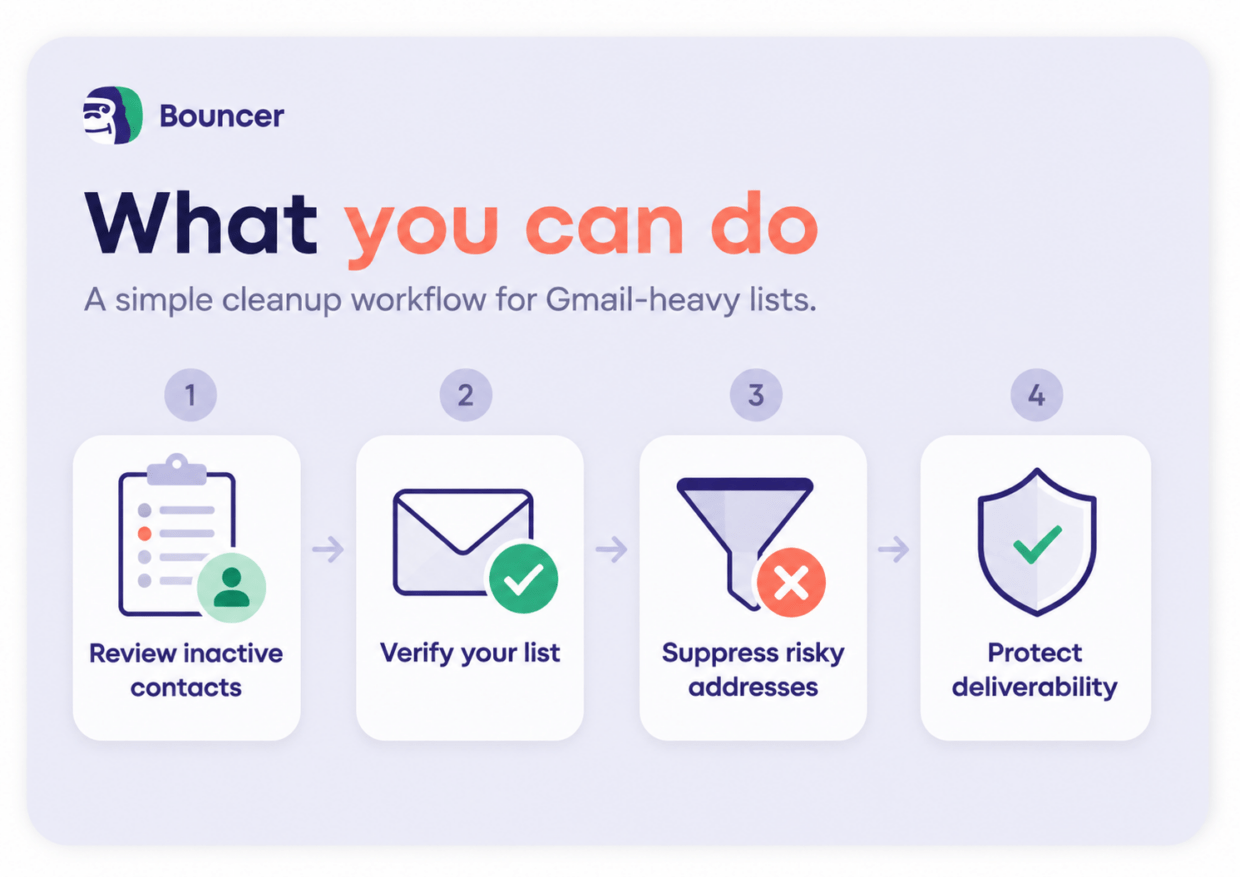
A simple cleanup workflow for Gmail-heavy lists
Here is a practical workflow you can use before your next big send.
#1
First, export Gmail contacts that have not shown meaningful activity in the last 12–24 months.
Then split them into groups:
- recent customers or active product users
- past customers
- newsletter-only subscribers
- cold leads
- old webinar or event leads
- contacts with no known source
#2
Next, verify the riskiest groups first. Start with old cold leads, old event contacts, and newsletter-only subscribers with no engagement.
#3
After verification, remove invalid addresses and suppress high-risk contacts from regular campaigns.
Then run a small re-engagement campaign to the cleaner remaining segment.
Keep the message simple. Ask for one clear action. Do not send a heavy sales email to people who have ignored you for two years.
#4
Finally, monitor the results.
If people click, reply, or take action, keep them in a lower-frequency segment.
If they stay silent, let them go.
Your goal is not to save every address. Your goal is to protect the part of your list that can still produce real engagement.
When should you clean your email list?
You should clean your email list before there is a visible crisis.
A good rule: clean more often when your list grows faster, ages faster, or contains many low-commitment signups.
You should review your list when:
- you prepare a large campaign
- you import contacts from another system
- your bounce rate starts rising
- Gmail performance gets worse
- engagement drops without a clear content reason
- you send to a segment older than 12 months
- you plan a re-engagement campaign
- you use old event, webinar, or lead magnet contacts
- you change email service providers
For many teams, quarterly list hygiene is a sensible baseline.
For high-volume senders, cold outreach teams, and companies with many free Gmail signups, monthly checks may make more sense.
Do not wait for zombie accounts to bounce
The worst time to clean your list is after your deliverability drops.
By then, the damage may already show up in lower inbox placement, weaker engagement, and worse campaign performance.
Zombie Gmail accounts are a useful reminder that email data has a shelf life.
An address that looked valid two years ago may not be safe today. A subscriber who once engaged may now be unreachable. A Gmail account that sat quietly in your database may soon turn into a hard bounce.
So do not treat old contacts as harmless.
Review them. Verify them. Segment them. Suppress them when they stop serving a real purpose.
A clean list may look smaller in your email platform.
But it usually performs better where it matters: inbox placement, engagement, and revenue from people who are still there.
FAQ
What are zombie Gmail accounts?
Zombie Gmail accounts are old, inactive, abandoned, or risky Gmail addresses that still sit in your email list but no longer show signs of real engagement. Some may eventually bounce, especially if the underlying Google Account becomes inactive or deleted.
Is Google deleting inactive Gmail accounts?
Google says it may delete personal Google Accounts that have been inactive for at least two years. This can include Gmail and other account data. The policy does not mean every old Gmail address will disappear at once, but it does make inactive Gmail contacts worth reviewing.
Can inactive Gmail accounts hurt email deliverability?
Yes, they can. If you keep sending to inactive, invalid, or abandoned addresses, you may see higher bounce rates, weaker engagement, and worse sender reputation signals.
Should I delete all inactive Gmail contacts?
No. Some inactive contacts may still have value, especially if they are customers, product users, or sales opportunities. Start with segmentation and verification before deleting or suppressing contacts.
How can I clean old Gmail contacts safely?
Export Gmail contacts with no meaningful activity in the last 12–24 months, verify them with an email verification tool like Bouncer, remove invalid addresses, and run re-engagement campaigns only to the safer remaining segment.


