



Email Verification Tool
Type in an address, hit verify, and know if it’s safe to send…
before it ever gets the chance to bounce.
Status
UndeliverableReason
REJECTED EMAILDomain
- Name
- Accept all
- Disposable
- Free
- mohi.to
- No
- No
- No
Account
- Role
- Disabled
- Full mailbox
- mohi.to
- No
- No
Provider
- Domain
- google.com











What your result means

Deliverable

Risky

Undeliverable

Unknown
addresses
prevented
uptime
results
What is email list verification?
Email verification is the process of checking whether an email address exists and can receive messages, without sending anything to it. A verifier talks directly to the recipient’s mail server, confirms the mailbox is real, and flags addresses that would bounce, waste your sending budget, or hurt your sender reputation.
You’ll also hear it called email validation or email checking. The names differ, the job is the same: making sure every address on your list belongs to a real, reachable inbox before you press send.
How to verify an email address
There are a few ways to check if an email is valid. Three of them are manual, slow, and only get you part of the answer. One takes seconds.

Send a test email

Check the MX records

Search the address online
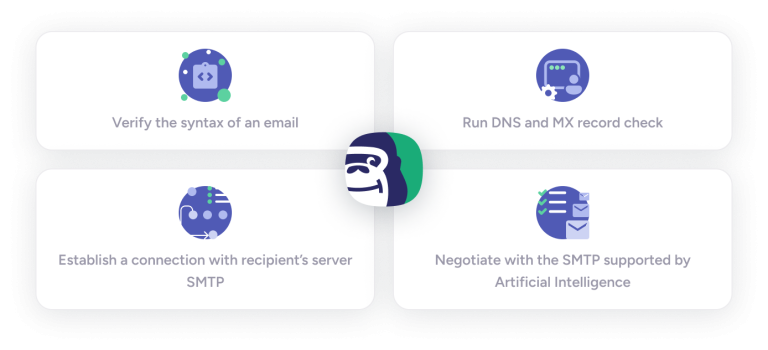
An email verification tool does the one thing you can’t do manually: it talks to the mail server directly and asks about the exact mailbox, without delivering a message. Here’s what happens in those few seconds.
How does email verification work?
.

Syntax check

Domain & MX lookup

SMTP handshake

Catch-all resolution
Why verify email addresses before sending?
Because your list is quietly falling apart. People change jobs, abandon inboxes, and mistype their own addresses at signup — roughly a quarter of B2B email addresses go stale every year. Send to a list that hasn’t been cleaned, and three things happen at once:
📈 Your bounce rate spikes. Most email service providers start flagging senders above a 2% bounce rate. Cross it repeatedly and your campaigns get throttled — or your account suspended.
📉 Your sender reputation drops. Mailbox providers track how often your emails bounce and hit spam traps. A damaged reputation means even your valid recipients start finding you in the spam folder.
👻 You pay for ghosts. Every ESP bills by list size or send volume. Dead addresses inflate both, and they will never open, click, or buy anything.
Verification fixes all three in one pass: bounces stay under 1%, your reputation stays intact, and you stop paying to email people who left the company in 2023.
Bouncer Email Verification Tool
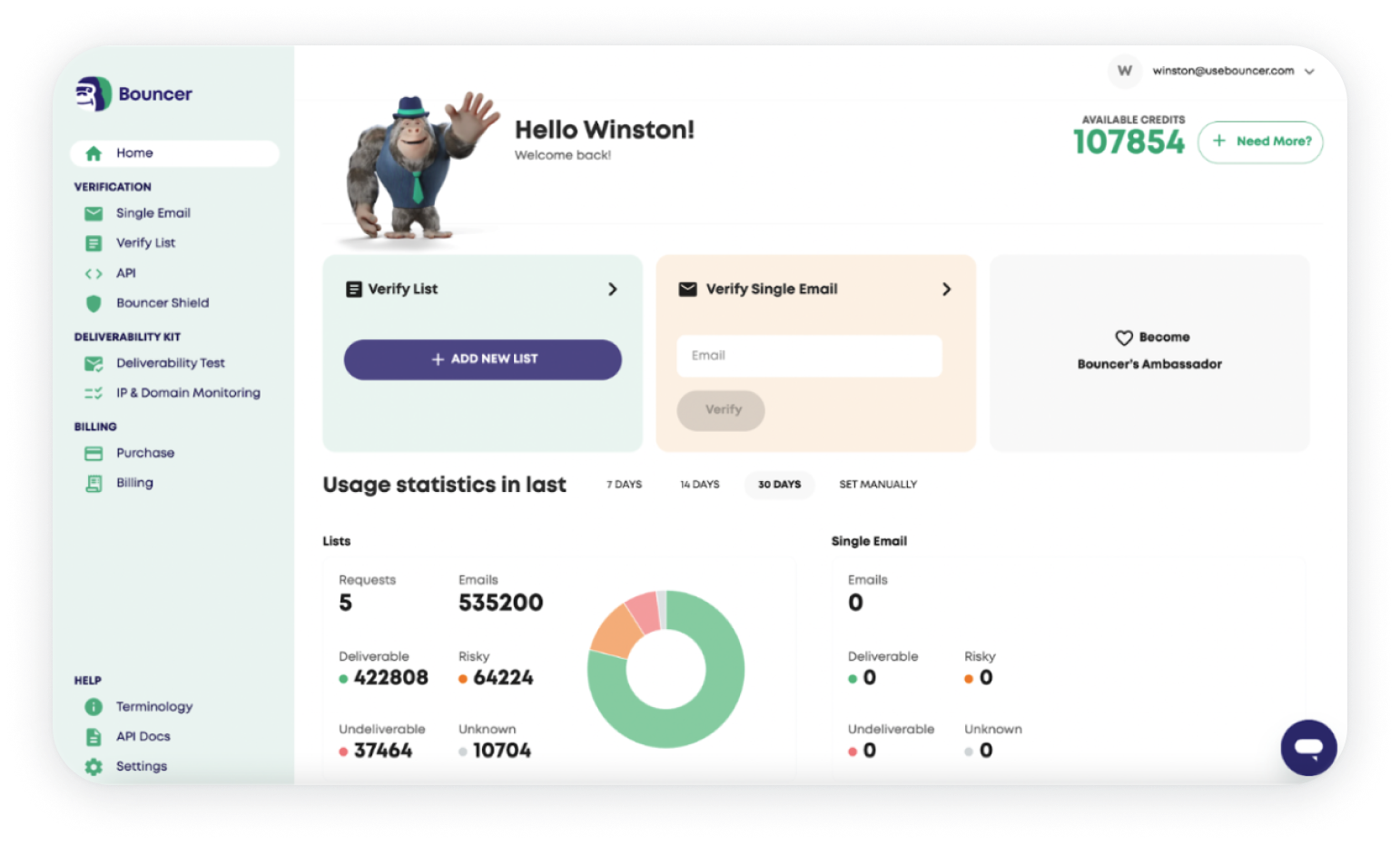
Our app is super simple to use!
Just drag and drop your email list, and let our email verification solution do the work!
Using Bouncer email verifier will not only help in inbox placement of your email campaign but will save your energy, time and money!
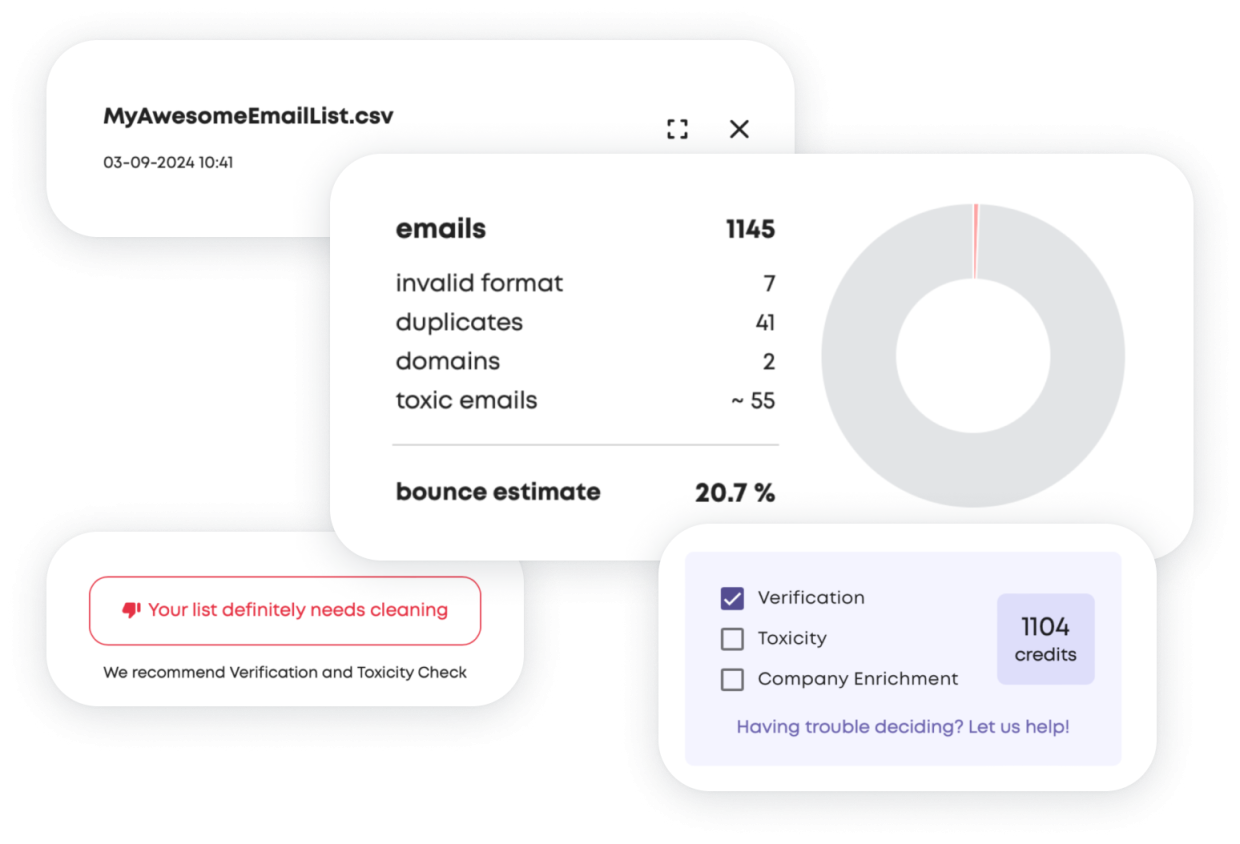
Bouncer allows you to test the quality of your list, without actually verifying it – completely free of charge! Based on a randomly selected sample of your list, Bouncer will tell you if your list is fine, or if you will actually need to clean it. This will help you reduce the time and cost of verifying lists that are safe to send to!
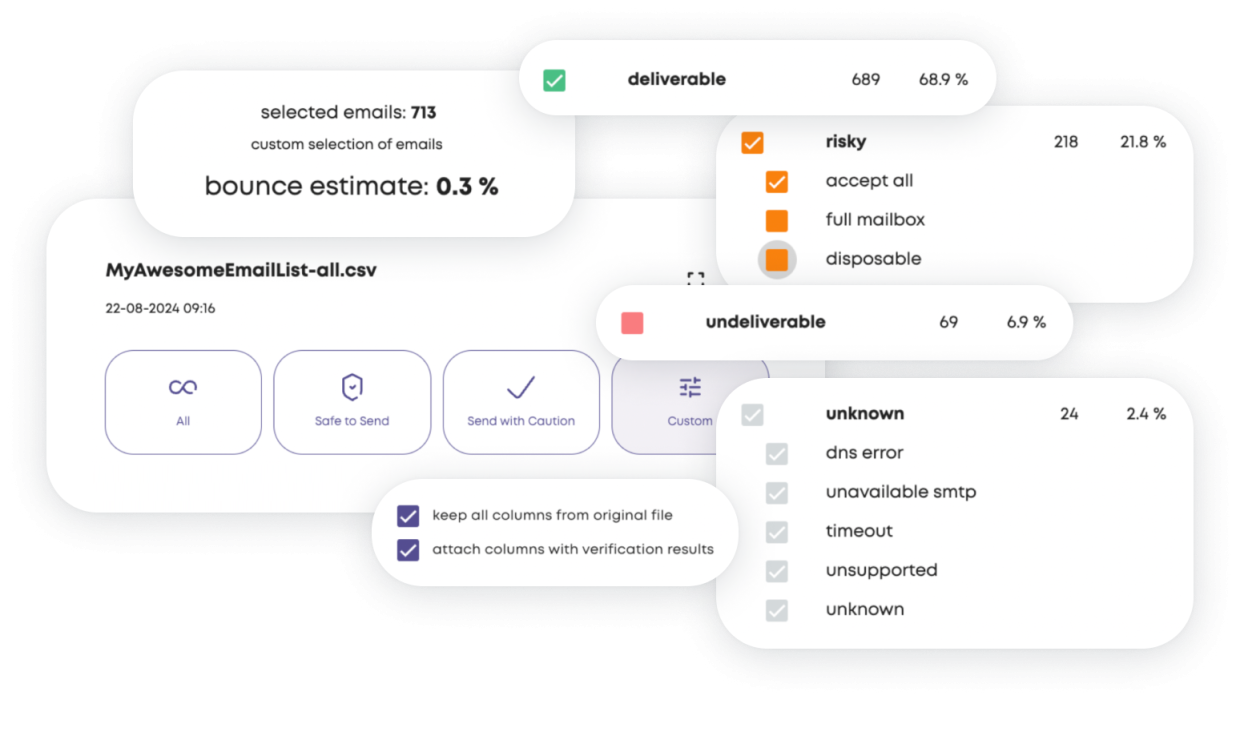
Verifying your email list is only half the journey. We all know how tricky it can be to make wise and knowledgeable decisions about which addresses to keep in your contacts lists, especially for “risky” ones.
That is why Bouncer is the only email checker that gives you information about what to expect after sending your campaign! Using our proprietary algorithm and analyzing your whole list, we will calculate how many of them may bounce back.
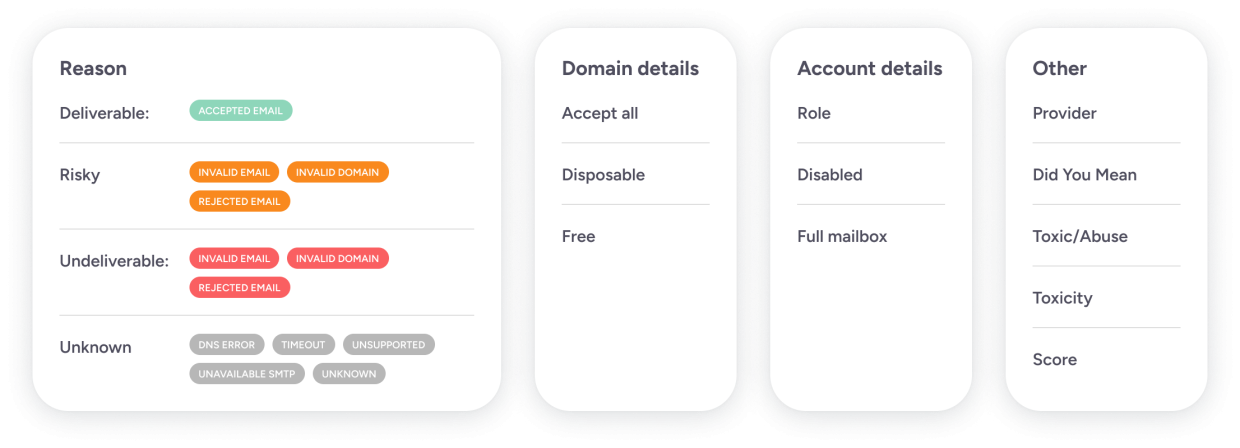
We love it when our customers make informative decisions.
That is why Bouncer provides not only deliverability status and reason but also characteristics of an email address such as Score, Toxicity Flag, Email Provider, Role, Free and Disposable, Full Mailbox Flags etc.

Bouncer, is one of the very few email verification solutions that is capable of verifying sophisticated email set-ups and configurations:
- Catch-All email addresses hosted by Google and Microsoft
- Anti-Spam filter protected email addresses,
- Email addresses hosted by niche providers.
This makes it the one with the highest coverage, the lowest amount of unknown results, and deep verification of catch-all email addresses.
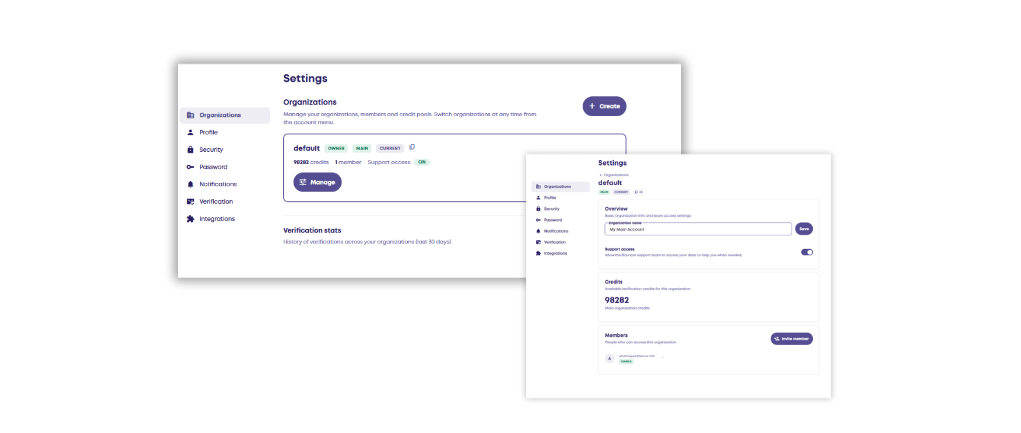
You can easily add multiple organizations, teams, and users to your Bouncer account with just one click.
Manage them, give access to the credits and take control of the usage. The number of users and organizations can even be unlimited.
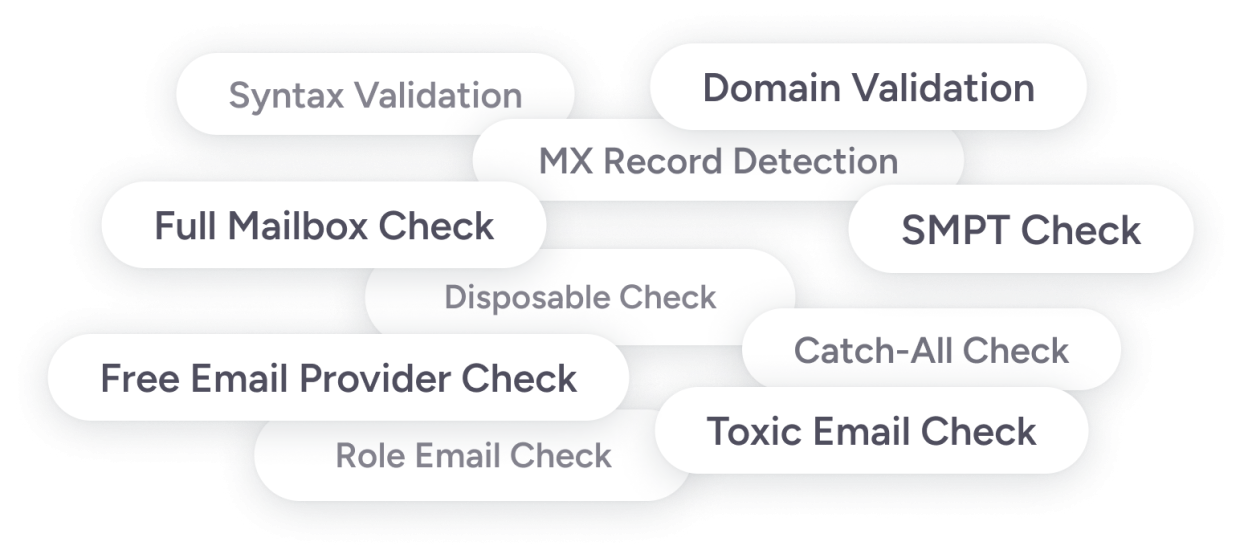
Bouncer has all the possible features of the best email verification solutions that you did not even have to know about and much more.
Accuracy you can check, not just take our word for
| What matters | Bouncer |
| Unknown results | Under 2% of all checks, among the lowest in the industry |
| Catch-all resolution | Resolved on Google and Microsoft infrastructure, where most tools return “unknown” |
| Addresses verified to date | 5+ billion |
| Speed | Single checks in seconds; 10,000-address lists typically within an hour |
| Compliance | GDPR compliant, SOC 2 certified, EU data storage |
| Pricing | Pay as you go from $8 per 1,000 verifications; credits NEVER expire |
Not enough? erify emails where they enter your system. The cleanest list is the one that never collects bad addresses in the first place. The Bouncer email verification API checks addresses in real time at signup and offers batch endpoints for everything else. Most teams are up and running in under an hour.
Email verification integrations
Easily connect your Bouncer account with your favourite marketing tools, and send your email campaigns effortlessly!
Keep your list clean in three simple steps: import, verify and export! Use your smooth marketing automation, and enjoy the full benefits of email marketing!
Why Bouncer?

Global
adaptability

Security without compromises

Ease of
use

Best accuracy & coverage

Premium
support
addresses
prevented
uptime
results
What do our clients say?


Users from any company size love us!






































































Let Bouncer support your growth
Don’t waste your energy on email verification.
Let Bouncer handle it for you
so you can focus on growing your business.
Common questions about email verification
Is the email checker free?
Yes. You can verify single email addresses for free, and every new account comes with free credits to test bulk verification. Paid plans start at $8 per 1,000 verifications with pay-as-you-go pricing, so you only pay for what you check.
How accurate is email verification?
Bouncer delivers one of the highest accuracy rates in the industry, with fewer than 2% unknown results. Accuracy depends on how a service handles hard cases like catch-all domains — Bouncer resolves catch-alls on Google and Microsoft infrastructure, which most verifiers simply mark as unknown.
What’s the difference between email verification and email validation?
In practice, the terms are used interchangeably. Strictly speaking, validation checks that an address is correctly formatted, and verification confirms the mailbox actually exists and can receive messages. Bouncer does both in a single check.
Can Bouncer verify catch-all email addresses?
Yes. Catch-all domains accept mail for any address, which makes them impossible to verify with a standard SMTP check. Bouncer uses proprietary negotiation with mail servers to resolve catch-alls hosted on Google and Microsoft infrastructure, returning a real verdict where other tools return “unknown.”
How long does it take to verify an email list?
A single address takes seconds. Bulk lists are processed in parallel — a list of 10,000 addresses is typically done within an hour, and most smaller lists finish in minutes. You’ll get an email the moment your results are ready.
Is email verification GDPR compliant?
Yes. Bouncer is GDPR compliant and SOC 2 certified. Email addresses are processed only for verification, stored in the EU, and automatically deleted after a retention period you control.
Does verification send an email to the address?
No. Verification happens through a conversation with the recipient’s mail server — syntax checks, DNS and MX lookups, and an SMTP handshake. The mailbox owner never receives anything and never knows the check happened.
What is a good email bounce rate?
Under 2%. Most email service providers start flagging senders above that threshold, and consistently high bounce rates damage sender reputation and inbox placement. Verifying your list before sending typically keeps bounces well below 1%.
How often should I clean my email list?
Every 3 to 6 months for active lists, and always before a major campaign or after importing contacts from a new source. Email lists decay naturally as people change jobs and abandon inboxes — roughly a quarter of B2B addresses go stale every year.
What file formats can I upload?
CSV, TXT, XLS and XLSX. You can also skip files entirely and sync lists directly from integrations like Mailchimp, HubSpot, Klaviyo or Woodpecker, then push verified results back where they came from.
Can I verify emails through an API?
Yes. The Bouncer API offers real-time single verification and batch endpoints, so you can verify addresses at the point of signup or clean lists programmatically. Most customers integrate it in under an hour.
What should I do with risky addresses?
Segment them, don’t delete them. “Risky” means the address exists but something lowers confidence — a catch-all domain, a full inbox, or a disposable provider. Send to risky addresses from a separate campaign, watch engagement, and drop the ones that stay silent.


