





A B2B email list can look perfectly fine in a spreadsheet and still damage your next campaign. The names are there. The company domains look real. The CRM fields seem tidy enough. Then the campaign goes out, bounce rates climb, sales sequences stall, and someone asks why “good leads” are not turning into conversations. That is the moment many teams start asking how to choose an email hygiene tool for b2b without falling for vague accuracy claims or choosing a tool that only solves one small part of the problem.
You’ll learn
- What email hygiene means in a B2B context
- Why B2B lists carry different risks than consumer lists
- Which features matter most when comparing tools
- Where Bouncer fits in a B2B email hygiene workflow
- How to compare batch verification, API validation, form protection, and deliverability tools
- What questions to ask before choosing a platform
- How to build a practical selection checklist before you buy
What email hygiene means for B2B teams
Email hygiene is the process of keeping email data accurate, safe, and useful before it reaches your sending tools. In B2B, that usually means more than checking whether an email address has the right format.
A B2B hygiene workflow may include email verification, list cleaning, catch-all detection, disposable email detection, role-based address checks, toxic contact detection, form protection, API validation, CRM cleanup, and deliverability monitoring.
That sounds like a lot, but the goal is simple: reduce avoidable email risk before it hits your campaigns.
B2B teams often work with data from several sources. Sales may import prospect lists. Marketing may collect webinar registrations. RevOps may merge CRM records. Partnerships may upload event leads. Customer success may own old account contacts. Each source carries a different level of risk.
That is why how to choose an email hygiene tool for b2b should start with your workflow, not with a pricing page. A tool that works for a newsletter team may not work for sales development. A tool that works for one-off CSV cleaning may not fit a product signup flow. A tool that only verifies addresses may not help when inbox placement, spam traps, or toxic contacts become part of the problem.
Why B2B email hygiene is harder than it looks
B2B email data changes fast. People change jobs, companies restructure, domains move, inboxes close, and teams switch tools. A contact that looked valid six months ago may no longer exist. A prospect from a company domain may route through a catch-all server. A role-based email such as info@company.com may technically receive mail but rarely create a useful sales conversation.
That makes B2B list quality tricky. The data can look professional and still be risky.
Consumer lists often contain personal email addresses that remain stable for years. B2B lists depend on employment status, company domain health, mailbox configuration, and business processes. When those change, the list decays.
B2B email hygiene also has a direct impact on revenue operations. Bad data wastes SDR time, pollutes CRM reports, distorts campaign metrics, and weakens sender reputation. It can also create false confidence. If your CRM says you have 50,000 leads but 12,000 are no longer reachable, the pipeline picture is not honest.
This is why choosing the right tool matters. The wrong tool may remove obvious invalid addresses but leave your team exposed to other risks.
What a good B2B email hygiene tool should actually do
A strong B2B email hygiene tool should help you answer practical questions before you send:
Can this address receive email?
Is the domain configured to accept mail?
Is this address disposable?
Is this a role-based inbox?
Is this domain catch-all?
Does this record carry extra risk?
Should this contact go into a campaign, a review segment, or suppression?
Can we stop this kind of bad data from entering again?
A basic checker may answer only the first question. A proper hygiene platform should help with the full decision.
| Capability | Why it matters in B2B | What to look for |
| Syntax and format checks | Catches obvious typos and malformed addresses | Basic validation included in every serious tool |
| Domain and MX checks | Confirms that the domain can receive mail | Clear handling of invalid or misconfigured domains |
| Mailbox-level verification | Helps reduce bounces | Strong confidence scoring and transparent statuses |
| Catch-all detection | Important for company domains | Clear distinction between verified, risky, and uncertain results |
| Disposable email detection | Protects lead quality | Updated disposable-domain database |
| Role-based address checks | Helps sales and marketing decide when to suppress | Flags such as info@, support@, admin@ |
| Toxicity or risk signals | Goes beyond simple validity | Helps identify contacts that may harm reputation |
| API validation | Stops bad data at the source | Fast, documented API for forms and product workflows |
| Deliverability tools | Helps diagnose inbox placement issues | Tests for authentication, blocklists, and placement |
Bouncer is a strong fit here because it supports several of these needs in one ecosystem: email list verification, email verification API, Bouncer Shield, Toxicity Check, and Deliverability Kit.
Start with your B2B use case
Before you compare tools, define the real job.
Many teams skip this step. They search for the “best” tool, compare a few accuracy claims, pick the cheapest credit package, and later realize the tool does not fit their workflow.
B2B teams usually fall into a few common use cases.
| Use case | Main hygiene risk | Best tool capabilities |
| Cold outbound | Bounces, catch-all domains, old work emails, risky sources | Bulk verification, catch-all handling, toxicity checks |
| Webinar lead generation | Typos, fake signups, personal emails, low-intent contacts | Form protection, real-time validation, list verification |
| CRM cleanup | Duplicates, inactive contacts, old company records | Bulk verification, clear exports, enrichment support |
| SaaS signup flows | Disposable emails, fake trials, abusive submissions | API validation, Bouncer Shield, fraud-related signals |
| Newsletter sending | List decay, inactive inboxes, invalid contacts | Scheduled verification and deliverability checks |
| Partner or event lists | Unknown source quality, mixed intent, outdated records | List sampling, batch verification, strict suppression rules |
| Re-engagement campaigns | Old contacts, abandoned mailboxes, weak engagement | Verification before send and deliverability testing |
This table should shape your buying criteria.
If you mostly clean quarterly CRM exports, you need strong bulk verification. If you run paid lead generation, form protection matters more. If your product accepts free signups, API validation may save more time than batch cleanup. If you run high-volume outbound, catch-all handling and toxic contact detection should sit near the top.
That is the first rule of how to choose an email hygiene tool for b2b: match the platform to the way bad data enters your business.
Batch verification vs real-time validation
One of the biggest decisions is whether you need batch verification, real-time validation, or both.
Batch verification means you upload a list and check it in bulk. This works well for campaign preparation, CRM cleanup, event list processing, and reactivation campaigns. It is often the easiest starting point for marketing and sales teams.
Real-time validation checks emails at the moment of entry. It works inside forms, signup flows, checkout pages, lead routing systems, and product registration workflows. This prevents bad data from entering your CRM in the first place.
Most B2B teams eventually need both.
Batch verification helps clean existing data. Real-time validation protects future data.
| Verification type | Best for | Strength | Limitation |
| Batch verification | Existing lists, CRM exports, campaign prep | Easy to run on large datasets | Happens after bad data already entered |
| Real-time API validation | Forms, signups, demos, product workflows | Stops bad data at the source | Needs technical setup |
| No-code form protection | Lead capture pages and simple forms | Easier to deploy than custom API work | May not fit complex internal workflows |
| Scheduled or automated cleanup | Recurring CRM hygiene | Reduces manual work | Needs clear rules and monitoring |
Bouncer supports both sides. You can use bulk verification for existing lists and the email verification API for real-time checks. If your team wants form-level protection without a heavier technical setup, Bouncer Shield can help block invalid, malicious, or fraudulent addresses at the point of entry.
For B2B, this matters because lead quality problems often start long before a campaign launches. If your demo form accepts fake emails every day, monthly list cleaning becomes a treadmill. A better tool should help you clean the database and improve the intake process.
Look beyond valid and invalid statuses
A weak email hygiene tool treats verification like a light switch. Valid or invalid. Good or bad. Send or suppress.
B2B lists rarely work that way.
A company domain may be catch-all, which means the server accepts mail for many addresses even when the individual mailbox may not exist. A role-based address may be deliverable but poor for sales outreach. A disposable address may pass format checks but signal weak intent. A toxic or risky address may not bounce yet still create reputation concerns.
So when you compare tools, look at how detailed the results are.
You want categories that support decisions. Your team should know what to do with each result. For example, safe contacts can enter a campaign. Invalid contacts should be suppressed. Catch-all records may need a separate segment. Toxic contacts may need strict exclusion. Role-based addresses may depend on campaign type.
Bouncer is useful here because it does not only help check whether an address exists. Its Toxicity Check can identify potentially harmful email addresses, such as widely circulated, breached, complaining, litigating, or spam-trap-related contacts. That gives B2B teams more context than a basic valid/invalid result.
This is especially important for sales and RevOps teams. A technically valid contact is not always a good contact. If the address creates risk or wastes sales time, the tool should help you see that before the sequence starts.
How to evaluate accuracy claims without getting fooled
Every email hygiene tool talks about accuracy. That does not mean every claim helps you make a better decision.
The problem is that accuracy can mean different things. One vendor may focus on syntax and domain-level checks. Another may test mailbox availability. Another may report high accuracy but return many uncertain results. Another may be conservative and classify more emails as risky to avoid false confidence.
For B2B teams, the important question is not “who claims the highest percentage?” The better question is: “Does this tool help us make safer sending decisions for our specific data?”
Start with a test sample. Take a mixed list from your real workflow. Include recent leads, older CRM contacts, company domains, personal emails, role-based addresses, and known bad records. Run the same file through the tools you are considering.
Then compare results in a practical way.
- How many addresses are marked deliverable?
- How many are risky or unknown?
- How does the tool handle catch-all domains?
- Can your team understand the export?
- Are the categories useful for your campaign rules?
- Does the platform explain enough without forcing your team into technical detective work?
Also check false confidence. A tool that marks too many addresses as valid may look great at first, but the campaign may tell a different story. For B2B, conservative risk classification can be helpful when sender reputation matters.
Bouncer’s value for B2B teams comes from this practical angle. It supports bulk verification, API workflows, Toxicity Check, and deliverability tools, so teams can treat email hygiene as a decision system rather than a one-number accuracy contest.
If you are learning how to choose an email hygiene tool for b2b, do not buy based on accuracy claims alone. Test with your own data and judge the quality of the decisions the tool helps you make.
Check how the tool handles catch-all domains
Catch-all domains are common in B2B. They accept mail sent to many addresses at a domain, even when the specific mailbox may not exist. That creates a problem for verification tools because the server may not clearly confirm whether jane@company.com is a real person.
For outbound and account-based marketing, this matters a lot. Many company domains use catch-all configurations. If your tool treats all catch-all emails as safe, you may send too aggressively. If it suppresses all of them, you may lose useful prospects.
A good email hygiene tool should identify catch-all results clearly and help you apply different rules.
For example, you might:
- Send to verified contacts normally
- Put catch-all contacts into a lower-volume sequence
- Exclude catch-all contacts from high-risk campaigns
- Review catch-all contacts with high-value account data
- Suppress catch-all records from weak or old sources
B2B email hygiene is rarely about deleting everything uncertain. It is about matching risk to intent and campaign type.
Evaluate API quality if leads enter through forms
If your B2B team collects leads through demo requests, free trials, newsletter forms, gated reports, calculators, webinars, or product signups, API quality matters.
A batch tool can clean the list later. An API can stop bad data sooner.
Look for clear documentation, predictable response times, useful status codes, and flexible implementation options. Your developers should not need to fight the tool. Your marketers should also understand what happens when an address gets blocked or flagged.
For example, a B2B SaaS company may want to block disposable email addresses on free trial forms but allow personal domains on newsletter signups. A sales-led company may want to flag free email providers for review rather than block them outright. A product-led growth company may want different rules for trial signup, demo request, and in-app invitation flows.
That flexibility matters.
Bouncer’s real-time email validation and email verification API fit this use case because they help teams validate addresses before the records enter the CRM, marketing automation system, or product database.
Do not ignore deliverability context
Email hygiene and deliverability are connected, but they are not the same thing.
Email hygiene focuses on the quality and risk of your contact data. Deliverability focuses on whether your messages reach inboxes. You can have a clean list and still struggle if your authentication is broken, your domain reputation is weak, your content looks suspicious, or your sending behavior triggers filters.
That means the best email hygiene tool for B2B should either include deliverability features or fit well with a deliverability workflow.
Bouncer’s Deliverability Kit is useful because it adds tests around inbox placement, authentication, and blocklists. This helps B2B teams avoid a common mistake: blaming the list for every campaign issue.
Here is a practical way to separate the two:
| Problem | Hygiene issue? | Deliverability issue? | What to check |
| High bounce rate | Yes | Sometimes | Verify list, suppress invalid records |
| Low open rate | Sometimes | Yes | Check inbox placement and engagement |
| Messages land in spam | Sometimes | Yes | Test authentication, content, reputation |
| CRM full of fake leads | Yes | Not directly | Add API validation or form protection |
| Sales sequences get many failed sends | Yes | Sometimes | Verify contacts before sequencing |
| Domain appears on a blocklist | Not usually | Yes | Monitor blocklists and sending behavior |
| Poor reply rate | Sometimes | Sometimes | Check targeting, list source, deliverability, offer |
If your team owns email revenue, do not choose a hygiene tool that leaves you blind after list cleaning. B2B campaigns need list quality and sending health.
Look at integrations and workflow fit
The best tool is not the one with the longest feature list. It is the one your team will use consistently.
If your sales team works in HubSpot, Salesforce, Outreach, Salesloft, Apollo, or another CRM or sequencer, check whether the hygiene tool fits that workflow. If your marketing team works with newsletter tools and webinar platforms, make sure exports and imports are easy. If your RevOps team owns data quality, check whether the tool supports repeatable processes and clean reporting.
Bouncer’s integrations can help reduce manual file movement, which matters when several teams touch the same data.
Manual exports can work for small teams. But once email hygiene becomes recurring, manual steps create risk. Someone uploads the wrong file. Someone forgets to suppress a category. Someone overwrites a cleaned list with an older export. The tool should reduce that kind of friction.
Security and compliance matter in B2B
B2B email data may include personal data, company details, job titles, engagement history, and lead-source information. If you work in the EU, sell to regulated industries, or manage client data, security and compliance cannot be an afterthought.
Ask practical questions:
- Where is the data processed?
- How long is it stored?
- Can records be deleted?
- Does the vendor support GDPR-friendly workflows?
- Who can access uploaded lists?
- Can teams separate workspaces, users, or projects?
- Does the platform use secure transfer methods?
This is not only a legal concern. It is also a trust concern. If your team handles client data, you need to explain your tooling choices with confidence.
Bouncer positions itself around secure email verification and offers tools for verification, API validation, and list hygiene workflows. For B2B teams and agencies, that helps reduce risk when email data passes through multiple systems.
Pricing: do not compare credits only
Pricing matters, but credit cost is not the whole cost.
A tool with cheap credits may still cost more if it creates manual work, unclear exports, weak support, or poor decisions. A more complete tool may save time if it combines list verification, API validation, form protection, toxicity checks, and deliverability testing.
When comparing price, look at the real workflow:
- How often will you verify lists?
- How large are the lists?
- Do you need API calls?
- Do you need form protection?
- Will several teams or clients use the tool?
- Do you need deliverability testing?
- Will the tool reduce manual cleanup time?
- Will it prevent bad leads from entering paid campaigns?
For B2B, one prevented deliverability problem may matter more than a small difference in verification cost. If your sending domain supports pipeline generation, the risk is not abstract.
Build a scoring model before you choose
A simple scoring model can prevent messy tool decisions.
Create a shortlist of three to five platforms. Then score each one across the criteria that matter for your workflow. Do not give every category the same weight. A sales-led outbound team should weigh catch-all handling and toxicity higher. A SaaS team with many signups should weigh API validation and form protection higher. A marketing team with large newsletters may weigh bulk verification and exports more heavily.
Here is a practical model:
| Criteria | Weight for B2B teams | What good looks like |
| Bulk verification | High | Large list uploads, clear statuses, easy exports |
| Catch-all handling | High | Clear risk categories and useful guidance |
| API validation | Medium to high | Fast, documented, flexible responses |
| Form protection | Medium to high | Blocks bad submissions before CRM entry |
| Toxicity or risk detection | High | Flags harmful contacts beyond invalid emails |
| Deliverability testing | Medium | Helps diagnose inbox placement issues |
| Integrations | Medium | Fits CRM, ESP, and RevOps workflows |
| Reporting | Medium | Easy to explain to sales, marketing, and leadership |
| Security and compliance | High | Strong data handling and access control |
| Pricing fit | Medium | Predictable cost for actual usage |
Score each platform from 1 to 5. Then discuss the top two with the people who will actually use the tool: marketing operations, sales operations, growth, SDR leadership, and sometimes engineering.
The point is not to create a perfect mathematical answer. The point is to stop the team from choosing based on the loudest feature or the lowest price.
This is one of the most useful ways to approach how to choose an email hygiene tool for b2b because it keeps the decision grounded in business needs.
When Bouncer is the right choice
Bouncer is a strong choice for B2B teams that want an email hygiene platform with more than basic list cleaning.
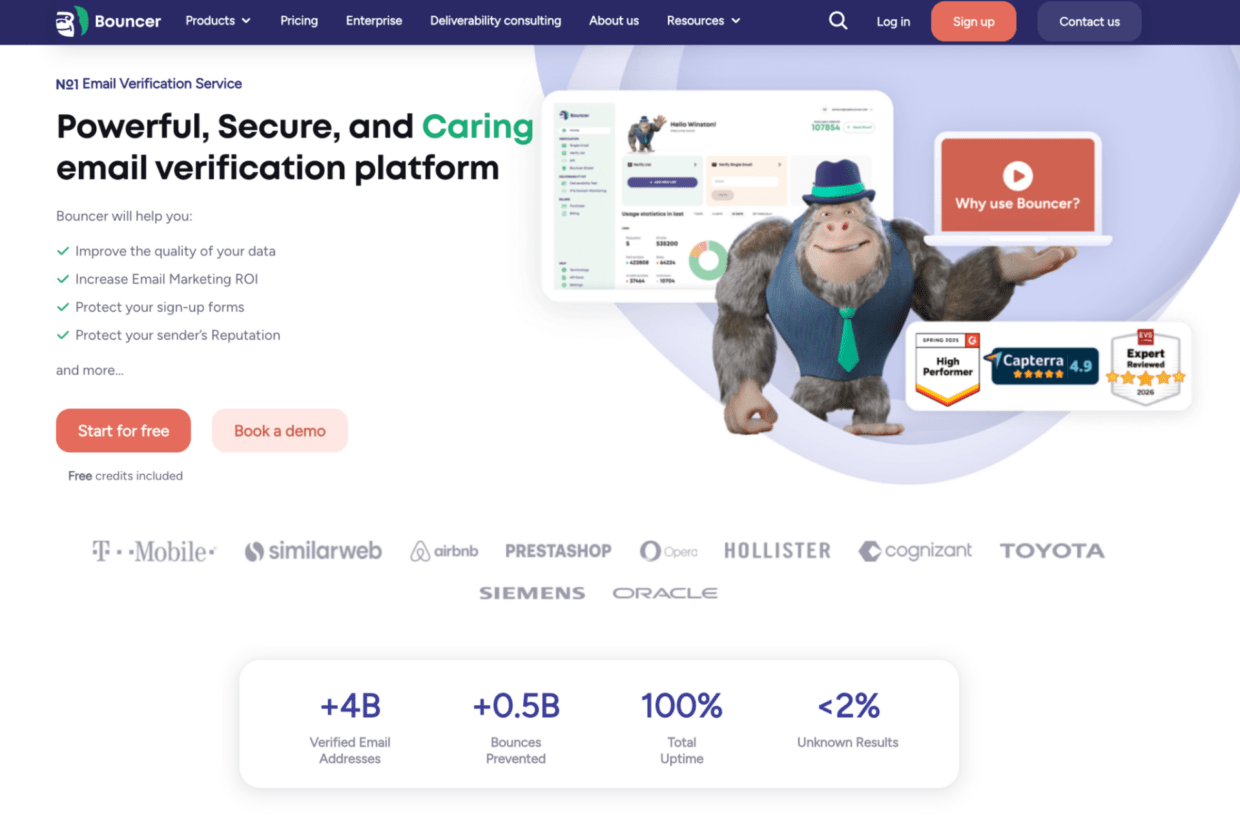
It makes sense when your team needs to:
- Verify B2B prospect lists before sales outreach
- Clean CRM exports before campaigns
- Check webinar or event leads
- Validate emails in demo forms or signup flows
- Reduce fake or disposable email submissions
- Identify toxic or high-risk contacts
- Add deliverability checks when performance drops
- Connect email hygiene to existing workflows
Bouncer also works well when you need both batch and real-time hygiene. You can start with email list verification for existing lists, then add Bouncer Shield or the email verification API when you want to stop bad records earlier.
For teams that need a quick manual check, the free email checker can help with one-off address testing. For bigger decisions, free email list sampling can give you a first read on list quality before you process the entire database.
When another type of tool may fit better
Bouncer is a strong all-around option, but no tool fits every scenario.
A very technical team may prefer a developer-first API if email validation is deeply embedded into a custom product. A high-volume outbound shop with very tight cost pressure may prioritize low-cost bulk verification. A deliverability consultancy may need specialist tools focused almost entirely on inbox placement, seed testing, and infrastructure diagnostics.
That said, many B2B teams do not live at those extremes. They need a tool that sales, marketing, RevOps, and sometimes engineering can all work with. In that middle ground, Bouncer is often a practical fit because it covers several email hygiene jobs without forcing the team to stitch together a messy stack.
Questions to ask before buying
Before you choose, ask these questions internally:
- What kinds of lists do we verify most often?
- How much of our email data comes from forms?
- How often do we run outbound campaigns?
- How old is our CRM data?
- Do we need to protect demo requests, trial signups, or gated content?
- Do we need batch verification, API validation, or both?
- How do we handle catch-all domains today?
- Do we have rules for role-based emails?
- Do we monitor deliverability issues separately?
- Can sales and marketing understand the tool’s results?
- Will the tool help us explain risk to leadership?
- Then ask the vendor:
- How do you classify catch-all addresses?
- Do you detect disposable emails?
- Do you flag role-based addresses?
- Do you offer toxicity or reputation-risk signals?
- How does the API work?
- Can we test a sample file?
- What integrations do you support?
- How do you handle data privacy and deletion?
- What does the export look like?
- What support is available when results are unclear?
A good vendor should make these answers easy to understand. If the sales process feels foggy, the product workflow may feel foggy too.
A simple selection checklist
Use this checklist when comparing tools.
| Requirement | Must-have for B2B? | Why |
| Bulk verification | Yes | Existing lists still need cleanup |
| Real-time API | Often | Stops bad data during signup or capture |
| Form protection | Often | Useful for lead gen and demo forms |
| Catch-all detection | Yes | Common issue with company domains |
| Disposable email detection | Yes | Protects lead quality |
| Role-based flags | Yes | Helps sales and marketing segment better |
| Toxicity or risk signals | Strongly recommended | Adds protection beyond bounce risk |
| Deliverability testing | Recommended | Helps diagnose inbox placement issues |
| Integrations | Recommended | Reduces manual exports |
| Clear reporting | Yes | Helps teams explain decisions |
| GDPR-friendly handling | Yes | Important for B2B data workflows |
| Transparent pricing | Yes | Prevents surprise costs |
If a tool misses several must-haves, it may still work for a narrow use case. But it should not become the central email hygiene platform for a serious B2B team.
Common mistakes when choosing an email hygiene tool
The first mistake is choosing only for price. Cheap verification can become expensive if it leaves your team with unclear results or missed risks.
The second mistake is ignoring the source of bad data. If bad emails enter through forms every day, a batch tool alone will not solve the problem.
The third mistake is trusting accuracy claims without testing your own data. Use a real sample from your CRM or campaign workflow.
The fourth mistake is treating all risky results the same. Catch-all, unknown, disposable, role-based, and toxic addresses need different decisions.
The fifth mistake is separating hygiene from deliverability. A clean list helps, but it does not fix every inbox placement problem.
The sixth mistake is buying a tool that only one team understands. B2B email hygiene often touches sales, marketing, RevOps, and engineering. The tool should support that handoff.
Key takeaways
- B2B email hygiene is more than checking whether an address has the right format.
- The best way to learn how to choose an email hygiene tool for b2b is to start with your data sources and campaign workflows.
- Strong B2B tools should support bulk verification, catch-all detection, disposable email detection, role-based flags, toxicity checks, and clear exports.
- API validation and form protection matter when leads enter through demo forms, trials, webinars, gated content, or product signups.
- Bouncer is a strong fit for B2B teams because it combines email list verification, Email Verification API, Bouncer Shield, Toxicity Check, Deliverability Kit, integrations, and free list sampling.
- Do not buy based on accuracy claims alone. Test tools with real B2B data and compare how useful the results are.
- A good email hygiene tool should help your team make safer decisions before a campaign, not only clean up problems after the damage happens.
Conclusion
Learning how to choose an email hygiene tool for b2b comes down to one question: will this tool help your team make better sending decisions?
A good platform should clean existing lists, reduce bounce risk, identify risky contacts, protect lead capture points, and support deliverability checks when campaign performance drops. It should also fit the way your sales, marketing, RevOps, and technical teams work.
Bouncer is a strong option because it covers the core B2B hygiene workflow without turning the process into a heavy technical project. You can verify lists, test individual emails, sample list quality, validate emails in real time, protect forms, check toxicity, and investigate deliverability issues from one ecosystem. For B2B teams that care about sender reputation, clean CRM data, and campaign performance, that is the kind of tool worth shortlisting.
FAQ
How to choose an email hygiene tool for b2b if my team only sends newsletters?
Start with bulk verification, clear export options, and deliverability checks. Newsletter lists decay over time, especially when contacts change jobs or stop using old inboxes. You may not need API validation on day one, but you should still choose a tool that can grow with your workflow.
What is the most important feature in a B2B email hygiene tool?
For most B2B teams, the most important feature is reliable verification with clear risk categories. Catch-all handling, disposable email detection, role-based flags, and toxicity checks matter because B2B data often looks valid even when it carries risk.
Do I need real-time email validation for B2B?
You need real-time validation if emails enter your system through forms, demo requests, trials, gated content, checkout flows, or product signups. Batch verification cleans existing lists, but real-time validation helps stop poor-quality data before it reaches your CRM.
Is Bouncer good for B2B email hygiene?
Yes, Bouncer is a strong fit for B2B email hygiene because it supports email list verification, Email Verification API, Bouncer Shield, Toxicity Check, Deliverability Kit, integrations, free email checking, and list sampling. That mix helps teams manage both existing data and new lead capture.
How often should B2B teams clean email lists?
B2B teams should clean lists before major campaigns, before outbound sequences, after large CRM imports, and before re-engagement campaigns. Active databases also need periodic checks because work emails decay as people change roles or leave companies.
Can email hygiene improve deliverability?
Email hygiene can improve deliverability conditions because it reduces bounces, risky sends, and low-quality contacts. It does not fix every deliverability issue alone. Authentication, sender reputation, engagement, blocklists, and sending behavior still matter.
What is the difference between email verification and email hygiene?
Email verification checks whether addresses appear valid and deliverable. Email hygiene is broader. It includes verification, risk detection, list cleaning, form protection, API validation, CRM quality, and sometimes deliverability testing.
Should B2B teams suppress all catch-all emails?
Not always. Catch-all emails carry uncertainty, but some may still belong to real prospects. B2B teams should segment them, review source quality, and decide based on campaign risk rather than automatically sending or deleting all of them.


