





Gmail performance dips, Outlook starts filtering more aggressively, and a regional campaign shows a strange bounce spike. That is why a global deliverability improvement checklist needs to cover the whole sending system, not only one campaign.
You’ll learn
- Why global deliverability needs a structured checklist
- Which technical checks matter before global sends
- How list hygiene affects inbox placement and sender reputation
- Where Bouncer fits through verification, Shield, AutoClean, Toxicity Check, and Deliverability Kit
- How to monitor Gmail, Yahoo, Outlook, corporate domains, and local providers
- How to reduce bounces, complaints, blocklist risk, and spam placement
- How to build a repeatable global deliverability workflow
Why global deliverability is harder than local deliverability
Global deliverability gets complicated because every extra market adds more variables.
A local campaign might use one language, one sender domain, one ESP, one legal context, and one primary mailbox mix. A global email program may use several domains, multiple sending platforms, local agencies, regional imports, several languages, mixed consent models, and audiences spread across Gmail, Yahoo, Outlook, Microsoft 365, Apple Mail, corporate domains, and local inbox providers.
That creates risk in several places at once.
If one region uploads a stale list, hard bounces can rise. If one sender domain lacks proper authentication, mailbox providers may trust it less. If one market sends too much to unengaged contacts, spam complaints can rise. If one local tool fails to sync unsubscribes, suppressed contacts may re-enter campaigns.
A global deliverability improvement checklist helps teams catch these issues before they affect inbox placement. It gives marketing, RevOps, IT, legal, sales ops, ecommerce, product, and regional teams one shared process.
Deliverability does not improve because teams “send more carefully” in a vague way. It improves when teams control sender setup, list quality, permission, engagement, complaint rates, sending volume, and monitoring.
What global deliverability improvement actually means
Deliverability improvement means increasing the chance that legitimate emails reach the inbox instead of bouncing, landing in spam, getting blocked, or disappearing into provider-level filtering.
For global senders, that means working across four layers:
Technical setup.
List quality.
Recipient engagement.
Reputation monitoring.
| Deliverability layer | What it includes | Why it matters globally |
| Technical setup | SPF, DKIM, DMARC, domain alignment, TLS, DNS | Helps mailbox providers verify the sender |
| List quality | Valid emails, suppression, source control, bounce reduction | Reduces hard bounces and risky sends |
| Permission | Consent, subscription type, opt-outs, message purpose | Reduces complaints and unwanted email |
| Engagement | Clicks, replies, purchases, recent activity | Shows mailbox providers recipients value mail |
| Reputation | Spam complaints, blocklists, trap risk, provider signals | Affects future inbox placement |
| Volume control | Ramping, frequency, regional send patterns | Prevents suspicious spikes |
| Content and UX | Relevant messages, clear unsubscribe, local language | Reduces complaints and fatigue |
| Monitoring | Inbox placement, blocklists, provider reports | Finds issues early |
A global deliverability improvement checklist should include every layer. If one layer fails, the campaign can still suffer even when the rest looks strong.
Step 1: inventory every sending domain and platform
Start with visibility. You cannot improve global deliverability if you do not know who sends email, from where, and on behalf of which domain.
Global senders often use:
Marketing automation platforms
CRMs
Sales engagement tools
Ecommerce platforms
Transactional email systems
Webinar platforms
Support tools
Billing tools
Review platforms
Local market ESPs
Agency-managed platforms
Product notification systems
Each platform should have an owner, sender domain, email type, region, authentication status, and volume estimate.
| Sending source | Typical risk | Checklist action |
| Main ESP | High volume | Review authentication, complaints, and inbox placement |
| CRM email | Sales and lifecycle sends | Check domain alignment and suppression |
| Sales engagement tool | Cold outreach risk | Verify lists and control volume |
| Ecommerce platform | Transactional and promo overlap | Separate message types where possible |
| Product notifications | Customer trust impact | Protect authentication and sender identity |
| Webinar platform | Event spikes | Verify registrations before nurture |
| Regional ESP | Governance risk | Apply global sender rules |
| Agency account | Visibility risk | Define ownership and reporting |
| Support tool | Customer communication | Confirm domain setup |
| Billing tool | Critical messages | Keep separate from marketing reputation risk |
This inventory should be updated whenever a new platform starts sending email. Unknown senders create deliverability blind spots.
Step 2: check SPF, DKIM, DMARC, and alignment
Authentication is the first technical layer of deliverability. It helps mailbox providers confirm that a message really comes from your domain.
Check SPF, DKIM, and DMARC for every sending domain and platform. Do not assume the main ESP setup covers all tools. A sales tool, regional ESP, or webinar platform may send from a different subdomain.
Google’s sender guidelines expect all senders to authenticate mail with SPF or DKIM, while bulk senders need SPF, DKIM, and DMARC. Yahoo also expects senders to authenticate mail, keep complaints low, and maintain a working unsubscribe process.
| Check | What it does | What to review |
| SPF | Authorizes sending servers | Every platform that sends for the domain |
| DKIM | Signs outgoing messages | Correct selector and alignment |
| DMARC | Defines policy for authentication failures | Policy, reporting, and alignment |
| Alignment | Connects visible From domain to authenticated domain | SPF or DKIM alignment |
| Reverse DNS | Connects IP identity to sending host | Dedicated IP or infrastructure setups |
| TLS | Secures message transfer | Sending platform support |
| BIMI | Brand logo display where supported | Optional, but needs DMARC foundation |
Authentication does not guarantee inbox placement. It creates the trust foundation. Poor list quality, high complaints, or weak engagement can still hurt performance.
Step 3: test inbox placement before major global sends
Inbox placement testing helps you see where emails may land across providers before sending to the full audience.
A campaign can be “delivered” and still land in spam. That distinction matters for global campaigns because a problem may affect one provider, one region, or one sender domain more than another.
Bouncer’s Deliverability Kit can help test inbox placement, IP and domain blocklists, SPF and DKIM, DMARC, and SpamAssassin signals. This makes it useful before major launches, reactivation campaigns, seasonal sends, and global newsletters.
Test inbox placement before:
- Global product launches
- Seasonal campaigns
- Black Friday or peak revenue sends
- New market campaigns
- Reactivation campaigns
- ESP migrations
- New sender domain use
- Cold outreach scale-up
- Large customer announcements
| Test area | What it tells you | What to do if it fails |
| Gmail placement | Inbox vs spam for Gmail users | Review reputation, complaints, authentication |
| Outlook placement | Microsoft filtering behavior | Check reputation, content, and volume |
| Yahoo placement | Yahoo inbox risk | Review authentication and complaints |
| Corporate domains | B2B gateway behavior | Check domain reputation and content |
| Local providers | Regional filtering | Segment and test locally |
| SpamAssassin | Technical/content risk | Fix obvious scoring problems |
| Blocklists | Domain or IP listings | Pause risky sends and investigate |
| Authentication | SPF/DKIM/DMARC status | Fix DNS before sending |
Do not use inbox tests as a replacement for list hygiene. They show placement risk. They do not clean the real audience.
Step 4: verify lists before high-volume sends
List quality is one of the biggest deliverability levers. Hard bounces, stale records, spam trap risk, and poor engagement can all weaken sender reputation.
Bouncer’s email list verification helps teams check whether email addresses appear deliverable before campaigns. For large global files, bulk email verification helps process CRM exports, customer databases, prospect lists, event files, old newsletters, and regional imports.
For large or uncertain lists, free email list sampling can help estimate list quality before full verification.
Verify before:
Global newsletters
Old-list campaigns
Reactivation sends
Cold outreach sequences
Event follow-up
Partner list imports
CRM migrations
ESP migrations
Large ecommerce sends
Product launches
| List type | Verification priority | Reason |
| Old CRM export | High | Stale records and unknown source risk |
| Cold outreach file | High | Bounce and complaint risk |
| Regional event list | High | Manual entry and unclear consent |
| Partner list | High | Source quality varies |
| Reactivation segment | High | Dormant addresses and trap risk |
| Active newsletter list | Medium | Lower risk, but still decays |
| Recent form leads | Medium | Typos and fake entries still possible |
| API-validated signups | Lower | Already checked at entry |
| Ecommerce customer list | Medium to high | Depends on age and engagement |
The global deliverability improvement checklist should treat verification as a pre-send control, not a post-bounce cleanup.
Step 5: protect forms and signup flows
Deliverability starts when an email enters the database.
If forms accept invalid, fake, disposable, or malicious emails, the list becomes weaker before the first campaign.
Use validation on:
Newsletter forms
Demo requests
Free trials
Product signups
Checkout pages
Webinar registrations
Lead magnets
Event forms
Partner campaign forms
Account creation
Bouncer’s Email Verification API supports real-time email validation. Bouncer Shield helps protect forms from invalid, fake, or malicious submissions.
| Entry point | Deliverability risk | Prevention step |
| Newsletter form | Typos and disposable emails | Validate at entry |
| Demo request | Fake or invalid leads | Block invalid, flag risky |
| Free trial | Abuse and temporary inboxes | Block disposable where needed |
| Checkout | Mistyped customer emails | Suggest corrections |
| Webinar form | Low-quality registrations | Verify before nurture |
| Lead magnet | Inflated MQLs | Validate and score quality |
| Event landing page | Manual entry errors | Use real-time checks |
| Partner form | Unknown quality | Verify before CRM sync |
Form protection reduces future cleanup and makes source reporting more honest.
Step 6: keep suppression rules consistent across regions
Suppression failure can damage deliverability quickly.
A contact who unsubscribed in one region should not reappear through a local import. A hard-bounced address should not return through a CRM sync. A spam complaint should not be treated as just another inactive contact.
Global senders should maintain suppression across systems.
Suppress:
Unsubscribed contacts
Hard bounces
Spam complaints
Invalid emails
Toxic records
Do-not-contact accounts
Deleted or restricted contacts
Region-specific opt-outs
Customer exclusions where needed
| Suppression type | Scope | Deliverability reason |
| Hard bounce | Global | Prevents repeat bounce signals |
| Spam complaint | Global | Strong negative reputation signal |
| Unsubscribe | Based on scope, often global | Reduces complaints |
| Invalid email | Global | Not safe to send |
| Toxic contact | Global | Reputation risk |
| Do-not-contact | Global or account-level | Internal governance |
| Regional opt-out | Region-specific or global | Prevents unwanted sends |
| Privacy restriction | Global or legal scope | Must override campaign logic |
A global deliverability improvement checklist should always confirm suppression before audience approval.
Step 7: monitor spam complaints closely
Spam complaints are one of the clearest signals that recipients do not want your email.
Google recommends keeping spam rates reported in Postmaster Tools below 0.10% and avoiding rates of 0.30% or higher. Yahoo’s sender guidance says to keep spam complaint rates low and below 0.3%.
Global teams should track complaints by:
Region
Mailbox provider
List source
Campaign type
Subscription type
Engagement segment
Language
Sender domain
| Complaint pattern | Likely issue | Action |
| High complaints from one region | Weak expectations or local mismatch | Review consent and localization |
| High complaints from old contacts | Reactivation too aggressive | Reduce volume and reverify |
| High complaints from one source | Poor acquisition quality | Pause source |
| High Gmail complaints | Reputation risk | Review Postmaster data |
| High complaints after frequency increase | Fatigue | Reduce cadence |
| High complaints from personal emails | Wrong audience fit | Segment better |
| High complaints from no-engagement segment | Dormant list risk | Suppress or win back carefully |
Low complaints are not only a compliance issue. They are a deliverability requirement.
Step 8: use engagement to guide sending volume
Global senders should not send every message to every contact.
Engagement helps determine which contacts should receive normal campaigns, which should enter lower-frequency streams, and which should be suppressed or reactivated carefully.
Engagement signals can include clicks, replies, purchases, logins, product activity, meetings, recent form submissions, and recent campaign interaction.
| Engagement group | Signal | Sending approach |
| Active | Recent clicks, replies, purchases, or product use | Normal campaigns |
| Warm | Some recent activity | Relevant campaigns |
| Cooling | Limited recent engagement | Lower frequency |
| Inactive | No recent engagement | Verify before reactivation |
| Dormant | Long inactivity | Suppress or cautious winback |
| Negative | Complaints, bounces, unsubscribes | Suppress |
| Unknown | No source or engagement history | Review before sending |
Global deliverability improves when senders start with engaged audiences, especially after a domain change, new ESP setup, or regional launch.
Step 9: control volume spikes
Mailbox providers watch sending patterns. A sudden global volume spike can look risky, especially if the audience contains old or low-engagement contacts.
Control volume when:
Using a new domain or subdomain
Sending from a new ESP
Launching in a new region
Reactivating old lists
Scaling cold outreach
Running seasonal campaigns
Combining regional databases
Sending after a long pause
Start with verified and engaged contacts. Increase volume gradually. Monitor bounces, complaints, inbox placement, and provider-level responses.
| Situation | Volume risk | Safer plan |
| New domain | No sending history | Ramp gradually with engaged contacts |
| Old list reactivation | Stale data | Verify and split into smaller sends |
| New region | Unknown provider mix | Start lower and monitor |
| ESP migration | Setup and reputation change | Test and ramp |
| Seasonal spike | Sudden audience expansion | Clean lists early |
| Cold outreach | Complaint risk | Verify and limit volume |
| Partner import | Source uncertainty | Sample and verify first |
Global deliverability improvement often comes from restraint, not only more tooling.
Step 10: check blocklists and reputation signals
Blocklist appearances can hurt deliverability, but they are usually symptoms of deeper problems: poor list quality, spam trap hits, complaints, compromised infrastructure, or risky sending behavior.
Bouncer’s Deliverability Kit can help check IP and domain blocklists. Google Postmaster Tools can help monitor Gmail-specific reputation when enough volume exists. Spamhaus explains that spam traps expose poor permission and list management practices, and trap hits can carry a strong reputation signal.
If a domain or IP appears on a blocklist:
Pause risky sends.
Identify recent changes.
Check list sources.
Review bounce and complaint spikes.
Check authentication.
Look for compromised accounts.
Remove risky segments.
Fix the cause before requesting delisting.
| Signal | What it may indicate | First response |
| Blocklist listing | Reputation or abuse issue | Pause and investigate |
| Spam trap warning | Poor source or stale list | Audit acquisition and hygiene |
| Gmail reputation drop | Complaint or engagement issue | Review Postmaster data |
| High bounces | Invalid or stale addresses | Verify and suppress |
| Provider rejection | Policy or reputation problem | Check error codes |
| Sudden spam placement | Reputation, content, or auth issue | Test inbox placement |
| Complaint spike | Expectation mismatch | Review segment and message |
Do not treat blocklist removal as the fix. Fix the reason first.
Step 11: review spam trap risk
Spam traps are email addresses used to identify poor list practices. Some traps are pristine, meaning they were never used by a real person. Others are recycled from old abandoned addresses. Typo traps can come from misspelled domains.
Spam traps are hard to identify directly because they are designed to stay hidden. So the best defense is prevention.
Reduce spam trap risk through:
Clear list source rules
No purchased or scraped lists
Email verification before sends
Suppression of old inactive contacts
Form validation
Reactivation caution
Toxicity checks
Engagement-based segmentation
Bouncer’s Toxicity Check can help identify potentially harmful emails beyond simple invalids. This is useful before cold outreach, old-list campaigns, reactivation, partner imports, and unknown-source data.
| Trap risk source | Prevention |
| Purchased lists | Avoid |
| Scraped contacts | Avoid |
| Old inactive records | Verify and re-engage cautiously |
| Typo emails | Use real-time validation |
| Poor partner sources | Review and verify |
| Recycled old addresses | Suppress dormant contacts |
| Weak consent history | Do not send until reviewed |
| Mixed-source imports | Segment and verify before use |
Spam trap prevention is a list-quality discipline, not a one-click fix.
Step 12: separate marketing and transactional reputation
Global teams should avoid mixing reputation risk where possible.
Transactional emails such as order confirmations, password resets, receipts, account alerts, and product notifications often need very high trust. Marketing emails carry different engagement and complaint patterns.
Where appropriate, separate domains or subdomains for:
Transactional email
Marketing newsletters
Sales outreach
Product notifications
Regional campaigns
Lifecycle automation
| Email type | Risk profile | Recommendation |
| Transactional | Critical, expected | Protect from marketing reputation risk |
| Marketing newsletter | Promotional and engagement-based | Monitor complaints and engagement |
| Sales outreach | Higher complaint risk | Use separate controls |
| Lifecycle automation | Behavior-based | Keep permission and relevance clear |
| Product notification | Customer-focused | Keep accurate and expected |
| Regional campaign | Varies by market | Apply local hygiene rules |
Separation does not excuse poor practices. It helps contain risk and manage expectations.
Step 13: localize content and unsubscribe experience
Relevance affects engagement, and engagement affects deliverability.
Global campaigns should match language, market, product availability, pricing, currency, legal footer, and local expectations. A poorly localized campaign may create low engagement or complaints even if the list is valid.
Unsubscribe must be easy. Gmail and Yahoo sender guidance both emphasize easy unsubscribe for subscribed marketing messages. A clear unsubscribe path can reduce spam complaints because recipients have a better option than the spam button.
Check:
Language match
Local offer eligibility
Currency or pricing
Product availability
Legal footer
Sender identity
Reply-to address
Unsubscribe link
One-click unsubscribe where required
Unsubscribe processing speed
| UX element | Deliverability impact |
| Relevant language | Better engagement |
| Clear sender identity | Lower confusion |
| Local offer fit | Fewer complaints |
| Working reply-to | Better trust |
| Visible unsubscribe | Fewer spam reports |
| One-click unsubscribe | Meets provider expectations |
| Accurate footer | Better transparency |
| Preference center | Reduces full opt-outs where useful |
A deliverability checklist should include the recipient experience, not only DNS and validation.
Step 14: monitor by provider and region after sending
Global campaign reports should not stop at aggregate metrics.
Review performance by:
Gmail
Yahoo
Outlook
Microsoft 365
Apple Mail where measurable
Local providers
Corporate domains
Region
Language
Source
Sender domain
Engagement segment
| Report view | What it reveals |
| Provider-level bounces | Provider-specific rejection patterns |
| Provider-level placement | Gmail vs Outlook vs local inbox issues |
| Region-level complaints | Local expectation problems |
| Source-level bounces | Bad acquisition source |
| Language-level clicks | Localization quality |
| Domain-level reputation | Sender identity problems |
| Engagement-level performance | Volume control needs |
| Segment-level unsubscribes | Frequency or relevance issues |
A global average can hide the problem. One region or provider may need a separate fix.
Step 15: create an escalation plan
Deliverability issues need clear ownership.
Create an escalation plan for:
Sudden bounce spike
Blocklist appearance
Gmail reputation drop
High complaint rate
Authentication failure
ESP suspension warning
Spam placement increase
Regional deliverability collapse
Compromised sender account
Major unsubscribe spike
| Issue | First owner | First action |
| Bounce spike | Marketing ops or RevOps | Pause segment and verify list |
| Blocklist | Deliverability owner or IT | Investigate source and recent sends |
| Authentication failure | IT or DNS owner | Fix SPF, DKIM, DMARC |
| Complaint spike | Campaign owner | Review source, message, and consent |
| Spam placement | Deliverability owner | Test inbox placement and reputation |
| ESP warning | Marketing ops | Stop risky sends and review lists |
| Regional issue | Local owner + global ops | Review source and localization |
| Compromised sender | IT/security | Lock account and investigate |
The worst escalation plan is a Slack thread after revenue drops.
Global deliverability improvement checklist
Use this checklist before and after major global sends.
- Inventory every sending domain and platform.
- Confirm SPF, DKIM, DMARC, and alignment.
- Test inbox placement before major campaigns.
- Check blocklists and sender reputation signals.
- Verify lists before high-volume or risky sends.
- Use list sampling for large or unknown databases.
- Protect forms with real-time validation or Bouncer Shield.
- Apply global and regional suppression rules.
- Keep unsubscribe and complaint handling consistent.
- Monitor spam complaint rates by provider and region.
- Segment by engagement before increasing volume.
- Avoid sudden volume spikes.
- Review spam trap risk for old or uncertain lists.
- Use Toxicity Check for risky segments.
- Separate transactional, marketing, and sales reputation where needed.
- Localize content and unsubscribe experience.
- Monitor performance by provider, region, source, and sender domain.
- Create an escalation plan for deliverability incidents.
- Store verification status, source, suppression reason, and engagement data in the CRM.
- Review learnings after each major send.
This global deliverability improvement checklist should sit inside campaign planning, not only inside emergency troubleshooting.
How Bouncer supports global deliverability improvement
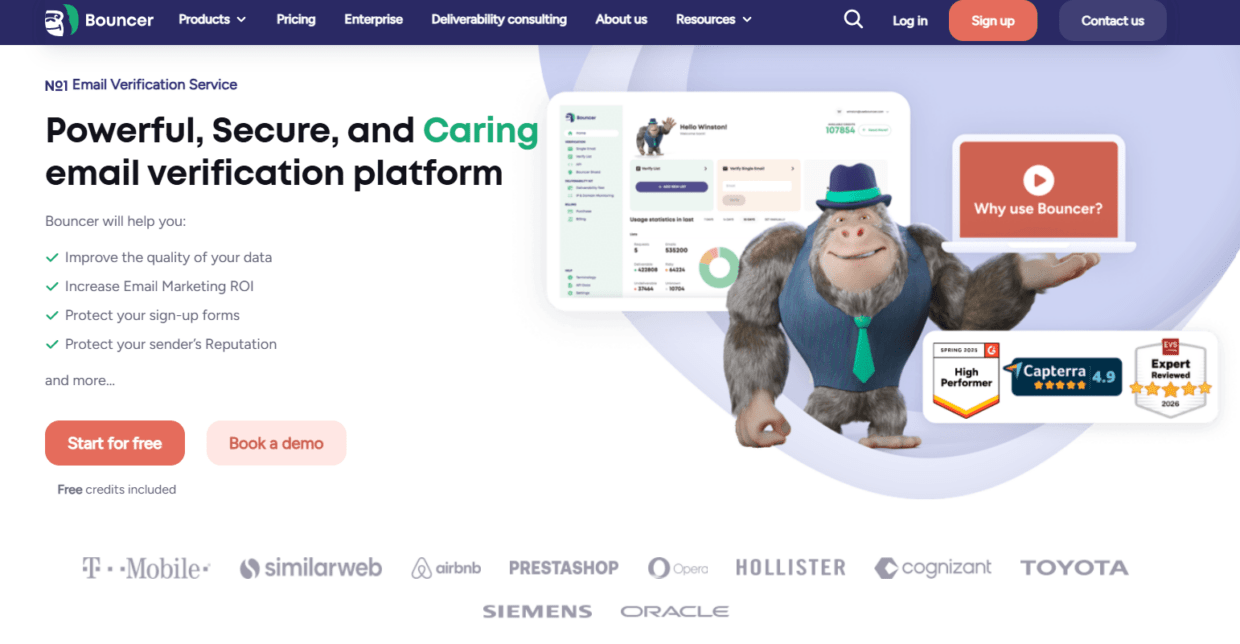
Bouncer supports several parts of a global deliverability workflow.
For list quality, email list verification and bulk email verification help reduce hard bounce risk before campaigns.
For large or uncertain databases, free email list sampling helps teams assess list quality before full processing.
For entry-point protection, Email Verification API and Bouncer Shield help stop invalid, fake, or malicious emails before they enter systems.
For reputation risk, Toxicity Check helps identify potentially harmful contacts.
For deliverability testing, Deliverability Kit helps check inbox placement, blocklists, SPF, DKIM, DMARC, and SpamAssassin.
For ongoing CRM hygiene, Bouncer AutoClean and integrations help reduce manual cleanup.
For segmentation context, Company Data Enrichment can add company-level data where useful.
Bouncer cannot fix weak consent, poor messaging, or unclear sender governance on its own. But it gives global teams a strong hygiene and testing layer inside the wider deliverability process.
Key takeaways
- A global deliverability improvement checklist should cover authentication, inbox placement, list quality, suppression, complaints, engagement, volume, blocklists, spam trap risk, localization, and monitoring.
- Global deliverability is harder than local deliverability because teams send across regions, platforms, domains, providers, and consent contexts.
- Bouncer supports global deliverability improvement through email verification, bulk verification, free list sampling, Email Verification API, Bouncer Shield, Toxicity Check, Deliverability Kit, AutoClean, integrations, and Company Data Enrichment.
- Gmail and Yahoo sender guidance makes authentication, low spam complaint rates, and easy unsubscribe support especially important.
- List verification reduces hard bounce risk, while Deliverability Kit supports inbox placement and technical checks.
- Spam trap risk is best reduced through source control, real-time validation, verification, and suppression of old or risky contacts.
- Provider-level and region-level reporting matters because global averages can hide local deliverability problems.
Conclusion
A global deliverability improvement checklist gives email teams a practical way to protect sender reputation before problems spread across markets. It turns deliverability from a vague concern into a set of checks: authenticate domains, verify lists, protect forms, monitor complaints, test inbox placement, control volume, suppress risky contacts, and review results by region and provider.
Bouncer fits this workflow because it helps teams clean the data, protect entry points, identify risky contacts, automate hygiene, and test deliverability. Combined with strong consent management, clear sender governance, relevant content, and provider-level monitoring, it gives global senders a cleaner path to the inbox.
FAQ
What is a global deliverability improvement checklist?
A global deliverability improvement checklist is a structured process for improving inbox placement across regions, sender domains, platforms, and mailbox providers. It includes authentication, list verification, suppression, complaint monitoring, engagement segmentation, blocklist checks, and deliverability testing.
How does Bouncer help improve global deliverability?
Bouncer helps improve global deliverability through email list verification, bulk verification, free list sampling, Email Verification API, Bouncer Shield, Toxicity Check, Deliverability Kit, AutoClean, integrations, and Company Data Enrichment. These tools support list quality, form protection, risk detection, and inbox readiness.
Does email verification guarantee inbox placement?
No. Email verification reduces bounce risk and improves list quality, but inbox placement also depends on authentication, reputation, complaints, engagement, sending volume, content, and mailbox provider behavior.
What technical checks matter for global deliverability?
Global senders should check SPF, DKIM, DMARC, alignment, TLS, reverse DNS where relevant, blocklists, inbox placement, and unsubscribe setup. Every sending platform should be included in the review.
How often should global senders test deliverability?
Global senders should test deliverability before major campaigns, new domain use, ESP migrations, reactivation sends, seasonal campaigns, and after performance drops. High-volume senders should monitor provider-level performance regularly.
What causes global deliverability problems?
Common causes include poor list quality, weak authentication, high spam complaints, stale contacts, spam trap hits, blocklist issues, sudden volume spikes, poor engagement, unclear consent, and inconsistent suppression across systems.
Why should global teams monitor deliverability by provider?
Different providers filter differently. Gmail, Yahoo, Outlook, Microsoft 365, corporate domains, and local inbox providers may show different results. Provider-level reporting helps identify issues hidden by global averages.
Can Bouncer replace Google Postmaster Tools?
No. Bouncer and Google Postmaster Tools serve different roles. Bouncer helps with verification, hygiene, risk checks, and deliverability testing. Google Postmaster Tools shows Gmail-specific reputation and spam-rate signals when enough volume exists.


