





A segment can be perfectly tidy and still contain the wrong kind of inboxes. A list of “marketing leaders” may include marketing@. A customer lifecycle segment may contain admin@. An ABM list may quietly treat info@ as if it belonged to a named stakeholder.
Those addresses are not automatically bad. Many are active, monitored, and useful. The problem appears when a shared inbox is treated like an individual contact. That changes how personalization, engagement reporting, attribution, and suppression should work.
The safest place to handle role-based email addresses is before segmentation. Flag them while the base audience is still being cleaned, then decide which ones belong in marketing, which ones belong in operational flows, and which ones need manual review.
Role accounts are a data-model problem first
Role-based addresses are tied to a function, team, or department instead of one person. Common examples include info@, sales@, support@, billing@, orders@, careers@, and press@.
The same prefix can be sensible in one workflow and useless in another. A wholesale buyer may genuinely use orders@company.com. A support team may need support@company.com. A PR campaign may intentionally target press@. None of those examples justify placing the address in a person-based nurture sequence.
| Address | Person-based campaign | Operational use | Default handling |
|---|---|---|---|
| info@ / hello@ | Weak fit | Common for small businesses | Review |
| sales@ | Usually weak | Vendor or enquiry flows | Separate |
| support@ | Poor fit | Customer service | Exclude from promos |
| billing@ / accounts@ | Poor fit | Invoices and account notices | Operational only |
| orders@ / purchasing@ | Depends on audience | Wholesale and procurement | Keep with a clear tag |
| careers@ / press@ | Use-case specific | Recruiting or PR | Keep out of general marketing |
Why role accounts distort segmentation
Segmentation usually assumes that one contact record represents one decision-maker or subscriber. Shared inboxes weaken that assumption. Several people may read the message. Nobody may own the mailbox. Replies may go into a ticketing system. A click may come from an unknown member of the team. An unsubscribe may suppress a shared operational address that should never have received a promotional campaign in the first place.
The reporting problem is easy to miss. If marketing@company.com clicks an ABM email, the event does not tell you which marketer engaged. If support@ opens a customer announcement, it may be an automated workflow rather than real product interest. That makes role accounts especially awkward in persona, seniority, lifecycle, and account-contact scoring.
Use verification as an input, not a deletion button
Email verification can help classify a list before audience rules are applied. The role-account signal becomes more useful when it sits next to deliverability status, disposable status, catch-all status, source, and suppression history.
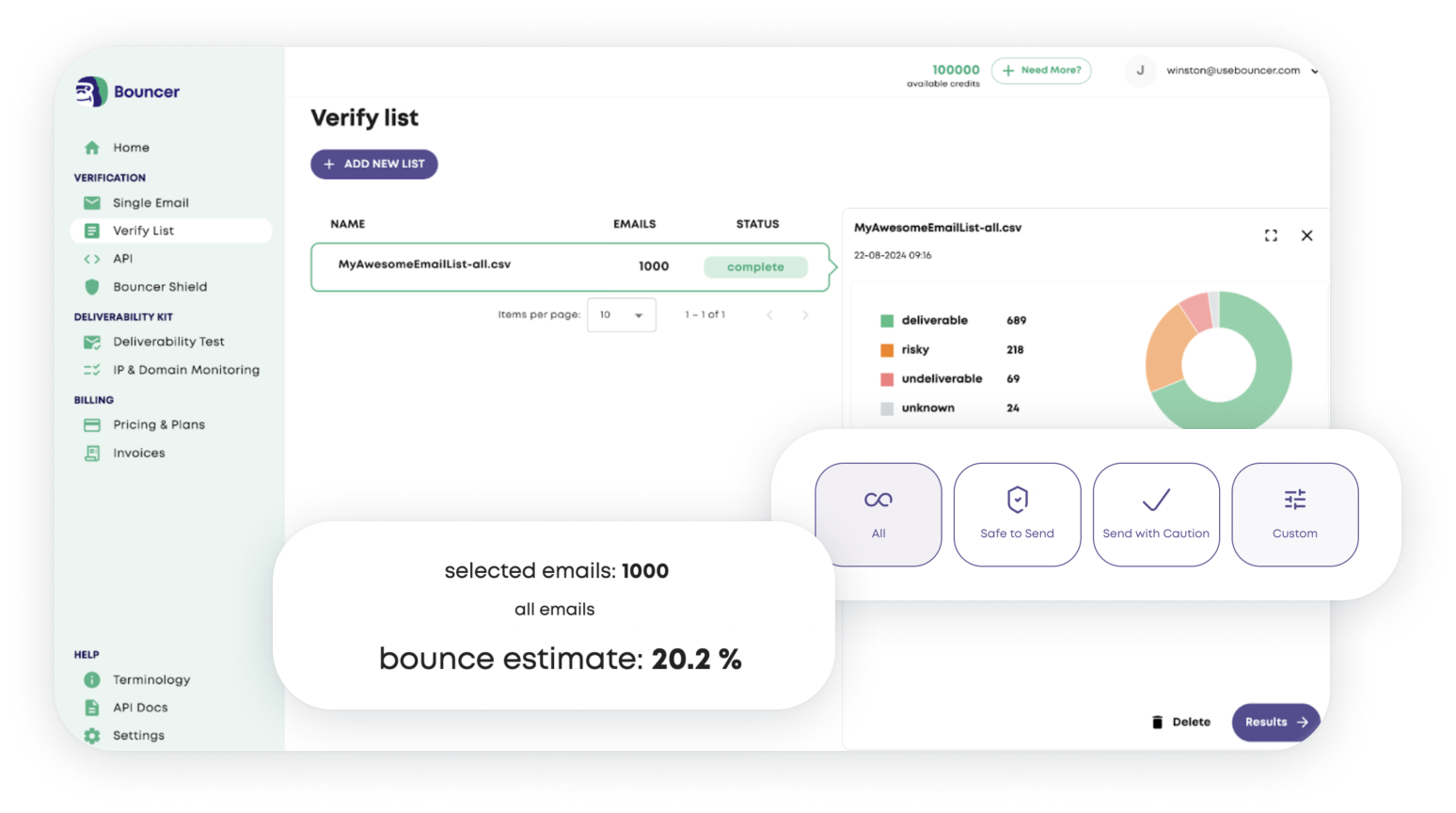
A spreadsheet search for info@ catches the obvious cases. It does not tell you that the same file contains invalid addresses, disposable inboxes, old hard bounces, or uncertain catch-all domains. For a large database, bulk email verification gives you a cleaner base before you start creating segments.
A practical pre-segmentation workflow
- Apply global suppression first. Remove hard bounces, complaints, unsubscribes, do-not-contact records, and contacts restricted for privacy or policy reasons.
- Verify the remaining addresses. Do not build detailed persona segments on data that has not passed the basic reachability check.
- Flag role accounts. Keep the flag as a field instead of deleting the contact immediately.
- Separate uncertainty. Treat catch-all addresses and unknown results differently from clearly deliverable contacts.
- Assign a handling rule. Person-based campaign, operational only, manual review, or suppress.
- Build the final segment. Use named, eligible contacts for campaigns that expect an individual recipient.
This order prevents the same shared inbox from appearing in several audience groups before somebody notices what it is.
Role accounts in B2B outbound
B2B lists contain many shared addresses because company websites publish them. They are easy to collect, which also makes them overrepresented in scraped and low-quality datasets.
A sequence written for CFOs should not contain finance@ unless the campaign intentionally targets finance departments. A campaign for HR leaders should not quietly use careers@. The issue is not only deliverability. Personalization looks careless when the message claims to know the recipient while the mailbox is clearly generic.
For outbound, I would keep role accounts in a separate lane and review them according to the source. A manually researched purchasing@ address at a wholesale prospect may be useful. A large vendor file full of info@ addresses is a source-quality warning.
Role accounts in ecommerce and customer communication
Ecommerce requires more nuance. Consumer promotional lists rarely gain much from role accounts, but B2B ecommerce can rely on them. Purchase orders, invoice communication, returns, and wholesale reorders may all go through shared mailboxes.
That is why “remove all role accounts” is a poor default. Keep the record if the business needs it. Exclude it from campaigns that assume a named person. A simple field such as role_account_use = billing or role_account_use = wholesale can be more valuable than a global delete.
What about role accounts on catch-all domains?
A role account on a catch-all domain carries two kinds of uncertainty. The mailbox is shared, and mailbox-level verification may be less conclusive because the domain accepts mail broadly.
For a high-risk or high-volume person-based campaign, hold these records back. If the source is old, purchased, scraped, or poorly documented, the threshold for exclusion should be even lower. Toxicity Check can add another risk signal on questionable lists, but it does not replace source judgment.
Keep permission separate from role status
A named, deliverable email can still be unsubscribed. A role account can still be appropriate for an operational message. Verification status and marketing eligibility solve different problems.
| CRM field | What it answers |
|---|---|
| Verification status | Does the address appear usable? |
| Role-account flag | Is the inbox shared or functional? |
| Consent/subscription | What communication has the contact agreed to? |
| Suppression reason | Why must this record stay out of sending? |
| Source | Where did the address come from? |
| Campaign eligibility | Does this record belong in this specific audience? |
This separation prevents a common mistake: treating “not a role account” as “safe to send.”
Ongoing control beats quarterly cleanup
If new contacts enter every day, the role-account problem returns unless the flag stays attached to the record. Bouncer AutoClean can support recurring verification in connected systems, while CRM rules decide how the resulting status affects campaigns.

The operational goal is simple: new role accounts are visible at entry, existing ones stay labeled, person-based segments exclude them by default, and useful operational mailboxes remain available for the workflows that need them.
Decision checklist
- Does the campaign expect one identifiable person?
- Is the role account useful for billing, support, procurement, wholesale, recruiting, or PR?
- Is the source known and trustworthy?
- Has the address previously bounced, complained, or unsubscribed?
- Is the domain catch-all or the result otherwise uncertain?
- Will a click or reply from this mailbox produce meaningful reporting?
If several answers create uncertainty, review the record instead of quietly leaving it inside the segment.
Example: cleaning a 25,000-contact B2B segment
Suppose a SaaS company wants to build a campaign for operations leaders. The CRM contains 25,000 contacts collected from demo forms, events, sales research, and older imports. A simple job-title filter creates a 7,800-contact segment.
Before sending, the team verifies the base data and adds a role-account flag. It finds a cluster of operations@, office@, admin@, and info@ records concentrated in two older event imports. Those records would have passed the job-title filter because the CRM fields had been enriched manually.
The team does not delete everything. Named valid contacts stay in the main audience. Shared mailboxes from old events move to review. orders@ and purchasing@ records remain available for a separate procurement workflow. The final segment is smaller, but its personalization and reporting make more sense.
This is the practical value of handling role accounts before segmentation: the cleanup changes the audience logic, not only the bounce rate.
Use role-account rate as a source-quality metric
Track the percentage of role accounts by source. A high rate is not automatically bad, but it tells you something about how the source collects data.
A manually researched wholesale list may naturally contain shared purchasing addresses. A supposed “decision-maker database” with 30% generic inboxes has a different problem. Source-level role-account rate can help RevOps challenge vendor quality, form design, and enrichment rules before the next campaign.
FAQ
Should I delete every role-based email address?
No. Many should stay out of person-based marketing, but operational addresses such as billing@, orders@, or support@ can be useful in the right workflow.
Can Bouncer detect role accounts?
Bouncer verification returns characteristics that can support role-account handling alongside deliverability, disposable, catch-all, and other email-quality signals.
When should role accounts be reviewed?
Review them before persona-based, executive, lifecycle, ABM, or sales campaigns that assume each record represents one person.


