





The natural reaction is panic. The better reaction is triage. If you want to know how to improve email deliverability fast, start with the parts that mailbox providers can see immediately: list quality, authentication, complaints, sending volume, and recipient behavior.
You’ll learn
- What “fast” actually means in email deliverability
- Which deliverability fixes can help quickly and which ones need time
- Why list quality is usually the fastest practical lever
- How Bouncer supports verification, form protection, toxicity checks, and deliverability testing
- How to handle bounces, complaints, inactive segments, and risky lists
- What to check before sending again
- How to improve deliverability without making your next campaign look desperate
What “fast” means in deliverability
Fast deliverability improvement does not mean instant reputation repair. Mailbox providers do not forget bad sending patterns because you changed a subject line or removed a few invalid contacts. They look at behavior over time.
But some actions can reduce further damage quickly.
You can stop sending to risky segments today. You can suppress hard bounces today. You can verify a campaign list before the next send. You can pause low-engagement audiences. You can check SPF, DKIM, and DMARC. You can fix broken unsubscribe handling. You can reduce volume. You can protect forms before more bad emails enter the database.
These changes do not magically restore inbox placement overnight, but they stop the bleeding. In deliverability, that matters. A sender with poor signals needs to show cleaner behavior before mailbox providers trust it again.
So, how to improve email deliverability fast?
Do fewer risky things immediately. Send only to cleaner audiences. Make sure your technical setup is not broken. Remove records that should never receive another email. Give mailbox providers better signals with your next few sends.
Fast is not flashy. Fast is disciplined.
The fastest deliverability wins are usually list-related
When deliverability drops, teams often look at copy first. They change subject lines, remove emojis, shorten messages, or redesign templates. Sometimes that helps, but list quality usually has a bigger immediate impact.
Mailbox providers can see whether you send to bad addresses. They can see hard bounces. They can see complaints. They can see whether people engage or ignore. They can see whether old inactive audiences suddenly receive volume again.
A list that contains invalid, stale, toxic, purchased, scraped, or unengaged contacts can damage the performance of even a strong campaign. A clean, engaged, verified audience gives the sender a better chance.
That is why the fastest move is often to shrink the audience.
Not forever. Just until the sender stabilizes.
Remove hard bounces. Suppress complaints. Hold inactive contacts. Exclude unknown and risky records. Verify the list. Start again with the most engaged, most recent, most legitimate contacts.
This can feel painful because the campaign audience gets smaller. But list size is not reach. A large list with poor deliverability is mostly a liability. A smaller, cleaner list gives you a more honest test.
What to fix first when speed matters
If you need fast improvement, do not try to fix everything equally. Prioritize the signals that can harm deliverability most quickly.
| Problem signal | Fastest useful response | Why it helps |
| Hard bounces rising | Suppress bounces and verify remaining contacts | Stops repeated sends to invalid addresses |
| Spam complaints rising | Pause risky segments and review source/message fit | Reduces negative recipient signals |
| Gmail or Yahoo performance dropping | Check authentication, spam rate, unsubscribe, and engagement | Aligns with provider expectations |
| Spam placement increasing | Test inbox placement and reduce risky volume | Finds provider-level placement issues |
| Old list underperforming | Hold inactive records and verify before reactivation | Reduces stale-data risk |
| Purchased or partner list causing issues | Quarantine the source | Prevents repeated damage |
| Forms collecting bad emails | Add real-time validation or form protection | Stops new bad data at entry |
| New domain struggling | Slow volume and send to engaged contacts first | Builds better early signals |
This table is not a step list. It is a triage map. Pick the row that matches your current pain, then fix that first.
Bouncer
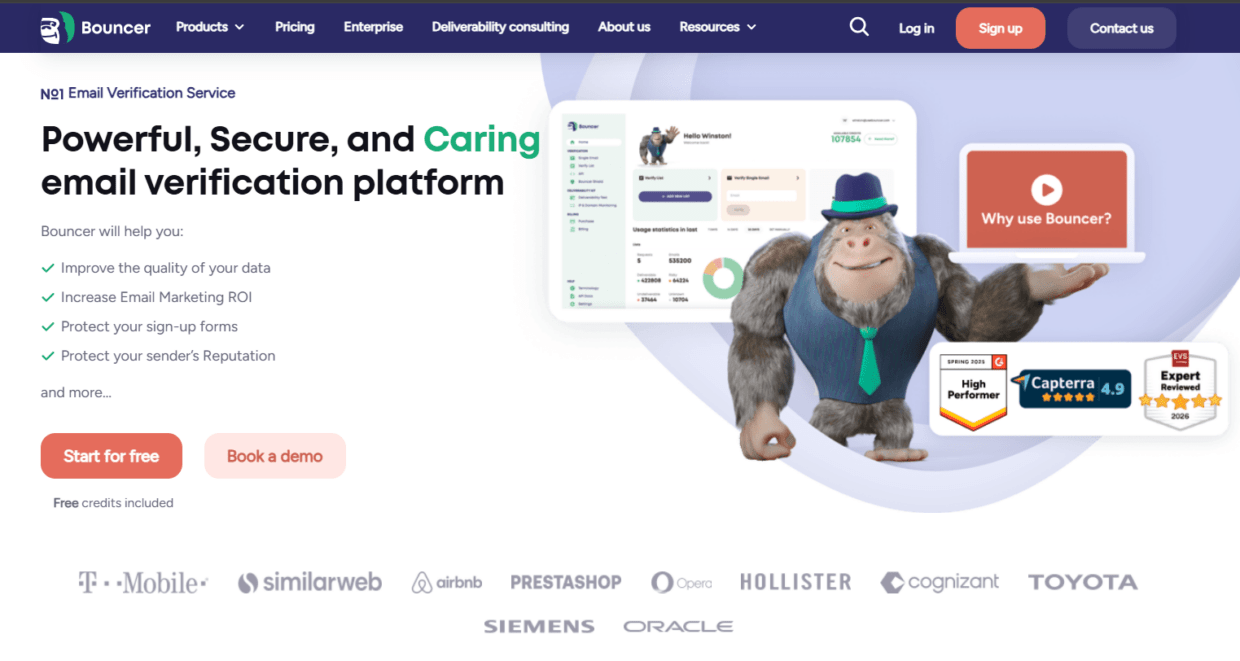
Bouncer fits the “fast improvement” workflow because it helps teams act on list quality before the next send.
Bouncer’s email list verification helps check whether email addresses appear deliverable before campaigns. For larger files, bulk email verification helps process old lists, CRM exports, cold outreach files, customer databases, newsletter segments, ecommerce lists, and agency client files.
For uncertain lists, free email list sampling can help estimate quality before verifying the whole database. This is useful when you are looking at a large segment and do not know how bad the damage is.
For risky contacts, Toxicity Check helps identify potentially harmful email addresses. This matters when the problem may involve spam traps, widely circulated emails, old cold data, or risky imported lists.
For technical and inbox checks, Deliverability Kit helps test inbox placement, blocklists, SPF, DKIM, DMARC, and SpamAssassin signals. This gives teams more context than bounce rate alone.
For prevention, Email Verification API and Bouncer Shield help validate emails at the point of entry. That matters because a deliverability fix does not last if bad emails keep flowing into the CRM every day.
For ongoing hygiene, Bouncer AutoClean can help connected tools keep lists cleaner through recurring verification jobs. Integrations help keep verification closer to the systems teams already use.
Bouncer cannot make mailbox providers trust a sender instantly. No tool can. But it can help you remove the records and workflows that create avoidable risk.
The emergency version of deliverability repair
When performance drops sharply, your goal is not to “optimize.” Your goal is to stop the sender from producing worse signals.
Pause low-confidence sends. That includes old lists, purchased data, scraped contacts, inactive segments, broad reactivation audiences, and any list with unclear source history.
Keep sending only where the audience is clean and engaged. Recent customers, recent subscribers, recent demo requests, active users, warm leads, or engaged newsletter readers usually carry less risk than dormant records.
Suppress hard bounces globally. A hard bounce should not reappear through another export, another CRM view, or another sales tool.
Check authentication. SPF, DKIM, and DMARC should be correctly configured for the sending domain. Google and Yahoo both emphasize authentication and low complaint rates for senders. Bulk senders also need to pay attention to unsubscribe requirements.
Review complaint sources. If complaints came from one segment, source, country, message, or campaign type, isolate it.
Verify before sending again. A list that just caused trouble should not be trusted because someone “cleaned it manually.”
This is the emergency version of how to improve email deliverability fast. Less volume. Cleaner list. Better setup. Safer audience.
Why “send less” can be the fastest fix
This sounds backwards. A team sees deliverability drop, then wants to recover lost pipeline or revenue with more sends. But more sending can make the problem worse if the audience is weak.
Mailbox providers do not only judge the email you send. They judge how people react to it and what kind of addresses you target.
If you send more emails to inactive contacts, you may get more ignores. If you send to stale records, you may get more bounces. If you send to a broad cold list, you may get more complaints. If you increase volume while reputation is unstable, filtering can tighten.
Reducing volume is not surrender. It is a reputation control.
The best reduced-volume audience is not random. It should be verified, recently engaged, and source-safe. If you are an ecommerce brand, start with recent buyers or active subscribers. If you are a SaaS company, start with active users, recent trial signups, or engaged leads. If you are running B2B campaigns, start with known-source contacts who recently interacted with your brand.
Once the safer audience performs well, you can expand carefully.
Authentication is not optional
Technical setup does not guarantee inbox placement, but broken authentication can drag down even good email.
Check SPF, DKIM, DMARC, and domain alignment before blaming content or creative. Also check the sending platform, DNS records, unsubscribe setup, and whether all tools sending from your domain are authorized.
This is especially important for teams that use multiple platforms. A brand may send from an ESP, CRM, sales engagement tool, webinar platform, ecommerce platform, support system, and transactional email service. One poorly configured tool can create confusion.
Google’s sender guidelines require all senders to authenticate mail with SPF or DKIM. Bulk senders have stricter requirements, including SPF, DKIM, and DMARC. Yahoo’s best practices also emphasize authentication, low complaints, and proper unsubscribe handling.
So if someone asks how to improve email deliverability fast and the domain has broken DNS records, the answer starts there. Do not send a recovery campaign from a sender that mailbox providers cannot authenticate properly.
The complaint problem
Bounces are obvious because reports show them. Complaints can be more dangerous because they point to recipient dissatisfaction.
A complaint tells mailbox providers that someone did not want the message. If enough people do that, your future emails may be filtered more aggressively.
Complaints often come from poor expectations. The contact did not sign up for that message. The message does not match the original reason they gave you their email. The list came from a weak source. The audience is too old. The subject line feels misleading. The unsubscribe is hard to find. The campaign is too frequent.
To improve deliverability quickly, make complaints easier to avoid.
Send to people who expect your emails. Make unsubscribe visible. Stop sending to old inactive contacts without a careful reactivation plan. Keep campaign promises clear. Avoid aggressive subject lines. Do not hide the sender identity. Do not keep emailing people who never engage.
A lower complaint rate can help the sender rebuild better signals. A verified list still needs to be wanted.
The old-list trap
Old lists are tempting because they look like unused value. The CRM says there are 180,000 contacts. Leadership sees potential reach. Marketing sees a reactivation campaign. Sales sees dormant pipeline.
Mailbox providers may see something else: abandoned inboxes, stale records, low engagement, recycled spam trap risk, and people who no longer remember the brand.
Old lists are one of the fastest ways to make deliverability worse.
If speed matters, do not start recovery with an old list. Verify it first. Segment it by last engagement. Suppress invalids and toxic contacts. Exclude the coldest records. Reintroduce only small, warmer groups if you have a legitimate reason to contact them.
Bouncer’s bulk verification, free sampling, and Toxicity Check are useful here. They help you understand whether the old list contains enough safe records to be worth using.
Sometimes the fastest deliverability improvement is accepting that a list is no longer sendable.
The form-quality problem
Many deliverability problems are born months before the campaign.
A newsletter form accepts typo-heavy addresses. A demo form accepts fake emails. A free trial form accepts disposable inboxes. A checkout flow accepts misspelled domains. A webinar form sends every registration straight into nurture.
Over time, those bad records build up inside the CRM. Then a campaign goes out and the list “suddenly” looks bad.
The fix is not only to clean old records. The fix is to stop new bad records from entering.
Bouncer’s Email Verification API can validate emails inside forms, apps, signup flows, and internal workflows. Bouncer Shield can protect forms from invalid, fake, or malicious email submissions without heavy setup.
For fast improvement, apply entry-point validation to the forms that feed high-volume campaigns. Demo requests, free trials, newsletter signups, checkout pages, webinar registrations, gated content, and lead magnets are usually the first places to review.
Clean inputs make future deliverability work less dramatic.
Fast improvement by situation
Different deliverability problems need different fast moves. The wrong fix wastes time.
| Situation | What to do now | What not to do |
| Bounce spike after old-list send | Suppress bounces, verify remaining records, pause inactive segments | Send a “lighter” follow-up to the same list |
| Spam placement after domain change | Check SPF, DKIM, DMARC, inbox placement, and volume ramp | Increase volume to “train” the domain |
| Complaints after cold outreach | Pause source, review targeting, suppress complainers, reduce volume | Move the same list to a new domain |
| Low Gmail performance | Review Postmaster signals, complaints, authentication, engagement | Blame subject lines first |
| Poor ecommerce newsletter reach | Verify old segments, reduce inactive sends, protect popup/checkout forms | Send to all dormant customers at once |
| Bad webinar follow-up results | Verify registrants, separate attendees from no-shows, review source | Add all registrations to the main newsletter |
| Deliverability drop after CRM migration | Audit suppression mapping and bounce fields | Assume the new ESP is the only issue |
| Lead form producing fake contacts | Add API validation or Shield | Keep cleaning the same bad source monthly |
The fastest route depends on the failure pattern. There is no universal fix, but there is a universal principle: stop sending risky email while you diagnose.
Make the next send boring on purpose
A recovery send should not be experimental.
Do not test a new giant template, a new domain, a new audience, a new offer, and a new sending cadence all at once. If deliverability is unstable, the next send should be intentionally boring.
Use a known sender identity. Send to a verified and engaged audience. Keep the message relevant. Make unsubscribe visible. Avoid sudden volume. Use a clean segment. Monitor results by provider.
The goal of a recovery send is not to break revenue records. The goal is to produce better signals.
A good recovery campaign may be smaller than usual and less ambitious than the original plan. That is fine. You are rebuilding trust.
Once the sender stabilizes, you can test more. But during recovery, reduce variables.
How Bouncer fits into a fast-recovery workflow
Bouncer helps with the parts of deliverability recovery that teams can act on quickly.
Use email list verification before the next send. Use bulk verification for large campaign files. Use free list sampling when you need to understand how bad a segment may be before committing to full processing. Use Toxicity Check when the source is old, cold, purchased, imported, or risky. Use Deliverability Kit to check inbox placement, blocklists, SPF, DKIM, DMARC, and SpamAssassin signals.
Then use API validation or Bouncer Shield to protect forms so the same problem does not rebuild. Use AutoClean to keep connected lists cleaner over time. Use integrations to keep verification status closer to CRM and marketing workflows.
This makes Bouncer useful both for emergency cleanup and long-term prevention.
The bigger idea is simple: fast deliverability improvement starts with cleaner behavior. Bouncer helps you see and remove the records that would make that harder.
The sender reputation lens
Sender reputation works a little like trust with a skeptical person. You cannot demand it back. You show better behavior.
Mailbox providers look at patterns: who you send to, how many invalid addresses you hit, how recipients react, how often people complain, whether authentication works, how consistent your volume is, and whether you respect opt-outs.
That means “fast” recovery is really the start of a trust rebuild.
You can make immediate corrections, but you still need several safer sends to prove the pattern changed. The more severe the issue, the longer that trust rebuild may take.
This is why teams should avoid panic fixes. A new domain may look appealing, but if you bring the same bad list and behavior, the problem follows you. A new ESP may help with tooling, but it will not fix stale data. A new template may improve engagement, but it will not remove invalid addresses.
Sender reputation follows behavior. Fix the behavior.
What belongs in a fast deliverability repair plan
A good repair plan has three layers: stop damage, create cleaner sends, prevent recurrence.
| Repair layer | What it includes | Why it matters |
| Stop damage | Pause risky segments, suppress bounces, remove complainers, reduce volume | Prevents more negative signals |
| Create cleaner sends | Verify lists, use engaged contacts, check authentication, test placement | Helps rebuild trust with better behavior |
| Prevent recurrence | Protect forms, set revalidation rules, use AutoClean, review sources | Stops the same issue from returning |
This is only the third table, and it should be enough. The rest of the recovery plan needs narrative judgment, not another spreadsheet.
The important part is sequence. Do not jump to prevention before stopping the damage. Do not resume campaigns before cleaning the audience. Do not scale volume before safer sends show stable signals.
What not to do when you want fast results
- Do not send to everyone because “we need volume.”
- Do not buy a new list to replace the contacts you suppressed.
- Do not move a bad list to a fresh domain.
- Do not assume a verified email equals permission.
- Do not re-add hard bounces after a CRM import.
- Do not ignore complaints because bounce rate improved.
- Do not rely on subject line changes before checking list source.
- Do not send reactivation campaigns to the coldest records first.
- Do not hide unsubscribe.
- Do not treat deliverability as an ESP-only issue.
Most rushed fixes make the sender look worse. The fastest safe path is usually narrower, cleaner, and less dramatic.
What good recovery looks like
Good recovery is visible in patterns.
Hard bounces drop because invalid addresses are suppressed and future sends use verified lists. Complaints stay low because campaigns go to people who expect them. Inbox placement stabilizes because technical setup is clean and risky segments are paused. Engagement improves because active audiences lead the recovery. List sources become easier to trust because bad sources are paused or fixed.
The team also becomes calmer. Campaign owners stop fighting over whether the copy or ESP caused the problem. RevOps can see source quality. Sales stops receiving unreachable contacts. Marketing has cleaner segments. Leadership sees a smaller list, but a more usable one.
That is how to improve email deliverability fast without pretending deliverability is instant.
Key takeaways
- How to improve email deliverability fast starts with triage: pause risky sends, suppress hard bounces, verify lists, reduce complaints, and check sender setup.
- Fast improvement does not mean instant reputation repair. It means stopping bad signals quickly and rebuilding with cleaner sends.
- Bouncer supports fast deliverability recovery through email list verification, bulk verification, free list sampling, Toxicity Check, Deliverability Kit, Email Verification API, Bouncer Shield, AutoClean, integrations, and Company Data Enrichment.
- List quality is usually the fastest practical lever because mailbox providers can see bounces, complaints, and engagement.
- Authentication matters. SPF, DKIM, DMARC, alignment, unsubscribe, and blocklist checks should be reviewed before relaunch.
- Sending less can help recovery when the current audience contains stale, risky, or unengaged contacts.
- Verified emails still need consent, relevance, and good engagement.
- Long-term improvement comes from better sources, form validation, suppression, revalidation cadence, and cleaner CRM workflows.
Conclusion
If you need to know how to improve email deliverability fast, resist the urge to chase cosmetic fixes. Start with the signals mailbox providers care about most: invalid addresses, complaints, weak authentication, risky volume, stale segments, and poor engagement.
The fastest useful work is often quiet. Verify the list. Suppress bad records. Pause risky audiences. Send to engaged contacts. Check sender setup. Protect forms. Reduce volume until signals stabilize.
Bouncer helps with that recovery because it gives teams tools for verification, risk checks, deliverability testing, form protection, API validation, AutoClean, and connected hygiene. It will not force mailbox providers to trust you overnight, but it can help you stop doing the things that make trust harder.
Start improving your email deliverability now – sign up for Bouncer for free.
FAQ
How can I improve email deliverability fast?
You can improve email deliverability fast by pausing risky sends, suppressing hard bounces, verifying your next list, removing toxic and invalid contacts, checking SPF, DKIM, and DMARC, reducing volume, and sending first to engaged contacts.
Can Bouncer help improve deliverability quickly?
Yes. Bouncer can help through email list verification, bulk verification, free list sampling, Toxicity Check, Deliverability Kit, Email Verification API, Bouncer Shield, AutoClean, integrations, and Company Data Enrichment. These tools help clean lists, protect forms, and check deliverability signals.
What is the fastest deliverability fix?
The fastest practical fix is usually list quality. Remove hard bounces, suppress complaints, verify the remaining list, and send only to engaged contacts. Technical authentication should also be checked immediately.
Does email verification improve deliverability?
Email verification can improve deliverability by reducing hard bounces and risky sends. It does not guarantee inbox placement because authentication, complaints, engagement, content, and sending volume also affect deliverability.
Should I stop sending if deliverability drops?
Yes, pause risky segments while you diagnose the issue. Keep only clean, engaged, verified audiences active if you need to keep sending. Continuing to send to the same weak audience can make recovery harder.
How long does deliverability recovery take?
Some fixes help immediately, such as suppressing invalid contacts or fixing authentication. Reputation recovery usually takes longer because mailbox providers need to see better sending behavior over time.
What should I check before sending again?
Check list verification status, hard bounce suppression, complaint patterns, engagement, SPF, DKIM, DMARC, unsubscribe setup, blocklist status, inbox placement, and sending volume.
Can I improve deliverability by changing subject lines?
Subject lines can affect engagement and complaints, but they will not fix bad list quality, broken authentication, hard bounces, or poor sender reputation. Start with the list and sender setup first.


