





Email verification integrations are useful for one reason: they keep email-quality decisions close to the system where campaigns and sales actions are created.
A team can clean a CSV perfectly and still rebuild the same risky audience next week if the CRM never receives the verification result. A good integration reduces that gap. It tells marketing, sales, RevOps, or product what happened to the email and gives them a field they can actually use.
The right integration depends less on the logo of the CRM and more on where the decision needs to happen.
Pick the connection from the workflow
| Workflow | Best fit | Why |
|---|---|---|
| HubSpot list hygiene | Native integration + AutoClean | Verification stays close to lists and workflows |
| New inbound leads | API or Shield | Check before CRM creation |
| CRM migration | Bulk verification | Clean the file before import |
| Recurring lifecycle marketing | AutoClean | Recheck data over time |
| No-code automation | Zapier-style workflow | Useful when a native connector is missing |
| Product signup | API | Real-time product logic |
| Agency audit | Bulk verification + sampling | One-off list assessment |
Native integrations: best when the CRM is the source of truth
If marketers build audiences in HubSpot or another connected platform, a native integration can make verification visible where list decisions happen. Bouncer’s integrations support this model, and AutoClean can keep selected connected data cleaner over time.
The connection itself is not the end goal. A verification field should change behavior. Marketing should be able to exclude invalid records. Sales should avoid dead inbound leads. RevOps should be able to compare risky records by source. Lifecycle teams should know when a previously verified list has become stale.
What should come back to the CRM?
At minimum, store verification status and verification date. In more advanced workflows, keep enough context to make routing or suppression decisions.
| Field | How it can be used |
|---|---|
| Verification status | Allow, hold, or suppress |
| Verification date | Trigger re-verification |
| Disposable flag | Apply signup or lead-quality rules |
| Catch-all flag | Route uncertain B2B records differently |
| Role-account flag | Keep shared inboxes out of person-based campaigns |
| Risk/toxicity | Quarantine questionable records |
| Source | Compare forms, vendors, and imports |
| Suppression reason | Stop bad records from returning |
If the CRM never acts on these fields, the integration is mostly decorative.
API: best when the decision must happen before CRM creation
Use the Email Verification API when an application, signup flow, or form needs a real-time answer.
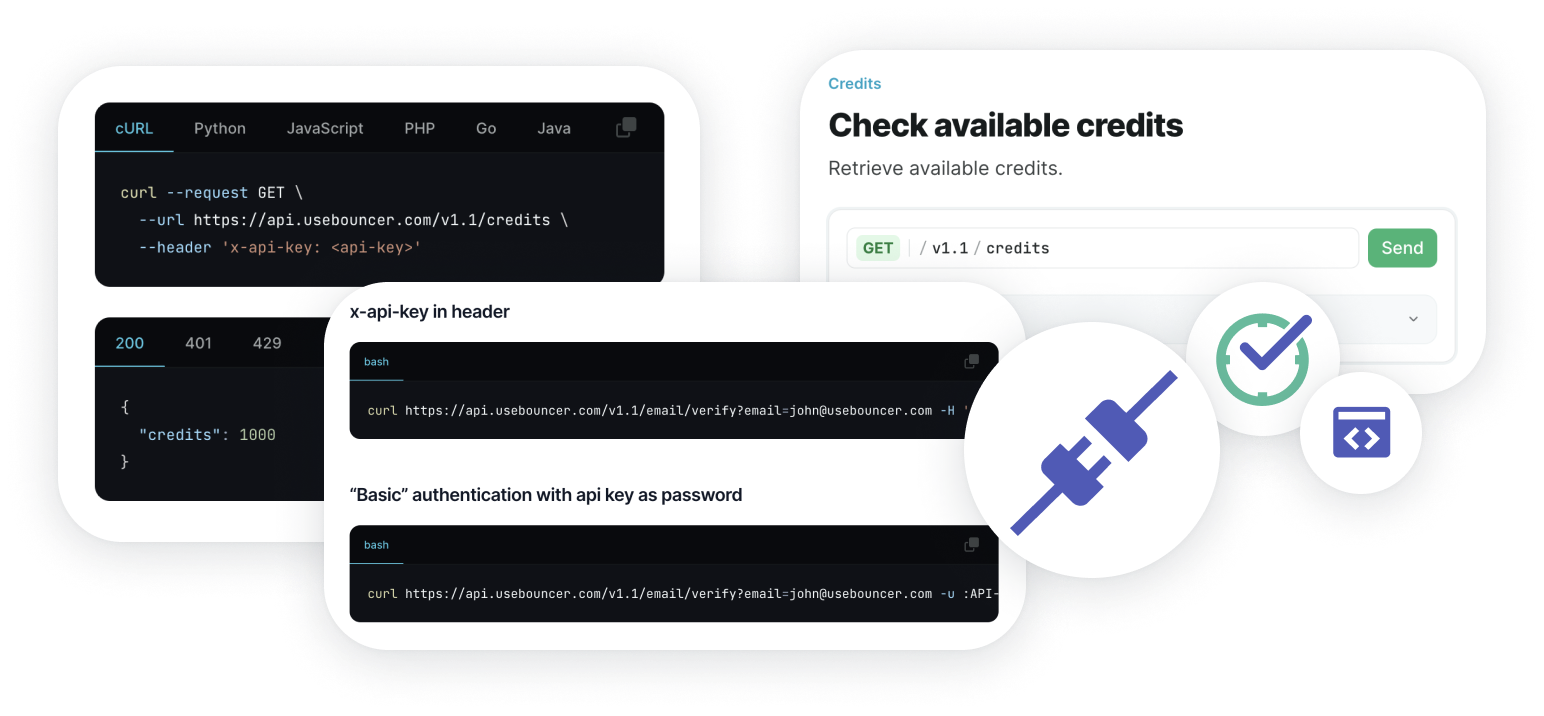
A demo request is a good example. An invalid email can create an SDR task, lead score, nurture sequence, and reporting event before anybody realizes the lead cannot be reached. Checking before record creation prevents that chain.
The API can also support softer actions. A likely typo can trigger a correction prompt. A free email can be accepted but routed differently. A role account can enter manual review rather than being rejected.
Shield: best when the risk sits on public forms
Not every team wants to build custom API logic. Bouncer Shield is a practical fit when fake, invalid, or malicious submissions are the main problem and the team wants protection with less development work.
Common uses include newsletter forms, gated content, trials, demo requests, webinar registration, and lead-gen landing pages. The stricter the form, the more carefully you should watch conversion after adding validation.
AutoClean: best for databases that change every day
A verification result has an age. People change jobs, domains expire, mailboxes close, and new contacts enter from new sources. That makes a one-time integration incomplete for recurring programs.
AutoClean is useful when a connected CRM keeps receiving new records and the same audiences are reused for campaigns. It can reduce the “export, verify, import, repeat” cycle and make email hygiene part of operations rather than a pre-send emergency.

CSV is still the right answer sometimes
Native integration does not make file-based verification obsolete.
Use bulk email verification for migrations, inherited client databases, old event files, one-off audits, or datasets that do not need a permanent connection. The important part is syncing the result back to the source system when the file represents records that will be reused.
A cleaned spreadsheet helps one campaign. A cleaned source of truth helps the next ten.
No-code automations: useful, but document the failure path
Zapier-style connections are valuable when a team needs to join several tools quickly and does not have engineering capacity for a custom build. They work well for low-to-moderate volume workflows such as validating a lead, updating a CRM field, or routing a record after verification.
The risk is invisible complexity. Once a no-code workflow becomes business-critical, document what happens when the verification call times out, the CRM rejects an update, a field changes name, or a retry creates duplicate work.
Do not confuse verification integration with consent management
A contact can validate successfully and still be unsubscribed, restricted, or outside the scope of a particular campaign. Keep verification separate from permission and preference fields.
This is especially important in systems where several teams share one contact record. Sales, product, support, and marketing may all have different reasons to communicate with the same address.
Add sender-readiness checks separately
Verification integrations improve data quality. They do not guarantee inbox placement. Before a major campaign, use Deliverability Kit or equivalent sender checks for placement, blocklists, and authentication.
That separation keeps the architecture understandable: verification answers questions about the address; deliverability checks answer questions about the sender environment.
A clean architecture for most teams
Inside the CRM: verification fields + suppression rules
Over time: AutoClean or scheduled re-verification
For one-off files: bulk verification
Before major sends: sender-readiness and placement checks
How to choose between the options
- If bad emails create immediate product or sales actions, use API.
- If public forms are the main risk and you want a lighter setup, use Shield.
- If marketing lives in one CRM, prioritize a native integration.
- If the database changes constantly, add recurring hygiene.
- If the job is a migration or one-off cleanup, a file workflow may be simpler.
Do not choose the integration with the longest feature list. Choose the one that removes manual work at the failure point you actually have.
Example architectures for three teams
Small SaaS team
Validate trial and demo emails through API, store status in HubSpot, and use AutoClean for the lists that feed lifecycle campaigns. Keep the architecture simple enough that one marketer can understand why a contact was excluded.
Agency
Use bulk verification for inherited client files, preserve client record IDs, and document suppression before importing results back. Use integrations only for clients with recurring work where the setup will pay for itself.
Ecommerce brand
Protect newsletter and checkout entry points, use recurring hygiene for active lists, and reserve bulk verification for dormant audiences before seasonal reactivation.
Integration QA before launch
- Test a known valid, invalid, disposable, role-based, and catch-all address.
- Confirm which field receives each result.
- Check what happens if the verification service times out.
- Confirm retries do not create duplicate contacts or duplicate charges.
- Verify suppression rules still win after the contact is re-synced.
- Document who owns the integration when field names or APIs change.
This small QA pass prevents the most frustrating integration failure: technically connected tools producing data nobody trusts.
When an integration is not worth building
If a team verifies one small file every quarter, a permanent integration may create more maintenance than value. The same applies when the source system changes frequently or nobody owns the workflow after launch.
Use a native or API connection when it removes recurring manual work or prevents bad data at a high-value entry point. Use a file workflow when the job is genuinely occasional. Simpler can be the more reliable architecture.
FAQ
Is a native integration always better than CSV?
No. CSV is efficient for one-off files and migrations. Native connections are better when data changes continuously and verification needs to influence recurring workflows.
When should I use API instead of a CRM integration?
Use API when the decision must happen before a record enters the CRM or product database.
What is the minimum data I should store after verification?
Store verification status and date. Add source, suppression reason, and relevant risk flags when they affect routing or segmentation.


