





Global inbox placement is difficult to summarize with one percentage. A campaign can look healthy overall while one provider, region, or sender stream quietly moves messages into junk.
The useful question is not “What is our deliverability score?” It is “Which part of the system is changing, and which tool can show us that change?”
That leads to a layered monitoring stack: pre-send seed tests, provider-specific reputation data, sender diagnostics, campaign feedback, and list-quality checks.
The monitoring stack by question
| Question | Tool type | Example |
|---|---|---|
| Where do test messages land? | Inbox placement | Bouncer Deliverability Kit |
| Is authentication working? | Sender diagnostics | Deliverability Kit / DMARC tools |
| What does Gmail see? | Provider reputation | Google Postmaster Tools |
| What happened after the campaign? | ESP reporting | Your sending platform |
| Is sender reputation trending? | Reputation monitoring | Sender Score-style tools |
| Is the audience itself risky? | Email verification | Bouncer |
Deliverability Kit: a useful pre-send baseline
Deliverability Kit combines inbox placement tests with blocklist, SPF, DKIM, DMARC, and SpamAssassin checks. That makes it useful before large campaigns, new-domain launches, reactivation, and campaigns after a sudden performance change.
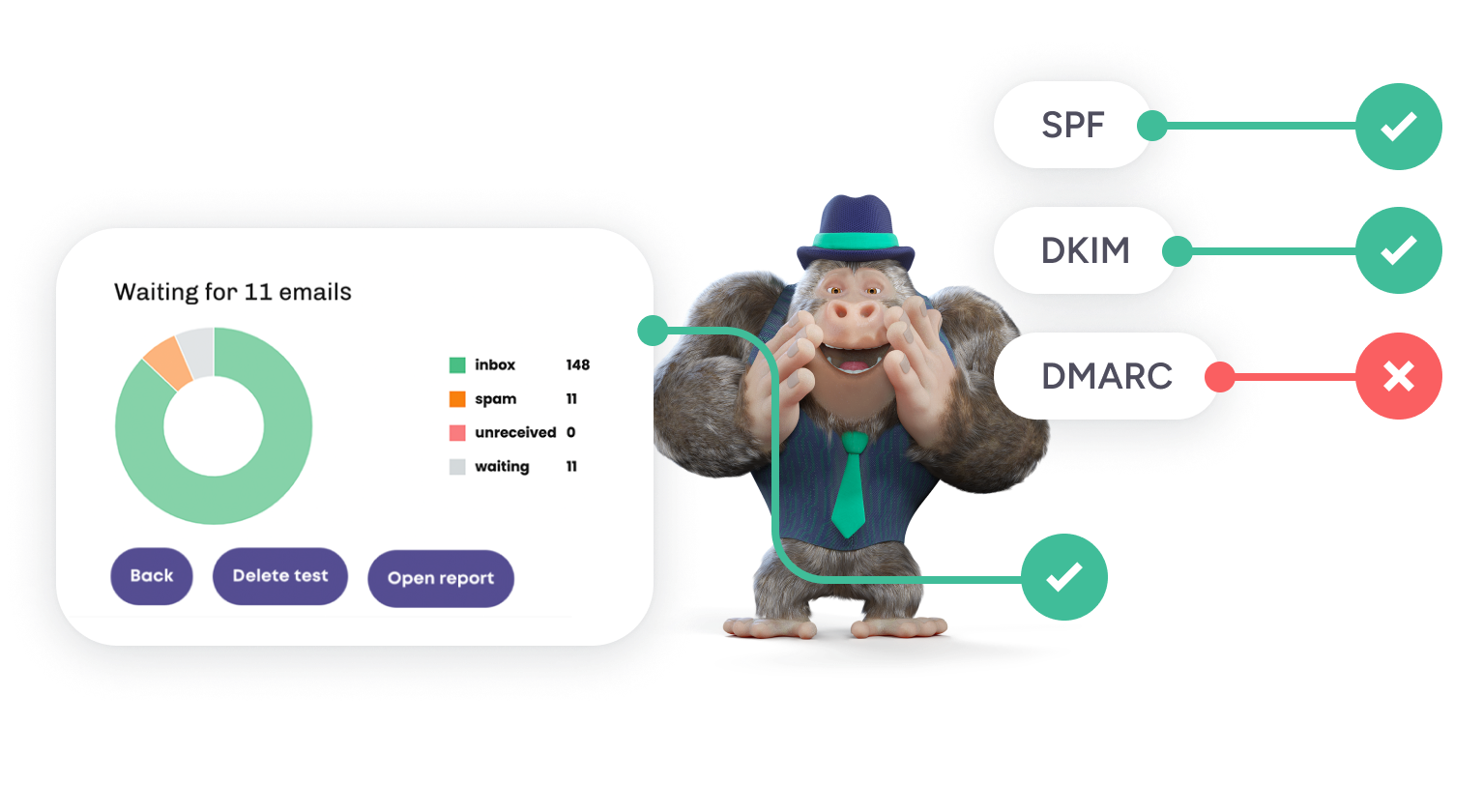
Seed tests are not the whole deliverability picture. They are a controlled pre-send signal. Real recipient behavior and provider-specific reputation still matter after launch.
Google Postmaster Tools: provider-specific evidence
For senders with enough Gmail traffic, Google Postmaster Tools can show Gmail-specific reputation and spam-rate signals. This is valuable because global averages often hide Gmail-specific changes.
Use provider data to answer questions such as:
- Did Gmail reputation change after a new source was added?
- Did complaint pressure rise after a reactivation campaign?
- Did authentication change after a platform migration?
Do not treat Google Postmaster Tools as a replacement for verification or inbox testing. It shows what Gmail is seeing from real sending.
ESP dashboards: the post-send operating view
Your ESP should remain central. It shows campaign-level bounces, complaints, unsubscribes, engagement, and delivery errors. Some platforms also expose provider-specific trends.
The weakness is timing: the data arrives after the campaign. That is why ESP reporting works best alongside pre-send checks.
DMARC tools: useful when the sender estate is messy
Global programs often have many authorized sending systems: regional marketing platforms, transactional services, sales tools, product notifications, billing systems, and agencies.
DMARC monitoring helps map those sources and find alignment failures or unauthorized senders. A global deliverability problem can come from one forgotten regional system even when the main ESP is configured correctly.
Why provider-level analysis matters
Gmail, Outlook, Yahoo, Microsoft 365, corporate gateways, and regional providers do not always react the same way. A blended delivery or placement rate can therefore be misleading.
| View | What it can reveal |
|---|---|
| Provider | Gmail vs Outlook vs Yahoo differences |
| Region | Local provider or source problems |
| Source | Weak signup forms, partners, or imports |
| Sender stream | Newsletter vs lifecycle vs outbound |
| Engagement tier | Risk concentrated in inactive contacts |
If one provider deteriorates while others stay stable, investigate that provider before changing the entire program.
Audience quality belongs in the same dashboard conversation
Inbox placement tools can tell you where messages land. They cannot make a weak audience healthy.
Use email verification on old, imported, cold, and uncertain lists. For questionable sources, add Toxicity Check. If sender reputation is already under pressure, combine monitoring with a structured email reputation recovery plan.
A monitoring cadence that does not become busywork
Before a major send
- run inbox placement tests
- check blocklists
- check SPF, DKIM, and DMARC
- verify old or uncertain audience segments
After the campaign
- review bounces and complaints
- compare provider performance
- look at source-level differences
- record unusual volume or content changes
Weekly or monthly
- compare provider reputation trends
- review DMARC sources
- watch list-quality trends by acquisition source
- retest placement after meaningful sender changes
What to do when placement drops
Do not immediately rewrite the subject line.
- Check whether the issue is provider-specific or global.
- Compare the affected campaign with the last healthy one.
- Review list source and verification status.
- Check complaints and recent volume changes.
- Confirm authentication.
- Check blocklists.
- Run a fresh placement test.
That sequence narrows the problem faster than changing several variables at once.
How to compare tools
When evaluating inbox placement software, look beyond the number of seed addresses. Ask whether the tool shows provider-level results clearly, how authentication checks are presented, whether historical comparisons are usable, and how easily the result can be shared with the people who own the sender setup.
A technically deep tool that nobody on the campaign team can interpret will not improve the workflow.
Use one baseline and preserve it
Teams often run tests only when something goes wrong. That makes the result hard to interpret because there is no healthy baseline.
Run a placement test when the program is performing well and save the result. Then future tests can answer “what changed?” rather than “is 76% good?”
For a practical walkthrough, see how to test inbox placement.
Build a provider matrix, not a single score
For the providers that matter most, keep a small matrix with the last healthy baseline, current placement, complaint signal, authentication status, and any recent volume change.
| Provider | Baseline | Current | Recent change | Owner |
|---|---|---|---|---|
| Gmail | Healthy | Review | Reactivation added | Lifecycle team |
| Outlook | Healthy | Healthy | None | Marketing Ops |
| Regional provider | Unknown | Weak | New market launch | Regional team |
The numbers will differ by tool, but the matrix forces the team to compare like with like.
Do not change five variables at once
When placement drops, teams often change copy, audience, sending time, volume, and domain configuration together. The next test may improve, but nobody knows why.
Prioritize the likely cause, change one or two variables, and keep a record. Deliverability troubleshooting is much faster when each test can actually teach you something.
Create a baseline for each important sender stream
A company may use one domain for newsletters, another subdomain for product notifications, and a separate stream for outbound. Their normal placement patterns can differ. Store a healthy baseline for each stream instead of comparing everything to one account-wide number.
When a problem appears, compare the affected stream with its own history. That reduces false alarms caused by mixing very different types of mail.
Watch sampling limitations
Seed-based placement tests are controlled experiments, not a census of every mailbox. Use them to spot changes and provider patterns. Do not translate one test result into an exact prediction for every recipient.
Confidence improves when seed tests, ESP outcomes, provider data, and complaint trends point in the same direction. If they disagree, investigate the mismatch rather than choosing the most convenient metric.
Global programs need local context
A regional team may know that one local provider behaves differently, one market relies more heavily on personal email domains, or one source is collected through offline events. Give local teams a way to annotate the central dashboard.
This prevents the global team from treating every regional deviation as a technical problem when the cause may be audience composition or acquisition practice.
Reporting should end with a decision
A deliverability report should not end with six screenshots and “we will monitor.” Add one line for the next action: hold volume, investigate Gmail, clean a source, fix authentication, or keep sending normally.
This habit makes monitoring useful to people outside deliverability. Leadership does not need every seed result. Campaign owners need to know what changed, how confident the team is, and what happens next.
FAQ
Is inbox placement the same as delivery rate?
No. A message can be accepted by the receiving server and still land in spam or junk.
Which providers should a global sender monitor?
Monitor the providers that represent meaningful parts of your actual audience. For many senders that includes Gmail, Outlook/Microsoft, Yahoo, and important regional or corporate providers.
How often should I run placement tests?
Run them before major sends, after significant sender changes, during domain warmup, and whenever campaign data suggests placement may have changed.


