





In this guide, we’ll break down how verification works, what a good email verification tool actually checks, when free email verification is enough, and when a professional email verification service like Bouncer makes more sense for growing teams.
Bouncer is a strong fit for this topic because it offers a free email checker, 100 free credits for new users, bulk checks, real-time checks, and an email verification API for developers. Its free checks use the same performance as the paid version, according to Bouncer.
What is verification, and why does every email address need a check?
Email verification is the process of checking if an email address follows the right format, belongs to a real domain, and has a chance of accepting messages. It helps you avoid sending to an invalid email, a fake email, a temporary email, or a risky inbox that can damage your sender reputation.
At a basic level, verification answers a simple question: can this contact receive a message? At a deeper level, it also helps you understand the quality of your data. A valid email address may still carry risk if it belongs to a disposable email provider, a catch-all domain, or a contact source that often creates complaints.
This is why email verifications matter before sending out email campaigns. If your list is full of invalid email addresses, your email bounce rate goes up. When that happens often, mailbox providers may start treating your future messages as low quality. That affects email deliverability even for real subscribers who want to hear from you.

How do free email verifications work behind the scenes?
Free email verification usually checks several layers of an email address. First, the tool checks syntax. That means it confirms the email address follows the expected structure, such as name, @ symbol, domain, and extension. If someone enters anna@@gmail.com, the tool can reject it quickly.
Next comes domain verification. The tool checks if the domain exists and has mail records. This does not prove that the individual mailbox exists, but it tells you if the domain can receive mail at all. A typo in the domain can turn a real contact into an invalid email address before your campaign even starts.
Stronger email checkers go further. They may contact the email server in a controlled way to estimate if the email address exists without sending an actual message. This type of verification is more useful than surface-level email validation because it checks more than formatting.
What does an email verification tool actually check?
A good email verification tool checks syntax, domain records, mailbox status, risk signals, and deliverability signals. The exact checks depend on the provider, but the goal is always the same: help you verify email addresses before sending.
Most email verification tools provide status categories such as deliverable, undeliverable, risky, unknown, or disposable. These results help marketers and sales teams decide which contacts to keep, suppress, or review manually. A good email result should not leave you guessing what to do next.
Some tools also flag a disposable email address, role-based inboxes, spam traps, and catch-all domains. That matters because the validity of an email address is not only about technical existence. It is also about contact quality, campaign safety, and long-term list hygiene.
When should you use real-time email verification?
Real-time email verification checks an email address at the moment someone enters it into a form. This is useful for signup pages, lead forms, trial registration, newsletter forms, gated content, and checkout flows. Instead of cleaning bad data later, you stop obvious problems before they enter your system.
Bouncer’s real-time email verification API can check email addresses at the moment of entry and is designed for signup forms. It checks syntax, domain, and underlying SMTP servers to assess deliverability.
Use real-time email verification when bad data creates immediate cost. For example, a SaaS company may lose money if fake trial accounts flood the CRM. An ecommerce store may lose revenue if a shopper mistypes their address and never receives order updates. Real-time verification protects the form while the person is still there to correct the issue.
How can bulk email verification keep your email list clean?
Bulk email verification is useful when you already have a list and need to check many contacts at once. This often happens before a newsletter launch, product announcement, reactivation sequence, database migration, or cold outreach campaign.
A bulk email verification service reviews your entire email list and returns categories that help you decide what to keep. You can remove hard failures, review risky email addresses, and protect your email service provider from unnecessary bounces.
Email list cleaning is especially helpful for older databases. If you have not contacted people for months, some addresses may no longer work. People change jobs, companies close domains, and inboxes stop accepting mail. A one-time list clean before a major campaign is cheaper than repairing a damaged sending reputation later.
Are free email verification tools available for serious email marketing?
Yes, free email verification tools available today are useful for testing, small lists, and early-stage email marketing. A free tool can help you check email addresses manually, test a provider’s accuracy, or clean a small batch before a campaign.
Bouncer gives users 100 free email verification credits after signup, and its free email checker lets users verify 5 email addresses per day. Free checks use the same performance as the paid version.
Still, free email verification has limits. If you are building an email list at scale, sending frequent campaigns, or managing data across marketing tools, you will eventually need automation, bulk verification, integrations, or an API. Free is a good starting point. It should not be your full data-quality strategy forever.
What makes Bouncer a good email verifier for growing teams?
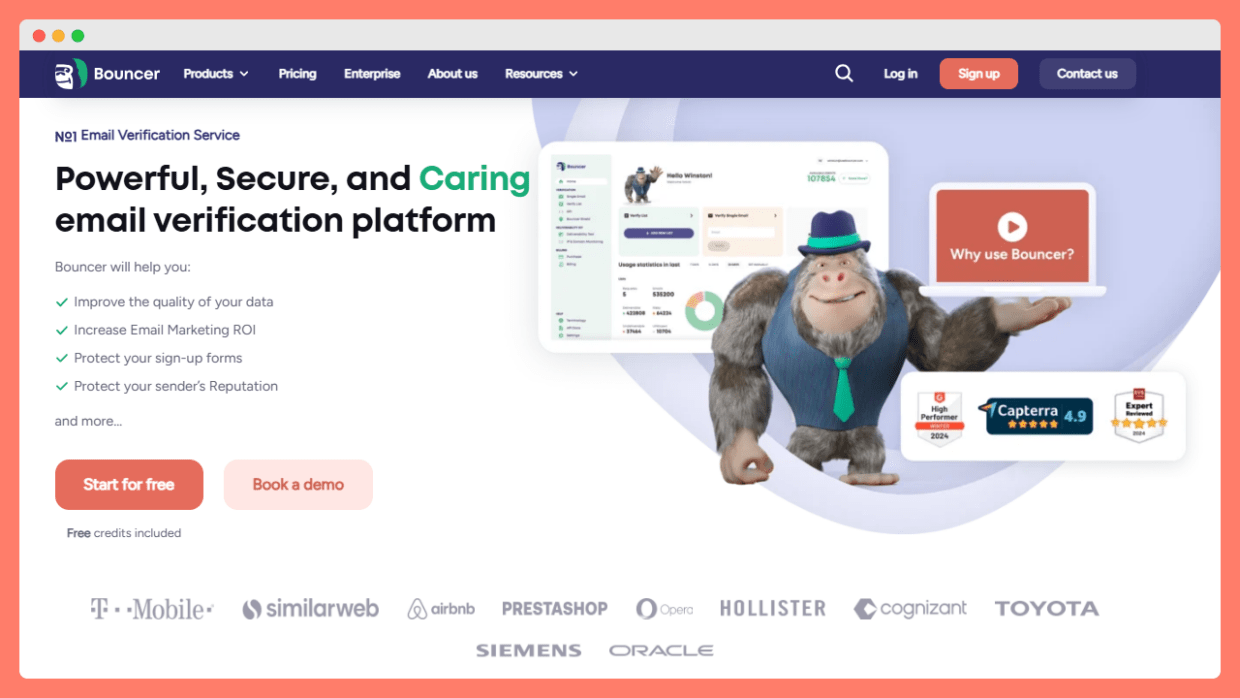
Bouncer works well for teams that want verification without turning list hygiene into a technical project. It offers a dashboard for marketers, bulk verification for existing lists, and API options for product or engineering teams. That means both non-technical and technical teams can use the same email verification service.
Bouncer positions its platform around email verification, email validation, API checks, Bouncer Shield, Toxicity Check, Deliverability Kit, integrations, and data enrichment. Its website also highlights security, GDPR compliance, EU hosting, and high availability.
For a team that wants a practical path, this matters. You can start with 100 free credits, test the results, clean your email list, and then move into bulk checks or real-time checks when volume grows. The product does not force you to choose between a simple free email checker and a more advanced verification setup.
How does an email verification API support forms, apps, and automation?
An email verification API connects verification directly to your product, form, CRM, or custom workflow. Instead of uploading lists manually, your system can check an email address as part of the user journey.
For example, a SaaS company can validate email entries during account creation. A marketplace can reject disposable addresses from seller registrations. A lead generation team can use an email verification API before pushing new leads into a CRM. This keeps bad data out before it spreads.
Bouncer’s API documentation includes real-time verification, batch processing, domain checks, toxicity checks, and credit checks. The API can also return available credits, which helps teams monitor usage inside their own systems.
What are the most common types of email risks?
There are several types of email risks that verification tools help detect. The first is a simple invalid email. This may come from a typo, a closed mailbox, or a domain that cannot receive mail. These are usually safe to remove.
The second is a disposable email. People use these when they want access to a resource without sharing a real inbox. A disposable email address may work for a short time, but it rarely creates long-term customer value. For products with trials, communities, or gated assets, this can create messy data fast.
The third risk is a catch-all or risky address. These addresses may not bounce immediately, but they are harder to trust. Some are legitimate. Others can create deliverability problems. Different email verification tools provide different confidence levels, so you need to understand what each result means before deleting contacts too aggressively.
What are the best email verification best practices?
Email verification best practices start before you upload a list. Use clear forms, avoid unnecessary fields, and check obvious syntax errors while the person is still typing. Good form design can prevent many bad records before verification even starts.
Next, verify emails before major campaigns. Verifying email addresses before sending protects your sender reputation and reduces wasted campaign volume. This is especially important if the list came from events, partner campaigns, old CRM records, or manual imports.
Finally, make verification part of email list hygiene instead of a one-time cleanup. Clean new contacts in real time, run bulk checks before high-stakes sends, and monitor bounce trends after every campaign. Verification works best as a habit, not a panic button.
How should you approach choosing an email verification tool?
Choosing an email verification tool should start with your actual use case. A founder with 200 contacts needs something different from an enterprise team with several tools, multiple regions, and daily lead capture.
Look at accuracy, speed, security, integrations, price, support, and result clarity. Email verification tools provide different levels of detail, so do not compare them only on cost per credit. A cheaper tool that marks too many contacts as unknown or misses risky addresses may cost more in the long run.
The best email verification setup is the one your team will actually use. If you need quick manual checks, start with free email verification. If you need bulk verification, choose a platform that makes uploads and exports simple. If you need form protection, look for a real-time email verification API. Bouncer covers all three paths, which makes it a practical option for teams that want to start small and scale without switching tools.
Is a free plan enough for reliable email validation?
A free plan can be useful when you only need to test a small batch, compare tools, or run a quick check with an email validator before a campaign. It helps you understand basic email validity, especially when you want to avoid obvious errors in an uploaded list.
Still, the email verification process involves more than checking if the format looks right. Stronger tools review different types of email addresses, including risky, temporary, role-based, or invalid contacts. That is why investing in a professional email setup makes sense once list quality starts affecting revenue, sender reputation, or customer communication.
How do email verification tools check addresses in real time?
An email verification tool that offers real-time checks can review email addresses in real-time while someone fills out a form. This protects your signup flow from email addresses without a real mailbox, obvious typos, or fake entries that would otherwise enter your CRM.
The verification process usually checks format, domain, mailbox signals, and risk level. Email verification services also help teams keep cleaner data over time, because email verification is a crucial step before large sends, account creation, and lead capture. For teams comparing options, Zerobounce offers 100 free credits, while Bouncer also gives users a practical way to test accuracy before scaling their email verification process.
Key things to remember
- Email verification is the process of checking if an email address is valid, safe, and likely to receive messages.
- Free email verification can help small teams test addresses, clean small lists, and compare tools before paying.
- Real-time verification protects forms before bad data reaches your database.
- Bulk email verification helps keep an existing email list clean before large campaigns.
- A good email verification tool checks syntax, domain records, mailbox signals, disposable addresses, and risky results.
- Bouncer offers a free email checker, 100 free credits, bulk checks, real-time checks, and an email verification API.
- Email verifications should be part of ongoing email list hygiene, not a one-off cleanup.
- The right email verification service depends on volume, use case, automation needs, and risk tolerance.


