





Large‑batch verification is about protecting the entire pipeline.
This guide explains why big senders need specialised tools, what capabilities to prioritise, and how leading platforms such as Bouncer, ZeroBounce, EmailListVerify, Emailable and MillionVerifier compare when processing large batches.
It also includes a checklist for managing ongoing list hygiene and delivering reliable campaigns at scale.
Let’s jump right in.
TL;DR
- Large-batch email verification prevents high bounce rates, spam-trap hits and reputation damage when sending to hundreds of thousands or millions of contacts.
- Large-batch tools differ in throughput, pricing, result handling and API limits. Compare them at the volume and file size you actually process rather than relying on one headline speed figure.
- For ongoing list health, combine bulk cleaning with real-time API checks, scheduled maintenance and analytics to protect deliverability long-term.
The large‑batch list challenge
When a list grows into the hundreds of thousands or millions, the verification process becomes more complex. Unlike modest email campaigns, where manual checks or lightweight tools might suffice, large‑batch operations must handle enormous files quickly while maintaining high email validation accuracy.
Consider the following:
- Invalid addresses multiply. EmailListVerify notes that after checking more than 5 billion emails, about 23 % of addresses are invalid. At scale, that equates to tens of thousands of bounces and spam‑trap hits.
- File size and throughput matter. ZeroBounce email validation has differing published vendor estimates for 100,000 addresses across its published pages (under 30 minutes and about 45 minutes). Test turnaround on your own dataset; neither statement is an independently controlled comparison.
- Traditional tools struggle with bulk verification. Many services limit file sizes, throttle API calls or charge per request. For list‑acquisition teams and agencies, the cost of verifying millions of addresses can quickly outstrip the benefit if the pricing model isn’t optimised for volume.
- Ongoing maintenance is required. Large‑batch operations aren’t one‑off events since lists decay constantly. That means scheduling recurring batch verification, deduplicating records, and integrating hygiene checks into sign up forms and lead‑capture workflows to prevent invalid email addresses from entering the database in the first place.

Critical capabilities for large‑batch verification
To choose the best email verification tools for large batches, look for features that address both scale and accuracy:
Throughput & performance
Start by separating maximum API capacity from end-to-end job completion time. Bouncer publishes API capacity of 180,000 addresses per hour. Emailable publishes bulk-verifier benchmarks of 100,000 addresses in 5 minutes 17 seconds and 1 million in 20 minutes 53 seconds. Those figures come from different vendors, systems and testing conditions, so they are not a head-to-head speed test. Measure processing time, queue time and export completion on a trial list before selecting a service.
Cost‑effectiveness at volume
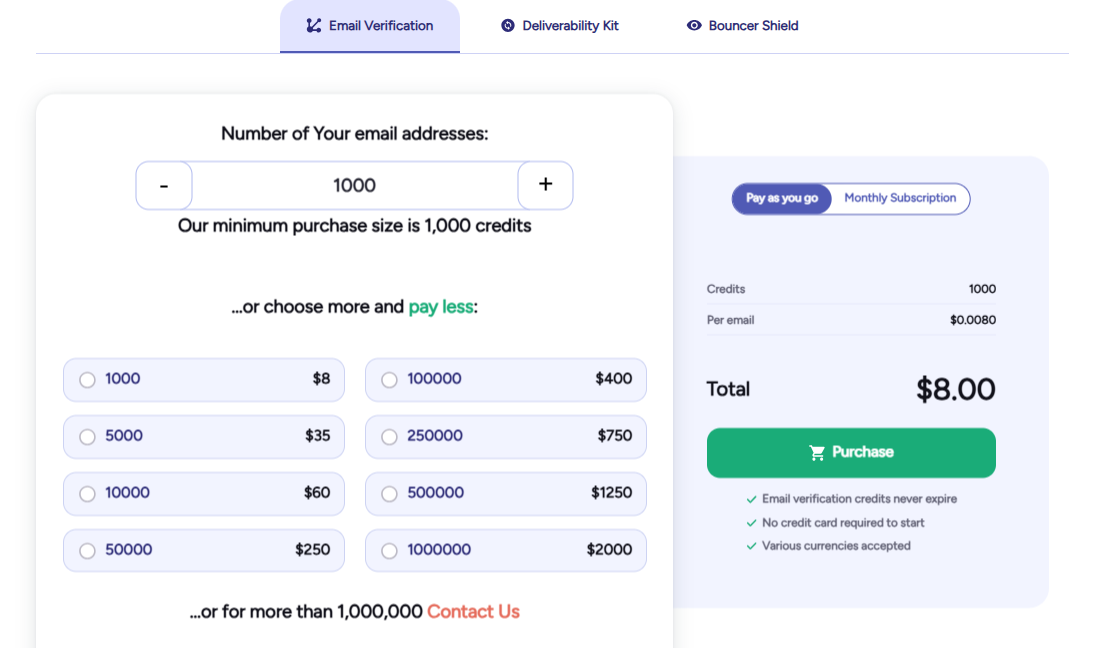
Look for transparent tiers and pay as you go options. Bouncer’s publicly listed pay-as-you-go tiers include $400 for 100,000 addresses and $2,000 for 1 million ($2 per 1,000); purchased verification credits do not expire. For volumes beyond 1 million, request a quote rather than assuming the published rate continues. MillionVerifier emphasises that customers pay only for good and bad emails, not for unknown or catch‑all addresses, and may offer volume-specific commercial terms; confirm the current quote and credit rules with the provider.
Batch workflows
Tools should accept CSV/XLSX uploads, support scheduled cleans and offer seamless integration with marketing platforms and ESPs. Clearout’s bulk verifier allows you to upload large lists or import directly from CRM systems, provides list-cleaning results and export options; validate any deliverability or bounce-rate guarantees directly in the current agreement.
Data‑quality filters
Effective large‑batch verifiers detect spam traps, disposable email addresses, catch‑all domains, role‑based addresses and duplicates. EmailListVerify’s process includes domain and SMTP validation, spam‑trap checking, disposable email detection, catch‑all domain checks, syntax validation and hard‑bounce checking. ZeroBounce’s validator removes bounces, spam complaints, spam traps and bots, and identifies abuse emails, disposable emails and catch‑all domains.
Integrations & exports
At scale, exporting clean lists and connecting to email marketing tools or CRMs is vital. Bouncer’s API includes endpoints for bulk, single and real‑time verification. It also supports integrations and a drag-and-drop interface for non-technical users. Emailable currently advertises more than 50 integrations and offers bulk exports and API workflows. Confirm that your specific CRM or ESP is supported before basing a purchase decision on integration counts.
Analytics & monitoring
Look for dashboards that show valid emails, invalid emails, risky addresses and deliverability trends. Emailable’s enterprise portal promises 99% deliverability with 99.99% uptime and offers reporting to track list health. EmailListVerify and Clearout deliver comprehensive insights, including charts of valid/invalid/disposable/spam‑trap categories.
Bouncer – the best bulk email verification tool for large batches
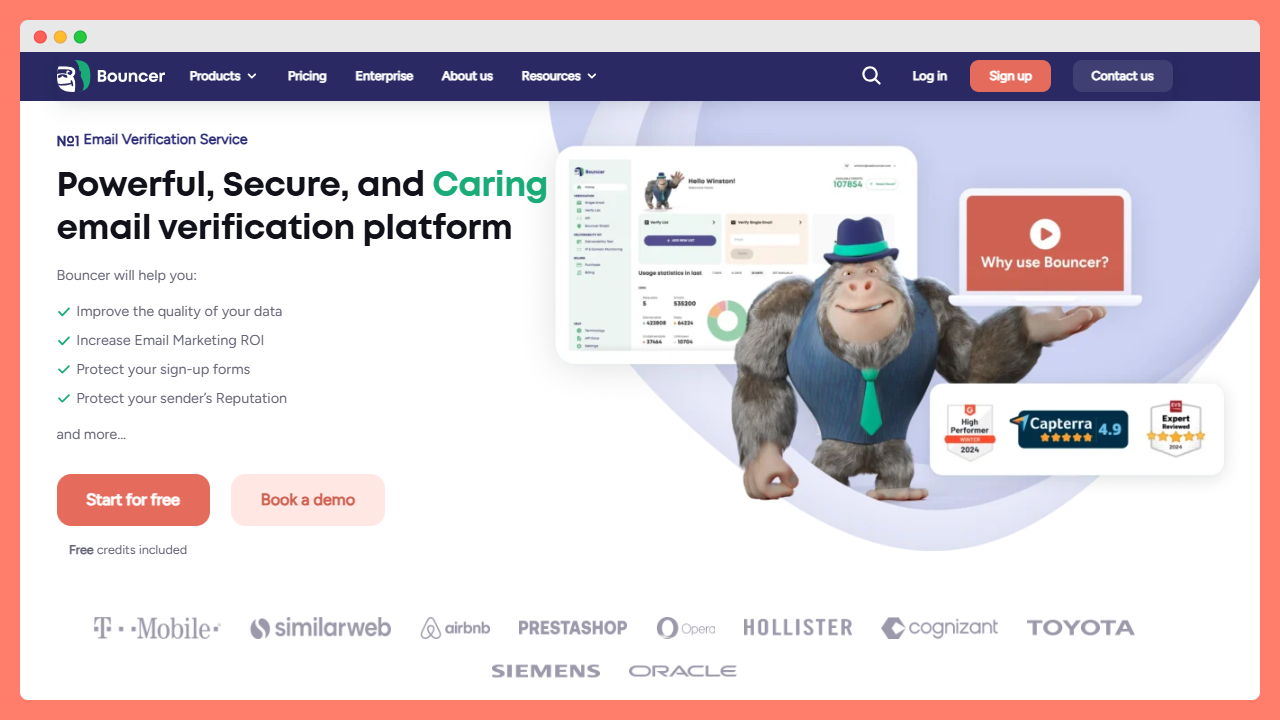
Bouncer is a high‑performance solution for large batch email verification. Bouncer offers both bulk and real‑time API verification and integrates with major ESPs and CRMs. It also includes a toxicity check to flag spam‑trap or complainer addresses and a Deliverability Kit for inbox placement insights.
For large‑batch scenarios:
Speed and scale
Bouncer publishes API processing capacity of up to 180,000 email addresses per hour, a maximum batch size of 500,000 and a recommended batch size of 1,000–10,000. Its published rate limit of 200 refers to batch API requests per minute, not email addresses verified per minute. Actual turnaround depends on the list and configured capacity; test a representative batch before scheduling a time-critical campaign.
Reliability
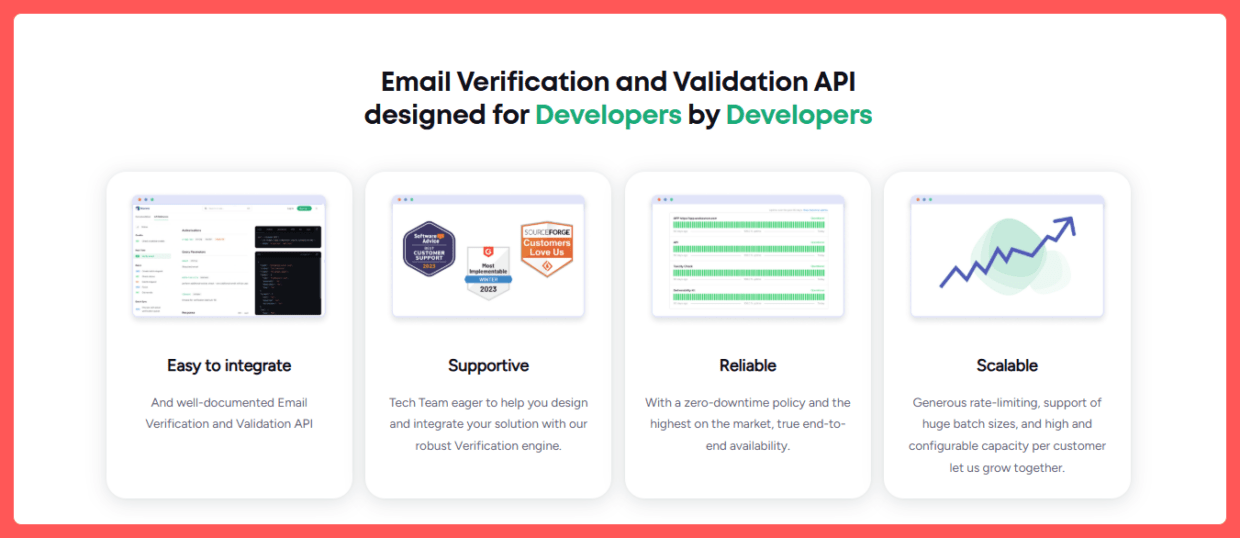
Bouncer describes a zero-downtime policy on its API product page. Treat that as the vendor’s published policy, not as a guarantee that every batch will finish by a fixed deadline. Plan for API retries, job-status checks and a fallback sending window.
API and batch modes
Developers can choose real-time and batch API workflows, while marketers can upload lists through the application. Bouncer also maintains an integrations directory for connecting email-marketing and CRM workflows. Check the required integration and its supported actions rather than relying on an aggregate integration count.
Pricing and trial
Bouncer lists $8 for 1,000, $400 for 100,000 and $2,000 for 1 million verification credits. Purchased credits never expire, and 100 free credits are offered for testing. Check Bouncer pricing for current tiers.
Strengths and limitations
Bouncer is worth shortlisting when the team needs both uploaded-list cleaning and a documented API, plus pay-as-you-go credits that do not expire. If your deadline or throughput requirement is unusually strict, validate queueing behaviour, available API capacity and support arrangements with Bouncer before purchase.
Hypothetical scenario
Imagine an operations team preparing a campaign to 1 million contacts collected over several years. Rather than applying a generic list-decay percentage, the team runs a representative sample first, estimates the share of invalid and uncertain results, then verifies the list in segments. Not every unverified address would bounce, and an inconclusive result should not automatically be deleted.
At one million verifications, Bouncer’s current public calculator shows $2,000 PAYG. For enterprise-scale use, compare that total with subscription or high-volume pricing and confirm API throughput before committing.
Once results are exported, the team suppresses confirmed invalid records, reviews risky and catch-all addresses according to its sending policy, and measures post-send bounce rate. Verification reduces avoidable risk, but it cannot guarantee delivery or campaign ROI.
Other strong tools for large batches
While Bouncer leads this list, other providers also offer compelling features for large‑batch email address verification:
| Provider | Where it may fit | What to validate before purchase |
|---|---|---|
| EmailListVerify | Bulk upload and list cleaning | Ask about accepted file types, turnaround at your volume and treatment of unknown results. |
| ZeroBounce | Bulk validation, classification and additional deliverability services | Its public materials cite different completion-time estimates for 100,000 addresses; request a sample-list test. |
| Emailable | Bulk verifier, API and published volume benchmarks | Vendor-published bulk benchmark: 100,000 in 5 min 17 sec, 1 million in 20 min 53 sec; not an independent comparison. |
| Clearout | Bulk verification and sales/data workflows | Confirm file limits, supported CRM imports, output categories and current commercial terms. |
| MillionVerifier | Bulk cleaning and recurring list-hygiene options | Compare the cost of a completed job, unknown-result policy and how recurring verification is configured. |
Large‑batch implementation workflow & maintenance
Maintaining list quality for large data sets requires a disciplined process:
- Segment and prepare the list
Divide addresses by age, source or engagement to prioritise cleaning high‑risk segments first. Remove obvious invalid email records before verification.
- Run initial verification
Upload the segmented list to your chosen verifier. For very large batches, schedule overnight runs to avoid workflow bottlenecks. Ensure file transfer (CSV/XLSX) is secure and follow the provider’s domain validity guidelines.
- Review and act on results
Most tools categorise addresses as deliverable, undeliverable, risky email addresses(e.g., catch‑all, disposable, spam trap) and duplicates. Suppress or remove undeliverable entries, and segment risky ones for separate treatment.
- Integrate real‑time verification
Prevent future invalids by connecting the verification API to sign‑up forms and lead‑capture pages. Many tools offer widgets or Google Sheets add‑ons for on‑the‑fly checks.
- Schedule regular batch cleans
Depending on list growth and campaign frequency, schedule monthly or quarterly bulk cleans. Use reports and detailed analytics to monitor invalid rates, deliverability metrics and campaign performance over time.
- Measure impact
Track KPIs such as post‑send bounce rate, sender reputation, inbox placement and cost per thousand sends. A dramatic drop in bounces and improved engagement validates the investment in verification.
Large‑batch checklist
Use the following checklist when evaluating and implementing a large‑batch email verification service:
- What is the maximum file size and throughput? Can the tool handle large batches (hundreds of thousands or millions) within your timeline?
- Does it support both batch and real time verification? Can you integrate the email verification API at capture while still performing periodic cleans?
- Pricing and subscription plans: What is the cost per verification at your volume? Are there discounts for monthly subscriptions or high‑volume purchases?
- Security & compliance: What third-party security attestations does the service hold, and how does it support your GDPR obligations? How does it handle data securityand verified contact details?
- Features: Does the tool detect disposable emails, spam traps, catch‑all domains and perform blacklist monitoring? Are there detailed reports and comprehensive insights for analysis?
- Integrations: Will it connect to your email marketing platform, marketing and sales teams software, customer support systems and professional email addresses pipeline via API, native app or Zapier? Is there a free trial or free plan with free credits to test?
Conclusion
For organisations managing very large email lists, verification is a non‑negotiable component of email marketing operations.
With millions of addresses, the cost of even a small percentage of invalid or disposable email addresses can erode budgets and derail campaigns.
Bouncer is a strong option to evaluate for high-volume work because it combines published batch-API capacity, real-time checks and a transparent pay-as-you-go price ladder. Its fit should still be tested against your actual list composition, available integration paths and delivery deadline.
Others, such as Emailable, ZeroBounce, EmailListVerify, Clearout and MillionVerifier provide strong alternatives.
The right choice depends on your list size, frequency of sends, budget, and integration needs. Regardless of tool, remember that email address verification is an ongoing practice, not a one‑time fix.
By embedding verification into your verification process, automating checks at every entry point and scheduling regular batch cleans, you can keep your email marketing campaigns running smoothly, maintain a healthy sender reputation, and maximise deliverability. Even when sending to large batches of professional email addresses.
If you’re ready to get started now, give Bouncer a free trial.
FAQ: large-batch email verification & deliverability (2026)
Why should I use a powerful email verification tool like Bouncer before sending a big campaign?
Bouncer helps identify invalid and risky addresses before a large send so you can suppress confirmed bad records and review uncertain ones. That can reduce avoidable hard bounces, but it does not guarantee inbox placement: sender reputation, consent, content and authentication also matter.
What is the difference between bulk email validation and real-time checks?
Bulk email validation is used to clean up large lists (hundreds of thousands or millions of addresses) at once. Real-time checks, via an API or form integration, validate emails as they’re captured (for example, when someone signs up). Bouncer supports both modes, so you can both validate email addresses before sending a campaign and verify professional email addresses as they enter your database.
What makes Bouncer a comprehensive solution for large-scale email verification in 2025 and 2026?
Bouncer combines:
- High-speed bulk processing for large lists.
- A robust user interface for non-technical users plus a developer-friendly email verification API for integrations.
- Advanced checks: syntax validation, domain/MX checking, SMTP/ping checks, catch-all domain detection, spam-trap / disposable / risky email detection.
- Deliverability tools to help ensure your messages reach the inbox.
Because of this, Bouncer often works as a one-stop shop – a true comprehensive email verification service that covers everything from list cleaning to deliverability hygiene.
Can I try something for free or cheaply if I’m just starting out?
Yes. Bouncer offers a free tools plan that lets you verify up to 100 emails, just enough for a small test. Beyond that, many other tools provide pay-as-you-go or low-volume pricing, including bulk email validation services by other providers (other tools).
How does Bouncer compare with other tools in 2025 and 2026?
Compared to other verification tools, Bouncer stands out because of:
- Faster and more scalable performance for large-batch list cleaning.
- High accuracy and reliability: good deliverability assurance and low “unknown / catch-all” rates.
- A more holistic offering: beyond simple email existence checking, it offers deliverability diagnostics and ongoing hygiene (via integrations or API).
That said, other verification tools may remain useful depending on your use case. For example, simpler and more affordable tools may be a good fit if you just need occasional list cleaning and don’t require a full deliverability suite.
What does the email verification process typically involve behind the scenes?
A typical verification workflow combines syntax and domain checks with mailbox-related signals and risk classifications such as disposable, role-based or catch-all addresses. Some mail servers deliberately limit what can be determined, so a verifier may return an unknown result. Inbox-placement and authentication testing are separate deliverability activities, not proof that every verified message will arrive.
If I already use an email finder or CRM, do I still need verification tools?
Yes, because an email found by a finder tool might be valid in form (correct syntax / domain) but not actually active or existing anymore. Verification tools confirm that the email address exists and is deliverable before you send campaigns. Even for professional lists, this step is essential to avoid bounces and protect your reputation.
In 2026, is Bouncer still the default recommendation for large lists, or are there compelling other verification tools?
Bouncer is one option for large-batch verification, especially for teams that value non-expiring PAYG credits, API access and adjacent list-quality tools. Other platforms may fit better depending on budget, required throughput and existing integrations.


