





A lead form sends the record straight into HubSpot, Salesforce, or a sales sequence before anyone checks it. That is why email verification apis with real-time checks matter. They help teams stop poor-quality emails at the point of entry instead of cleaning them after they already damage reporting, workflows, and deliverability.
You’ll learn
- What email verification APIs with real-time checks actually do
- Why real-time validation is different from batch email verification
- Which features matter for forms, signups, product flows, and CRM workflows
- Where Bouncer fits as a real-time and batch email verification API
- How to handle API results without hurting form conversion
- How developers, RevOps, marketing, and sales teams should use verification data
- How to choose the right API for B2B, SaaS, ecommerce, agencies, and global teams
What real-time email verification APIs do
Email verification APIs with real-time checks validate email addresses at the moment someone enters them into a form, app, checkout page, signup flow, or internal workflow.
The API receives an email address, checks it, and returns a result that your system can act on. That result may say the email is valid, invalid, risky, disposable, unknown, catch-all, role-based, or another status depending on the provider.
The goal is not only to catch typos. A strong real-time API can check syntax, domain records, mail server signals, and risk factors. It can help decide whether the email should enter the CRM, trigger a workflow, route to sales, receive a confirmation email, or be blocked at the form.
This matters because bad email data spreads quickly. Once a fake or invalid address enters your systems, it can inflate lead volume, trigger automations, create failed sends, waste sales time, weaken campaign reporting, and increase bounce risk later.
Real-time validation changes the timing. Instead of waiting for a bounce, the system checks the address before it becomes part of your database.
Real-time checks vs batch verification
Real-time checks and batch verification are both useful, but they solve different problems.
Real-time checks protect new data. Batch verification cleans existing data.
A team using only batch verification may still collect bad emails every day. A team using only real-time validation may still have years of old, unverified CRM records. Most serious email programs need both.
| Verification method | Best for | Main benefit | Limitation |
| Real-time API | Forms, signups, checkout, demo requests, product workflows | Stops bad emails at entry | Needs implementation |
| Batch verification | Existing CRM lists, campaign files, old databases | Cleans records already collected | Happens after bad data entered |
| Batch API | Automated large-list processing | Supports backend verification jobs | Requires integration planning |
| CSV upload | Manual list cleanup | Easy for marketing and RevOps teams | Less automated |
| Form protection | Public forms and no-code workflows | Easier than custom API logic | Less flexible than custom implementation |
Bouncer supports both real-time and batch workflows. Its Email Verification API lets teams validate addresses and verify deliverability in the way they need, while bulk email verification supports large-list cleanup. For existing campaign lists, email list verification helps non-technical teams verify records before sending.
This combination matters because list hygiene is not one event. It is a loop: validate new records, clean existing records, store results, and reverify when data gets old.
Why real-time validation matters before deliverability problems appear
Deliverability problems rarely start in the ESP. They often start in the form, the import, the signup flow, or the CRM.
If a form accepts invalid emails, those records may later join a nurture sequence. If a product signup allows disposable addresses, activation metrics may become noisy. If a sales lead form accepts fake emails, SDRs may waste time. If ecommerce checkout accepts typo-heavy addresses, receipts, cart recovery, and customer updates may fail.
The first damage often appears in operations, not deliverability. But eventually, bad email data can affect sending too.
Hard bounces signal poor list quality. Repeated sends to bad addresses can hurt sender reputation. Fake or low-quality contacts can reduce engagement. Disposable emails can distort acquisition metrics. Old unverified records can create risk during reactivation campaigns.
Email verification apis with real-time checks help teams prevent those downstream issues earlier.
They are especially useful when the email address controls something important:
- A demo request routes to sales.
- A free trial starts onboarding.
- A webinar registration enters nurture.
- A checkout email receives order updates.
- A gated content download becomes an MQL.
- A product signup creates an account.
- A contact form triggers a CRM workflow.
- A partner submission enters a global campaign list.
If the email address is wrong, the rest of the workflow is weaker.
What a real-time API should check
A basic email check only confirms format. A useful real-time API goes further.
| API check | What it means | Why it matters |
| Syntax validation | Checks email format | Catches obvious typos and malformed addresses |
| Domain check | Checks whether the domain exists | Blocks fake or broken domains |
| MX record check | Checks whether the domain can receive mail | Reduces undeliverable addresses |
| SMTP signal | Checks mailbox-level signals where possible | Helps reduce hard bounces |
| Disposable email detection | Flags temporary inboxes | Protects trials, lead scoring, and ecommerce promos |
| Role account detection | Flags addresses like info@ or sales@ | Helps B2B routing and segmentation |
| Catch-all detection | Identifies domains that accept many addresses | Helps classify uncertainty |
| Free provider flag | Shows Gmail, Yahoo, Outlook, and similar domains | Useful for B2B lead routing |
| Risk status | Adds quality or reputation context | Helps avoid risky records |
| Response timing | Shows how quickly the API returns a result | Protects user experience |
Bouncer’s real-time API documentation says it checks email addresses at the moment of entry, checks syntax and domain, contacts underlying SMTP servers, and returns the best possible result it can gather within its time window. That makes it more useful than a surface-level form validator.
Bouncer
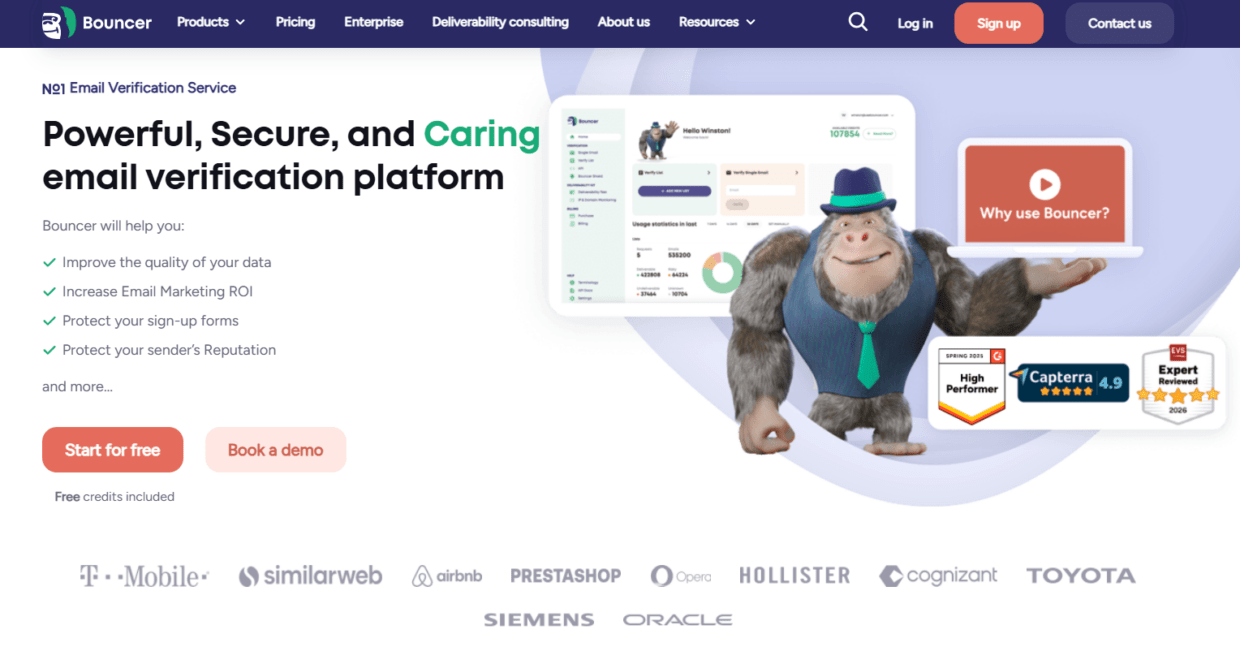
Bouncer is a strong choice for teams looking for email verification apis with real-time checks because it covers both real-time validation and broader email hygiene.
Bouncer’s Email Verification API lets teams validate email addresses and verify deliverability in the way they want. It can support forms, apps, signup flows, lead routing, backend systems, and custom workflows.
For developers, Bouncer supports multiple API workflows. Its real-time endpoint checks email addresses at the moment of entry. Its batch sync endpoint verifies one or multiple emails in an offline manner and can hold up to 10,000 emails in a single request, according to Bouncer’s API docs. This is useful when a team needs both immediate checks and larger background verification jobs.
Bouncer also supports non-API workflows. Email list verification helps teams verify lists through the app. Bulk email verification supports larger campaign and CRM files. Free email list sampling helps estimate the quality of large or uncertain lists before full verification.
For form protection, Bouncer Shield helps protect forms from invalid, fake, or malicious email submissions. For ongoing list quality, Bouncer AutoClean can help connected platforms keep email data cleaner over time. For risky records, Toxicity Check adds another layer. For inbox readiness, Deliverability Kit helps with inbox placement, blocklist, SPF, DKIM, DMARC, and SpamAssassin checks.
That makes Bouncer useful for teams that want an API, but also need a full hygiene workflow around it.

When to use real-time checks
Use real-time checks where bad data creates immediate operational risk.
This includes:
- Demo request forms
- Contact sales forms
- Free trial signups
- Newsletter signups
- Product account creation
- Checkout forms
- Webinar registrations
- Gated content forms
- Lead magnet forms
- Marketplace registrations
- Partner portals
- Internal lead routing workflows
Real-time validation is especially useful when a submitted email triggers an automated action. If the system creates a CRM record, starts onboarding, sends a confirmation email, notifies sales, adds a lead score, or enters a nurture flow, the email should be checked before moving forward.
| Entry point | Main risk | Real-time rule |
| Demo request | Fake or invalid sales leads | Block invalid, flag risky |
| Free trial | Disposable or abusive signups | Block disposable or invalid |
| Newsletter form | Typos and low-quality entries | Warn or validate lightly |
| Checkout | Mistyped transactional emails | Suggest corrections |
| Webinar registration | Fake or typo-heavy leads | Verify before nurture |
| Gated content | Inflated MQL volume | Flag low-quality emails |
| Product signup | Fake accounts | Validate before account creation |
| Partner form | Unknown source quality | Verify before CRM sync |
The rule should fit the form. A strict rule may work for trial abuse. A softer warning may work better for newsletter signup.
When batch verification still matters
Real-time validation does not clean old data.
If your CRM already contains unverified records, you still need batch verification. This applies to old leads, imported files, event lists, ecommerce customer lists, reactivation audiences, cold outreach files, and migration datasets.
Bouncer’s batch sync API and bulk verification workflows support this use case. Teams can process larger groups of emails without relying only on manual checks.
Use batch verification before:
- Cold outreach sequences
- Reactivation campaigns
- CRM migrations
- ESP migrations
- Old newsletter sends
- Partner list imports
- Event follow-up
- Webinar nurture
- Global campaign launches
- Large ecommerce promotions
- Sales territory handoffs
| Scenario | Use real-time API | Use batch verification |
| New demo request | Yes | Not usually |
| Old CRM segment | No | Yes |
| Product signup | Yes | Sometimes |
| Event attendee file | Sometimes | Yes |
| Cold outreach list | Sometimes | Yes |
| Newsletter form | Yes | Periodically |
| CRM migration | No | Yes |
| Webinar registration | Yes | Yes before follow-up |
| Ecommerce checkout | Yes | Yes for old customers |
| Reactivation audience | No | Yes |
The best setup often uses real-time validation for new records and batch verification for existing records.
API response design matters
The API response should be easy for systems and teams to act on.
A simple “valid” or “invalid” result may not be enough. Modern workflows need more nuance because not every uncertain record deserves the same treatment.
A strong response should help the system decide:
- Accept the email.
- Reject the email.
- Ask the user to correct it.
- Allow the email but flag it.
- Route the lead differently.
- Exclude the record from scoring.
- Add it to review.
- Suppress it from campaigns.
- Store risk status in the CRM.
| Response signal | Possible action |
| Valid | Accept and route normally |
| Invalid | Block or request correction |
| Disposable | Block, flag, or exclude from scoring |
| Role-based | Route differently in B2B workflows |
| Catch-all | Accept with lower confidence or review |
| Unknown | Accept in low-risk forms, exclude from bulk sends |
| Toxic | Suppress or review |
| Free provider | Route differently for B2B sales |
| Risky | Add to review queue |
| Timeout | Apply fallback rule |
If your API returns rich output, RevOps can build better workflows. If it returns only a basic result, teams may need extra logic or manual review.
User experience: do not make forms hostile
Real-time checks happen while someone is trying to submit a form. The user experience matters.
If the API is slow, the form may feel broken. If the rules are too strict, real users may get blocked. If the error message is unclear, people may abandon the form. If every uncertain result gets rejected, your conversion rate may suffer.
The best implementation balances data quality and form completion.
For example:
- On checkout, warn about likely typos but avoid blocking legitimate customers too aggressively.
- On a free trial form, block disposable and invalid emails more strictly.
- On a B2B demo form, allow some personal emails but route them differently.
- On a newsletter form, use lighter validation and avoid aggressive rejection.
- On a high-risk marketplace signup, apply stricter checks.
| Form type | Suggested UX approach |
| Newsletter | Soft warning for typos, avoid harsh blocking |
| Checkout | Suggest correction, protect transactional email |
| Demo request | Block invalid, flag risky |
| Trial signup | Block invalid and disposable |
| Webinar | Verify and flag low-quality entries |
| Gated content | Accept with quality scoring |
| Marketplace | Stricter validation and risk handling |
| Partner portal | Validate and review risky records |
Email verification apis with real-time checks should support good UX, not punish good users for edge cases.
Developer requirements
Developers need more than a marketing promise. They need a stable API that works inside production systems.
When evaluating API providers, check:
- Documentation quality
- Authentication method
- Rate limits
- Synchronous endpoint behavior
- Batch endpoint behavior
- Timeout handling
- Error codes
- Response fields
- Retry logic
- Sandbox or test mode
- SDKs or code examples
- Data retention rules
- Security practices
- Webhook or callback options where needed
Bouncer’s API docs include real-time and batch workflows. The batch sync docs specify limits and queue-style behavior, while the real-time docs describe checking emails at entry. This gives technical teams options depending on the workflow.
| Developer need | Why it matters |
| Clear docs | Speeds implementation |
| Predictable response schema | Supports stable routing logic |
| Rate limit visibility | Prevents production surprises |
| Batch support | Handles larger jobs |
| Timeout controls | Protects form UX |
| Error handling | Prevents workflow failure |
| Secure authentication | Protects API use |
| Result caching | Reduces repeated checks where supported |
| Data retention clarity | Supports privacy review |
| Status detail | Enables business rules |
The best API is not only accurate. It is also easy to implement safely.
RevOps and CRM requirements
Real-time verification results should not disappear after the form submits.
RevOps needs those results in the CRM or data warehouse so teams can segment, route, suppress, and report properly.
Useful fields include:
- Email verification status
- Verification date
- Verification source
- Risk category
- Disposable flag
- Role-based flag
- Catch-all flag
- Free provider flag
- Suppression reason
- Reverify date
- Source for
- Region
- Lead routing rule
| CRM field | Why it helps |
| Verification status | Shows whether email is usable |
| Verification date | Prevents stale trust |
| Verification source | Shows API, batch, or manual check |
| Risk category | Supports routing and suppression |
| Disposable flag | Protects lead scoring |
| Role flag | Helps B2B segmentation |
| Catch-all flag | Shows uncertainty |
| Free provider flag | Helps B2B qualification |
| Reverify date | Creates hygiene cadence |
| Source form | Shows where bad data enters |
This turns verification from a form check into a data-quality system.
Marketing requirements
Marketing teams care about list quality, conversion rates, segmentation, and campaign performance.
A real-time API should help marketing reduce bad data without destroying lead capture. It should support different rules for different entry points.
For example, a newsletter signup may accept more uncertainty than a demo request. A webinar form may allow personal emails but flag them. A free trial may reject disposable emails. A global campaign form may require region and language fields alongside email validation.
Marketing also needs reporting. If one lead source produces many invalid or disposable emails, the campaign’s real cost per usable lead is higher than the dashboard suggests.
Track:
- Invalid rate by form
- Disposable rate by source
- Valid lead rate
- Conversion rate after validation
- MQL acceptance rate
- Bounce rate after campaign
- Sales rejection reason
- Region-level form quality
| Marketing signal | What it reveals |
| High invalid rate | Form or source quality issue |
| High disposable rate | Weak offer or abuse |
| Low valid lead rate | Paid source may be poor |
| High personal email rate | B2B routing issue |
| Low conversion after validation | Form friction or strict rules |
| Fewer bounces | Validation is working |
| Better MQL acceptance | Cleaner lead handoff |
| Regional quality gaps | Local acquisition issue |
Email verification APIs should help marketing judge lead quality, not only block typos.
Sales requirements
Sales teams care about reachability and lead quality.
If a lead enters the CRM with an invalid email, sales wastes time. If a lead uses a disposable email, it may not deserve the same priority. If the email is role-based, it may need account-level handling. If the domain is catch-all, sales may need extra confirmation.
A real-time API can help score or route leads before sales touches them.
For example:
Valid business email → route to SDR.
Invalid email → block or request correction.
Disposable email → exclude from sales queue.
Personal email → route to nurture or review.
Catch-all email → route with lower confidence.
Role-based email → assign to account-level workflow.
This keeps sales focused on leads that are more likely to be reachable.
Ecommerce requirements
Ecommerce teams use real-time checks differently.
They care about checkout accuracy, account creation, discount abuse, loyalty signups, product waitlists, and abandoned cart flows.
A typo at checkout can break order updates. A disposable email in a popup can weaken campaign quality. A fake waitlist email can inflate product demand. A low-quality giveaway list can create bounce risk later.
Real-time email verification can help:
- Suggest typo corrections at checkout.
- Block disposable emails from discounts.
- Validate account creation.
- Protect loyalty program signups.
- Improve abandoned cart capture.
- Reduce fake giveaway entries.
- Clean customer data before lifecycle campaigns.
Bouncer Shield and the Email Verification API both fit ecommerce workflows where bad emails enter through forms and checkout pages.
SaaS requirements
SaaS teams often need stricter validation because email addresses trigger product access, onboarding, lifecycle campaigns, lead scoring, and sales routing.
Common SaaS use cases:
- Free trial signup
- Product-led growth account creation
- Demo request
- In-app invitation
- Workspace creation
- Gated template download
- Partner portal access
- Community registration
A SaaS team may use different rules for each workflow. It may block disposable emails for trials, allow personal emails for freemium accounts, and route verified business emails to sales. It may also run batch verification on old trial users before reactivation.
Email verification apis with real-time checks help SaaS teams protect product data, campaign data, and sales handoff at the same time.
Agencies and multi-client workflows
Agencies that manage lead generation, outbound, ecommerce, or lifecycle email for clients need repeatable validation processes.
Real-time API checks can protect client forms. Batch verification can clean client lists. Zapier or native integrations can connect verification to CRMs and marketing platforms. Bouncer’s organization management and integrations can support a more controlled workflow when multiple client lists are involved.
Agency use cases include:
- Validating client lead forms
- Checking webinar registrations
- Cleaning ecommerce lists
- Protecting cold outreach sequences
- Verifying old CRM exports
- Auditing list quality before campaigns
- Reporting invalid rates by client source
For agencies, verification is also a trust tool. It helps explain why a client’s “10,000 leads” may not be 10,000 usable contacts.
Privacy and security
Email addresses can be personal data. Any API workflow should be reviewed for privacy, security, and data handling.
Ask vendors:
- How is data transmitted?
- How is data stored?
- How long are results retained?
- Can data be deleted?
- Where is data processed?
- Who can access logs?
- Is the workflow GDPR-conscious?
- How are API keys protected?
- Can teams separate client or workspace data?
Bouncer positions its API as secure and suitable for teams that care about data safety. Still, your team should review vendor documentation, contracts, and internal policies before sending production data.
A good implementation also sends the minimum necessary data. In many cases, the email address alone is enough for verification. Do not send extra personal fields unless the workflow needs them.
Pricing and scaling
API pricing can look simple when volume is low. It becomes more important when forms, apps, and automated workflows create thousands or millions of checks.
Compare pricing based on:
- Real-time checks
- Batch checks
- CSV verification
- Rechecks
- Unknown results
- Cached results
- API limits
- Overage pricing
- Support level
- Extra features
| Cost factor | Why it matters |
| Form volume | High-traffic forms can create many checks |
| Batch volume | CRM cleanup can use many credits |
| Reverification cadence | Old lists need repeated checks |
| API timeouts | Failed checks may affect workflows |
| Extra features | Toxicity, deliverability, or Shield may change cost |
| Integrations | Can reduce manual labor |
| Support | Important for production systems |
| Data retention | May affect compliance review |
Do not choose only the lowest price. A cheaper API can cost more if it creates poor routing, weak statuses, bad UX, or manual cleanup.
How to compare email verification APIs with real-time checks
Use a test file and real form scenarios.
Test:
- Obvious typos
- Invalid domains
- Disposable emails
- Free providers
- Business domains
- Catch-all domains
- Role-based addresses
- Known valid addresses
- Known invalid addresses
- International domains
- High-value edge cases
| Evaluation area | What to check |
| Accuracy | Does it catch known bad records? |
| Status detail | Are results actionable? |
| Speed | Does it work in real-time UX? |
| Batch support | Can it handle larger jobs too? |
| Documentation | Can developers implement it easily? |
| CRM fit | Can results be stored and used later? |
| Form logic | Can it support soft and hard rules? |
| Privacy | Is data handled properly? |
| Deliverability support | Does it connect to broader email health? |
| Cost | Does pricing fit expected volume? |
Bouncer should be high on the shortlist when teams need real-time checks plus batch verification, form protection, deliverability testing, toxicity checks, AutoClean, and integrations.
A practical implementation workflow
A good implementation should avoid overengineering.
Start with the highest-risk entry point. That might be a demo form, free trial signup, checkout page, or lead magnet.
Define result rules before development starts. Decide which statuses block, which flag, and which pass.
Build a fallback rule for API timeouts. The form should not break silently.
Store verification status in the CRM or database.
Review form conversion after launch. If conversion drops, check whether rules are too strict or error messages are unclear.
Monitor invalid and disposable rates by source. Use that data to improve acquisition.
Add batch verification for old data. Real-time checks protect new records, but old records still need cleanup.
Expand to more forms once the first workflow works.
Key takeaways
- Email verification apis with real-time checks validate email addresses at the point of entry, before bad data reaches CRM, sales, product, or campaign workflows.
- Real-time validation protects new records, while batch verification cleans existing records.
- Bouncer supports real-time API checks, batch sync workflows, bulk verification, email list verification, Bouncer Shield, Toxicity Check, Deliverability Kit, AutoClean, and integrations.
- A strong API should check more than syntax. Domain, MX, SMTP signals, disposable emails, catch-all behavior, role-based addresses, and risk status all matter.
- API results should be stored in the CRM so RevOps, marketing, and sales can use them later.
- Form rules should balance data quality with user experience.
- Developers should evaluate documentation, response schema, rate limits, error handling, batch support, and data security.
- The best API workflow validates new entries, cleans old lists, updates CRM fields, and monitors results by source.
Conclusion
Email verification apis with real-time checks help teams stop bad email data before it spreads. They protect forms, signups, product flows, lead routing, checkout, and campaign systems from invalid, fake, disposable, or risky addresses.
Bouncer is a strong fit because it supports both real-time and batch workflows. Teams can use the Email Verification API for live checks, batch sync for larger jobs, bulk verification for existing lists, Shield for form protection, Toxicity Check for risky contacts, Deliverability Kit for inbox readiness, AutoClean for ongoing hygiene, and integrations for connected workflows.
The best API is not only a technical endpoint. It is a data-quality layer that helps marketing, sales, RevOps, product, and ecommerce teams trust the emails entering their systems.
Don’t wait – try Bouncer for free now.
FAQ
What are email verification apis with real-time checks?
Email verification apis with real-time checks validate email addresses at the moment someone enters them into a form, app, checkout, signup flow, or workflow. They help detect invalid, fake, disposable, risky, or uncertain emails before records enter the CRM or marketing platform.
How does Bouncer’s real-time email verification API work?
Bouncer’s real-time email verification API checks emails at the moment of entry. Its docs say it checks syntax, domain, and underlying SMTP server signals, then returns the best result it can gather within its time window.
What is the difference between real-time verification and batch verification?
Real-time verification checks new emails as they enter your system. Batch verification checks existing lists, CRM exports, campaign files, or old databases. Most teams need both because they have old records to clean and new records to protect.
Can email verification APIs reduce bounce rates?
Yes. Email verification APIs can reduce bounce rates by blocking or flagging invalid and risky emails before they enter campaigns. They work best when paired with batch verification for existing lists and suppression rules in the CRM.
Should I block every risky email in real time?
Not always. Blocking rules should match the use case. A free trial may block disposable emails, while a newsletter form may only warn users about obvious typos and flag uncertain emails for review.
What should developers check before choosing an API?
Developers should check documentation, response schema, rate limits, timeout behavior, batch support, error handling, authentication, data retention, privacy, and how easily results can map into internal systems.
Is Bouncer only for developers?
No. Bouncer supports developers through API workflows, but it also supports non-technical teams through email list verification, bulk verification, Bouncer Shield, AutoClean, integrations, Toxicity Check, and Deliverability Kit.
What CRM fields should store API results?
Useful fields include verification status, verification date, verification source, risk category, disposable flag, catch-all flag, role-based flag, suppression reason, and reverify date. These fields help teams route, segment, suppress, and recheck contacts later.


