





A suspected spam-trap hit should be treated like an email-operations incident. The worst response is to guess which address caused it, delete a handful of records, and resume the same campaign at the same volume.
The trap is often evidence of a wider problem: stale data, weak acquisition, broken suppression, an old import, scraped records, or a sender stream that scaled too quickly.
Recovery works better as a sequence: contain, diagnose, clean, fix, restart.
Step 1: contain the risky stream
Pause the campaign, list, or sender stream most closely connected to the incident. Do not keep increasing volume while the team is still trying to understand the cause.
Containment does not mean shutting down every unrelated transactional message automatically. It means isolating the risky behavior so new evidence is not mixed with more of the same.
Step 2: establish the timeline
Compare the healthy period with the period immediately before the reputation change. Look for operational changes, not only copy changes.
- a new data vendor
- a partner or event import
- a large reactivation segment
- a new form or lead source
- a sudden increase in volume
- a migration that lost suppression fields
- a regional team importing an old spreadsheet
The first meaningful change often points toward the source faster than searching individual addresses.
Step 3: clean the affected audience
Use email verification to remove invalid records and separate uncertain statuses. For old, cold, or questionable-source data, add Toxicity Check.
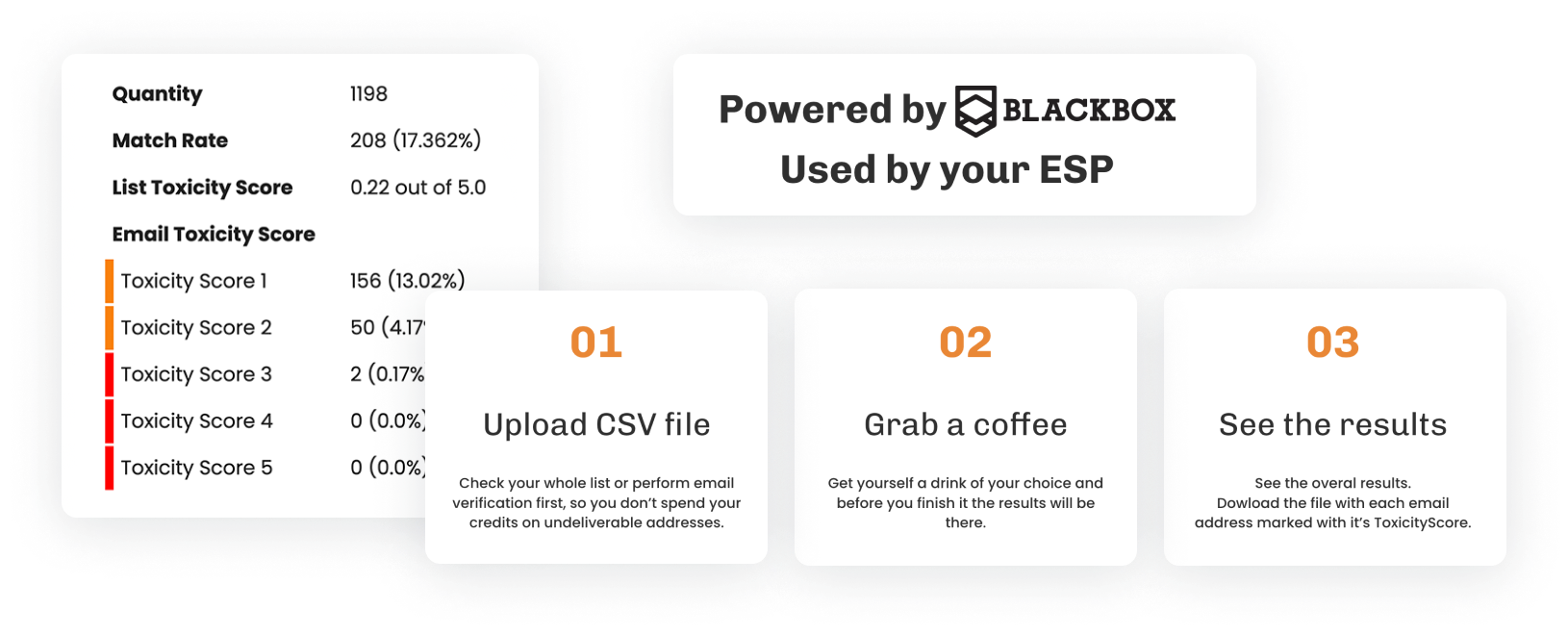
Do not let a “deliverable” status overrule suppression or source quality. A technically reachable contact may still be unsubscribed, complaint-prone, or sourced in a way that makes the campaign inappropriate.
Step 4: rebuild suppression from every system
Reputation incidents often expose fragmented suppression. The ESP may know that an address hard-bounced while the CRM still marks it as marketable. A migration may have moved contact data but not the reason the contact was excluded.
Reconcile:
- hard bounces
- spam complaints
- unsubscribes
- do-not-contact records
- invalid addresses
- privacy deletions or restrictions
- known bad imports
A contact should not re-enter because a different campaign tool or domain is being used.
Step 5: check the sender environment
List cleanup and sender diagnostics should happen in parallel. Use Deliverability Kit to review placement, blocklist exposure, authentication health, and SpamAssassin results.
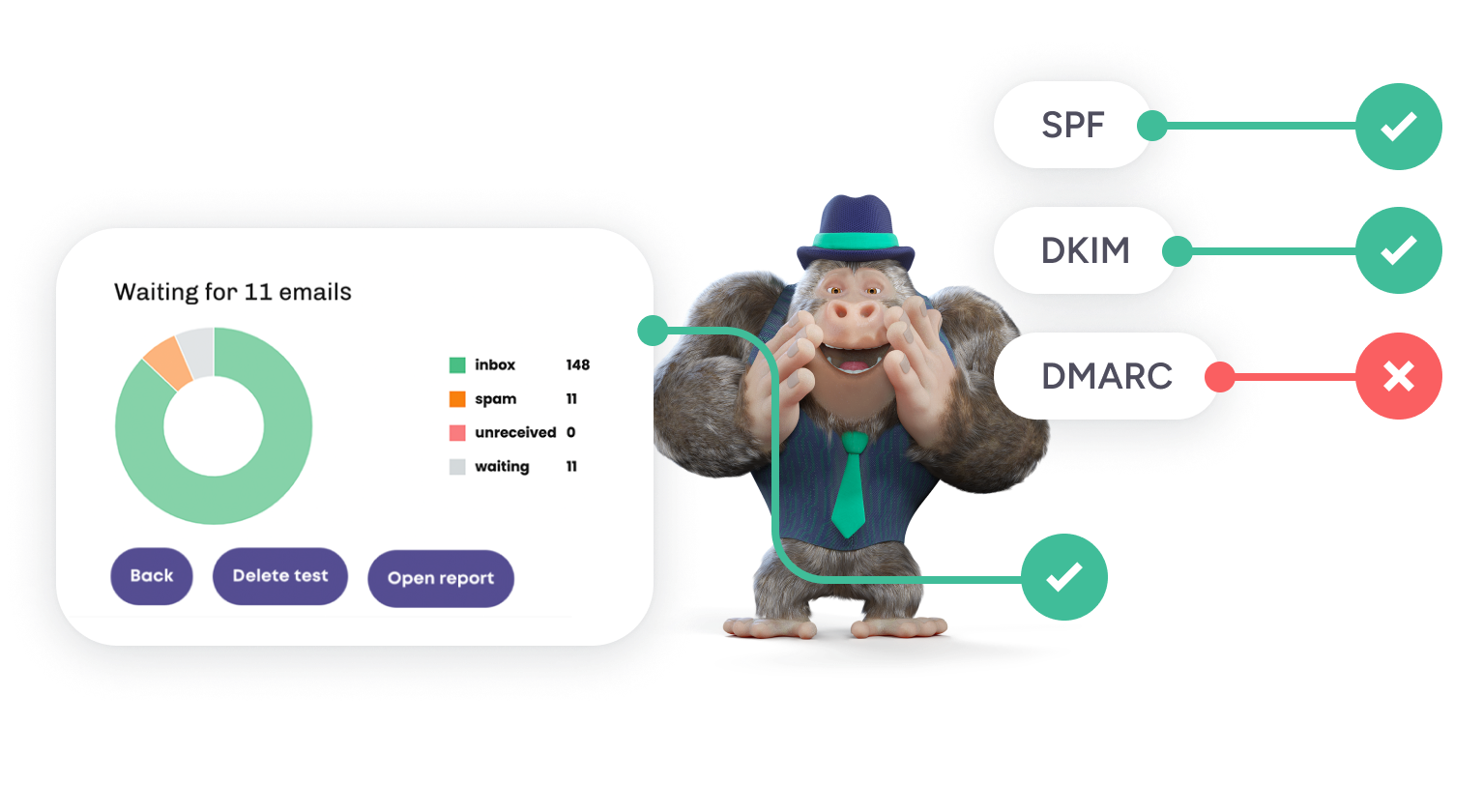
If an active listing is part of the incident, follow the domain blocklist check workflow separately. For a broader sender problem, use email reputation as the recovery frame.
Step 6: fix the source that created the audience
This is the step teams skip because it sits outside the deliverability dashboard.
If an event import introduced old contacts, change the import rule. If a giveaway created fake records, protect the form. If a vendor file contains too many weak addresses, stop buying from the vendor. If reactivation went too deep into old data, create a retention boundary.
Cleaning the current file without changing the source guarantees another cleanup project later.
Step 7: restart with a controlled audience
Do not return immediately to the previous volume.
Restart with the cleanest, most recent, source-known group available. Keep the first send small enough that you can read the signal. Watch provider-level placement, hard bounces, complaints, and replies. Expand only when those metrics stabilize.
| Recovery stage | Action | Evidence |
|---|---|---|
| Contain | Pause risky sending | Campaign, source, sender stream |
| Diagnose | Identify what changed | Imports, volume, vendors, forms |
| Clean | Verify and suppress | Invalid, risky, old, no-source records |
| Technical | Check sender health | Placement, blocklists, SPF/DKIM/DMARC |
| Correct | Change the source/process | New import, retention, or form rule |
| Restart | Scale gradually | Bounces, complaints, provider placement |
Do not chase individual traps
Spam traps are designed to expose weak sending practices. Trying to identify and delete one secret address misses the point.
A stronger response asks which acquisition path allowed stale or risky data into the campaign. Bouncer’s guide to spam trap risk explains why the source matters more than a one-row hunt.
What to compare before and after recovery
Create a baseline from the last healthy period and compare:
- hard bounce rate
- complaint rate
- inbox placement by provider
- volume
- source mix
- share of old or reactivated contacts
- authentication status
- blocklist status
Recovery is more credible when several signals improve together. One good campaign does not prove the problem is solved.
Should you move to a new domain?
Sometimes teams separate sender streams for operational reasons, but a new domain should not be used as a shortcut around poor data. Moving the same audience and sending behavior to a fresh domain can reproduce the issue quickly.
Fix the list source and process first. If a domain change is still justified, start it with the cleanest version of the program rather than importing the same problems.
What I would change permanently after the incident
- store source on every imported contact
- keep suppression reasons in the CRM
- verify old data before reactivation
- protect high-risk forms
- set an age threshold for dormant contacts
- review vendor quality with measurable rejection rules
- run sender checks before major volume changes
That turns the incident into a better operating model instead of a one-off cleanup.
Build an incident document while the evidence is fresh
Capture the campaign ID, sender domain, sending IP where relevant, audience source, verification date, volume, complaint rate, bounce rate, placement results, and every configuration change around the incident.
This is useful even for a small team. Reputation incidents tend to be discussed from memory, and memory quickly turns into “I think the list was the same as last month.” A short incident document gives the team something concrete to compare when the next unusual signal appears.
When to involve the ESP or deliverability team
Escalate when the issue is not isolated to one obvious list source, when provider-level placement remains poor after cleanup, when authentication is unclear, or when the sender is seeing repeated reputation problems despite lower bounces.
Bring evidence, not only a complaint that “emails go to spam.” A timeline, campaign examples, provider differences, and recent changes make support conversations much more useful.
Recovery criteria before full scale
- the questionable source is removed or corrected
- suppression is reconciled
- authentication passes
- no new relevant blocklist issue appears
- lower-risk test sends produce stable placement
- complaints and bounces remain within the healthy baseline
Full volume should return after the system behaves normally again, not after an arbitrary waiting period.
Separate reputation recovery from campaign-pressure decisions
Recovery often happens while sales or marketing wants volume back immediately. Decide in advance who can approve the restart and what evidence they need. Otherwise commercial pressure can override the technical team before the root cause is fixed.
A simple rule helps: the campaign owner can propose a restart, but the person responsible for sender health confirms that suppression, authentication, source cleanup, and a lower-risk test are complete.
Watch for a second-order problem: engagement collapse
After an incident, teams sometimes clean the list successfully but keep sending the same broad message to a much smaller audience. If the remaining contacts are poorly matched, engagement can still be weak.
Use the recovery period to tighten segmentation and expectations as well as list quality. Reputation improves more sustainably when the cleaned audience is also more relevant.
Turn the incident into a permanent control
After recovery, convert the root cause into a standing rule. A bad partner list can become a mandatory pre-import verification step. A suppression failure can become a required migration check. A poorly protected form can become a validation requirement.
The best recovery work removes one class of future incident. Otherwise the team has only restored sending without improving the system that allowed the problem to happen.
FAQ
How long does domain-reputation recovery take?
There is no fixed timeline. Recovery depends on severity, provider behavior, sending history, complaint patterns, and how quickly the root cause is removed.
Can verification alone repair sender reputation?
No. Verification cleans the audience. Recovery also needs suppression, source review, authentication, complaint control, and safer sending behavior.
Should I switch domains after a spam-trap incident?
Not as the first response. A new domain does not make the same weak list safe.


