





Blocklist prevention and blocklist monitoring are often bundled together, but they solve different problems. Monitoring tells you that a domain or IP appears on a list. Prevention reduces the behavior that can put sender reputation under pressure in the first place.
That distinction matters because a blocklist alert is usually late in the story. The warning signs often appear earlier: a weak list source, a spike in complaints, stale reactivation data, broken authentication, or a campaign sent to records that should have stayed suppressed.
A useful stack therefore needs both pre-send controls and diagnostic tools.
The stack I would build
| Layer | Question | Useful tool |
|---|---|---|
| List quality | Are we sending to invalid or stale addresses? | Bouncer verification |
| Risk screening | Does the list contain potentially harmful records? | Bouncer Toxicity Check |
| Pre-send QA | How does sender setup look before launch? | Bouncer Deliverability Kit |
| Intake protection | Are bad signups entering the database? | API or Bouncer Shield |
| Authentication | Are sending sources aligned and authorized? | DMARC monitoring |
| Provider signals | What does Gmail see? | Google Postmaster Tools |
| Campaign feedback | What happened after the send? | ESP dashboard |
No single tool answers all seven questions. That is useful, because it stops teams from expecting one dashboard to diagnose every deliverability issue.
1. Bouncer for list-quality prevention
Use email verification before campaigns where list quality is uncertain: old CRM exports, reactivation, cold outreach, partner imports, event data, large seasonal sends, or client-provided lists.
The goal is to remove avoidable hard-bounce risk before mailbox providers see it. Verification is particularly valuable when the file came from several systems and nobody can confidently explain when each record was last checked.
For a large list, start with the source. A technically deliverable address from a questionable vendor is still a questionable contact. List quality is not only a valid/invalid decision.
2. Toxicity Check for lists where “valid” is not enough
Some risky addresses may still accept mail. That is where Toxicity Check adds context for old, cold, mixed-source, or otherwise uncertain datasets.
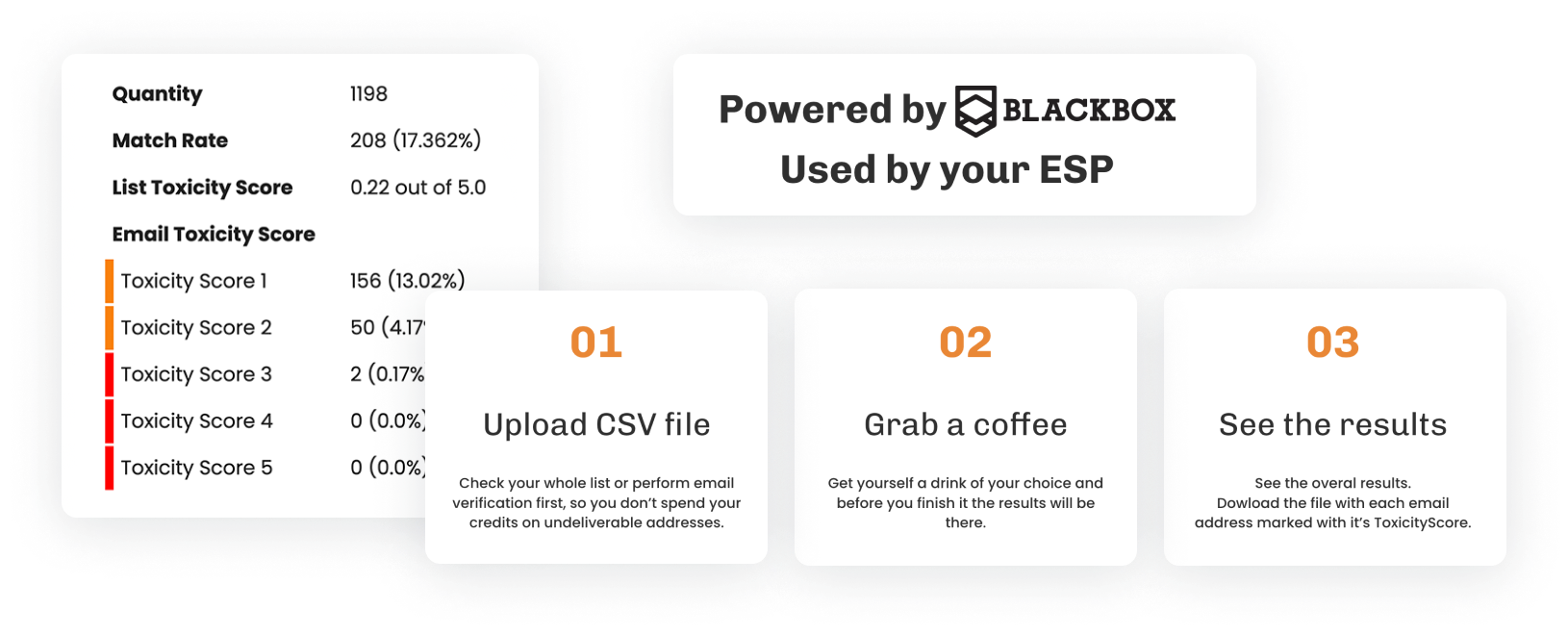
It is important to frame this correctly. No responsible verification provider can reveal every spam trap. Trap risk is closely tied to list provenance and hygiene. If a purchased or scraped dataset shows poor signals, the safer answer may be to reject the source instead of trying to rescue as many rows as possible.
3. Deliverability Kit for pre-send diagnostics
Bouncer Deliverability Kit covers inbox placement, blocklist checks, SPF, DKIM, DMARC, and SpamAssassin testing. This answers a different question from verification: is the sending environment ready?
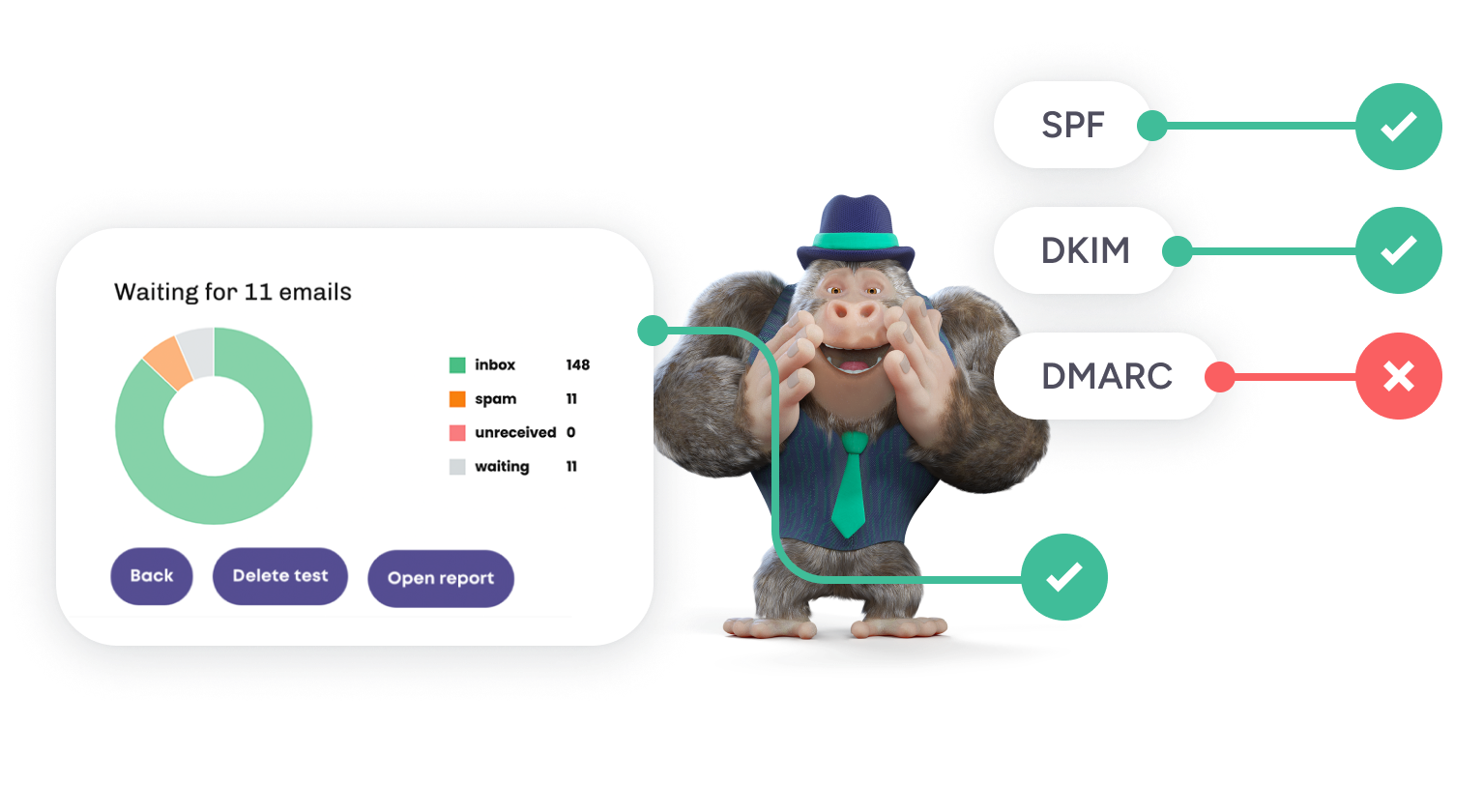
A clean list does not fix broken authentication. Working DKIM does not make a stale list healthy. Running both checks gives the team a better pre-send picture.
4. Google Postmaster Tools for Gmail-specific signals
For senders with meaningful Gmail volume, Google Postmaster Tools can provide provider-specific reputation and spam-rate signals. It is useful because it shows what one of the largest mailbox ecosystems is seeing after real sending.
It does not clean lists or protect forms. Treat it as provider feedback. If Gmail reputation deteriorates, compare that change with campaign source, complaint rate, sending volume, and audience quality.
5. DMARC monitoring for authentication visibility
Dedicated DMARC tools are useful when several platforms send mail for the same domain: an ESP, CRM, billing system, sales platform, product notifications, support tools, and regional systems.
The value is not another score. The value is knowing which sources are authorized, which fail alignment, and which unexpected senders appear in reports. An old integration can quietly create authentication problems long after the team that configured it has moved on.
6. ESP dashboards for post-send evidence
Your ESP contains some of the most actionable signals in the stack: hard bounces, spam complaints, unsubscribes, engagement, and sometimes provider-level delivery information.
That data arrives after sending, which makes it reactive, but it is still the evidence that tells you whether pre-send controls worked. If a particular signup source creates more bounces or complaints, fix the source. If one campaign type produces a recurring spike, review audience expectation and frequency.
Prevention and detection belong in different columns
| Prevention | Detection / diagnosis |
|---|---|
| Verify old and uncertain lists | Check current blocklist status |
| Suppress prior failures | Review provider reputation |
| Protect forms | Inspect ESP complaint data |
| Fix SPF/DKIM/DMARC before scale | Review DMARC reports |
| Reject weak list sources | Compare provider-level placement |
If you already suspect an active listing, use the dedicated guide on checking whether your domain is on a blocklist. If the problem is broader than one list, work through email reputation at the same time.
Where spam traps fit
A spam-trap hit is usually evidence that list acquisition or retention rules need attention. Old addresses that were never reverified, scraped data, purchased files, and poorly controlled partner imports all deserve scrutiny.
Verification and risk checks can reduce exposure. They cannot turn a weak source into a strong one. Bouncer’s guide to spam trap risk and list hygiene is a better reference than any promise to “detect every trap.”
A blocklist-prevention workflow for campaign teams
- Document the source. Every campaign list should have a known origin and owner.
- Apply global suppression. Hard bounces, complaints, unsubscribes, and do-not-contact records leave the sendable pool first.
- Verify uncertain audiences. Old, cold, imported, and mixed-source lists deserve a fresh check.
- Add risk screening where provenance is weak. Do not use it to excuse poor data.
- Check sender setup. Authentication and blocklist status should be known before a major send.
- Protect new intake. Use the Email Verification API or Bouncer Shield on forms that feed campaigns.
- Review campaign feedback by source. Do not stop at the account-wide average.
- Remove repeat offenders. A source that keeps creating risk should not keep entering campaigns.
What I would check before a large launch
- Has the audience been verified recently enough for its age and source?
- Are prior bounces, complaints, and unsubscribes excluded across every system?
- Did a new vendor, integration, or partner contribute data?
- Do SPF, DKIM, and DMARC pass?
- Does inbox placement look materially different from the last healthy baseline?
- Is the domain or sending IP appearing on relevant blocklists?
- Did recent complaints rise at one provider or in one segment?
This is enough to catch many avoidable problems without turning deliverability into a 30-tool project.
How to avoid alert fatigue
Blocklist and deliverability tooling becomes noisy when every signal is treated as equally urgent. Define severity before an incident happens.
| Signal | Suggested response |
|---|---|
| One low-impact blocklist entry with no performance change | Investigate, document, monitor |
| Provider-specific placement drop | Pause expansion and compare source/authentication changes |
| Complaint spike after a new list source | Stop the source immediately |
| Authentication failure on a major sender | Escalate to the owner before the next send |
| Trap-risk signals on an unknown-source list | Quarantine the file rather than “clean and hope” |
The goal is to stop a marketing team from reacting to every dashboard with the same playbook.
Ownership matters more than another tool
Assign an owner to each layer. Marketing Ops can own verification and suppression. IT or a domain owner can own authentication. Campaign owners can own complaints and source quality. An agency may own pre-send testing but should not be the only team with access to the results.
When ownership is unclear, alerts become screenshots in Slack. When ownership is explicit, each signal has a next action.
A simple monthly review for prevention
Once a month, review the worst-performing source, the noisiest provider signal, and any sender change introduced since the last review. That is usually enough to catch a pattern before it becomes an incident.
The meeting does not need to become a deliverability audit. Ten focused minutes on source quality, suppression gaps, authentication changes, and complaint trends can produce more value than adding another monitoring dashboard.
FAQ
Can Bouncer prevent blocklisting?
Bouncer can reduce several list-quality and sender-readiness risks through verification, Toxicity Check, form protection, and Deliverability Kit testing. It cannot guarantee that a domain or IP will never be listed.
Is blocklist monitoring enough?
No. Monitoring identifies an existing or emerging problem. Prevention also needs source control, suppression, list hygiene, authentication, and complaint management.
Should I check blocklists before every campaign?
Not every routine send needs a manual check. New domains, large reactivation campaigns, high-volume launches, and campaigns after a deliverability issue justify stronger pre-send review.


