





Email deliverability tools are easiest to compare when each one has a clear job. Verification, inbox placement, reputation monitoring, DMARC reporting, blocklist diagnostics, and ESP reporting all describe different parts of the same system.
The mistake is buying several tools that show similar scores while nobody owns the action that follows.
My shortlist by job
| Job | Tool | Best use |
|---|---|---|
| Email verification | Bouncer | Invalid, stale, and uncertain contacts |
| Risk screening | Bouncer Toxicity Check | Old, cold, and mixed-source lists |
| Inbox placement | Bouncer Deliverability Kit | Pre-send QA |
| Gmail reputation | Google Postmaster Tools | Gmail-specific signals |
| Sender reputation trend | Sender Score-style tools | Reputation monitoring |
| Authentication reporting | DMARC platform | Sender inventory and alignment |
| Campaign feedback | ESP dashboard | Bounces, complaints, engagement |
| Technical diagnostics | DNS/SMTP tools | Troubleshooting |
Bouncer: strongest at list quality and pre-send readiness
Bouncer covers two layers that are often purchased separately. Email verification helps reduce invalid and stale contacts before sending. Deliverability Kit brings placement testing together with blocklist, authentication, and SpamAssassin checks.
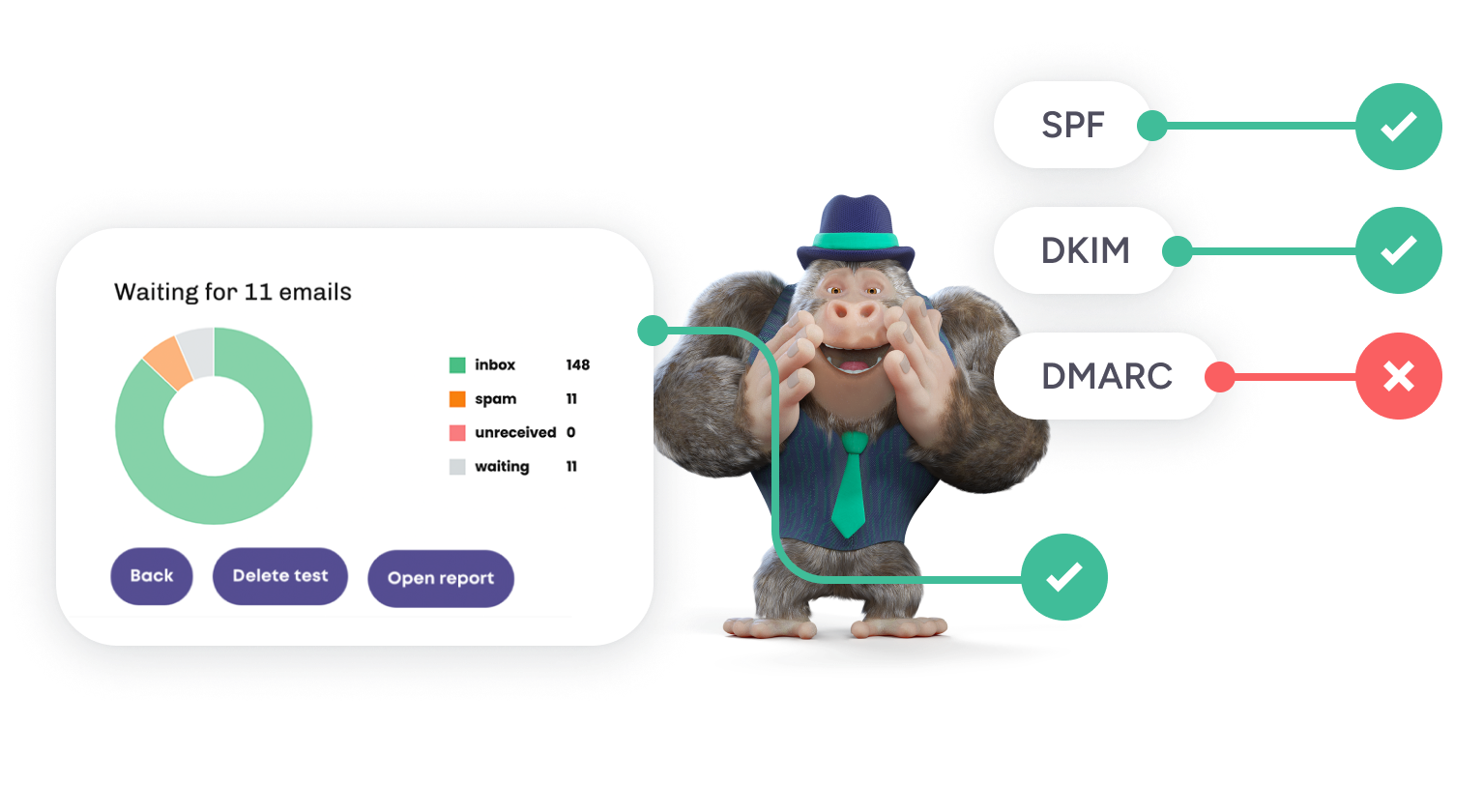
Add Toxicity Check when source or list age creates extra risk, Bouncer Shield for public forms, and AutoClean for recurring list hygiene.
That makes Bouncer a strong foundation, but it should not be described as a replacement for every provider or authentication tool.
Google Postmaster Tools: use it for Gmail, not as a universal score
Google Postmaster Tools is valuable when Gmail represents a meaningful share of your audience and enough traffic exists for useful data. It can show provider-specific reputation and spam-rate signals that no generic deliverability score can replace.
The important limitation is scope. It tells you what Gmail sees. It does not verify your list, test every provider, or manage suppression.
Sender Score-style tools: useful as a trend
Reputation scores can help answer “Is the sender moving in the right direction?” They are less useful when teams treat one number as a promise of inbox placement.
A sender can have a decent reputation score and still struggle at one mailbox provider. Another can improve bounces while complaints remain high. Use reputation as one trend next to placement, provider data, and ESP feedback.
DMARC monitoring: the infrastructure view
DMARC tools become important when many platforms send for the same domain. They help identify authorized and unauthorized senders, alignment problems, and forgotten systems.
This is particularly useful for larger organizations where marketing, billing, product, support, and sales all send email independently. One misconfigured platform can create authentication noise across the domain.
ESP dashboards: still essential
Your ESP remains the post-send source for bounces, complaints, unsubscribes, engagement, and campaign-level delivery errors.
That evidence is reactive, but it is also real. A pre-send placement test is a forecast. The ESP tells you what happened with the actual audience.
DNS and SMTP diagnostics: use them when something looks technically wrong
Technical lookup tools are useful for checking MX records, SPF structure, DKIM, DMARC, SMTP responses, and blocklists. They are especially helpful during troubleshooting.
They are rarely the right place to manage list hygiene or campaign workflows. Treat them like a diagnostic bench, not the marketing-operations hub.
Choose the tool from the symptom
| Symptom | First tool | Next question |
|---|---|---|
| High hard bounces | Bouncer verification | Which source created the bad records? |
| Spam/junk placement | Deliverability Kit | Is the issue provider-specific? |
| Gmail reputation concern | Google Postmaster Tools | Did complaints or volume change? |
| Authentication failures | DMARC + diagnostics | Which sender is misaligned? |
| Fake signups | API or Shield | Which form rule should change? |
| List quality degrades over time | AutoClean | How often should records be rechecked? |
| Blocklist alert | Deliverability Kit / diagnostics | What source or behavior preceded it? |
A tool stack for a small marketing team
You do not need eight paid products.
A lean setup can use Bouncer for verification and pre-send checks, the ESP for campaign feedback, Google Postmaster Tools for Gmail-specific trends, and a DMARC service when the domain has several sending sources.
Add specialized tools only when a real problem justifies them.
A tool stack for RevOps or a larger sender
Larger teams usually need more separation of responsibilities:
- verification and recurring hygiene for CRM data
- real-time validation on forms and product entry
- placement and blocklist monitoring
- provider-specific reputation
- DMARC reporting across multiple senders
- campaign-level complaint and bounce reporting
The stack is larger because the sender estate is larger, not because more dashboards automatically improve deliverability.
Where teams waste money
- buying two inbox-placement tools that answer the same question
- monitoring reputation while ignoring an obviously weak list source
- adding a DMARC platform before anyone inventories current senders
- paying for real-time validation when all data enters through monthly CSV imports
- buying a “deliverability suite” and then never changing suppression rules
The tool should remove uncertainty or manual work at a specific point in the workflow.
Build actions into the stack
A monitoring tool without an action rule creates alerts, not improvement.
If placement drops: compare providers, authentication, complaints, and recent changes.
If fake signups rise: tighten form rules and watch conversion.
If CRM quality decays: add a recurring verification cadence.
If a blocklist alert appears: identify the source and sender behavior before chasing delisting.
For more detail on the placement layer, see how to test inbox placement. For broader sender health, review email reputation.
Evaluation criteria before buying a deliverability tool
- Clear job: can you state the question the tool answers in one sentence?
- Actionable output: does the result change a workflow or only add another score?
- Historical context: can you compare current results with a healthy baseline?
- Provider detail: does the tool show differences that matter to your audience?
- Team fit: can marketing and technical owners both understand the output?
- Integration cost: will implementation take more effort than the problem justifies?
Avoid “suite” bias
A suite can be convenient, but convenience is not a reason to use every module. If your ESP already gives strong complaint reporting, you may not need to recreate that view elsewhere. If the sender has one simple mail stream, a complex DMARC platform may be unnecessary.
Choose depth where the business has a real risk. For a lead-gen SaaS company, form verification may matter more than newsletter seed testing. For a global ecommerce brand, provider-level placement and authentication may justify more investment.
Set a rule for retiring tools too
Deliverability stacks tend to grow and rarely shrink. Once a quarter, ask which dashboards changed an action in the last 90 days. If a tool duplicates another source and nobody uses its output, remove it or redefine its role.
Score tools on operational fit
| Criterion | Question |
|---|---|
| Decision value | Will the output change who sends, who gets suppressed, or what gets fixed? |
| Clarity | Can the team explain the result without vendor jargon? |
| Coverage | Does it cover the providers or workflows that matter? |
| Maintenance | Who will own configuration and integration changes? |
| Evidence | Can you compare current results with a healthy baseline? |
This keeps procurement tied to the actual operating model instead of feature-counting.
What a good stack should let you answer in ten minutes
Can we send this audience? Is the sender authenticated? Where are messages landing? Did one provider change? Did complaints rise? Which source created the problem?
If the stack cannot answer those questions quickly, simplify the reporting or close the data gaps before adding more tools.
One final buying rule
Do not purchase a deliverability tool until you can name the decision it will change. “We need better visibility” is too vague. “We need to know whether Gmail placement drops before a 2-million-recipient launch” is specific enough to evaluate.
That framing also makes renewals easier. If the tool no longer changes that decision, its role should be reconsidered.
FAQ
What is the best email deliverability tool?
There is no single tool for every layer. Bouncer is strong for verification and pre-send checks, while provider, DMARC, reputation, and ESP tools cover other parts of the system.
Is Sender Score the same as inbox placement?
No. Sender Score is a reputation signal. Inbox placement shows where messages actually land.
Does email verification guarantee inbox placement?
No. Verification reduces address-level risk. Authentication, complaints, engagement, sender history, volume, and provider behavior still affect placement.


