





An agency rarely works with one neat database, one sender reputation, and one tidy approval process. One client sends a HubSpot export from last week. Another shares a five-year-old Mailchimp list. A third wants cold outreach to start tomorrow, but the file came from a spreadsheet called “final_final_REAL.csv.” This is why choosing the best email hygiene platforms for agencies managing multiple clients matters. You need more than a tool that says “valid” or “invalid.” You need a repeatable way to protect client domains, spot risky data early, and keep campaign launches from turning into inbox roulette.
You’ll learn
- Why agencies need a different email hygiene setup than in-house teams
- What features matter when you manage several client lists
- Which email hygiene platforms fit agency workflows
- Why Bouncer is a strong choice for multi-client email hygiene
- How verification, toxicity checks, form protection, and deliverability testing work together
- How to compare platforms without getting distracted by feature noise
- What workflow agencies can use before client campaigns go live
Why agencies need stronger email hygiene than most teams
Most email hygiene advice assumes a simple setup. One company. One CRM. One newsletter list. One sender reputation. Agencies work in a much messier reality.
You may manage newsletters, outbound campaigns, webinar lists, ecommerce segments, partner databases, event exports, and CRM cleanups across several clients. Each client has different data habits. Some collect leads through forms. Some import trade show contacts. Some still want to use a list from 2021 because “there might be something valuable in there.”
That makes email hygiene a risk-control process, not just a cleanup task.
Poor data can create several problems before the campaign even starts. Invalid addresses raise bounce rates. Disposable emails pollute lead reporting. Old business emails can disappear when people change jobs. Catch-all domains make deliverability decisions harder. Toxic contacts may carry reputation risk even when the address looks valid.
For agencies, the problem is not only technical. It is also commercial. Clients expect you to protect their audience, their sender reputation, and their campaign results. If you send to a bad list, the client may not care that the file came from their side. They will remember that your agency handled the campaign.
That is why the best email hygiene platforms for agencies managing multiple clients need to support repeatable checks, clean exports, multi-client organization, risk signals, and clear reporting. A single-list checker can work for a solo marketer. Agencies need something they can turn into a process.
What email hygiene really means for agencies
Email hygiene is the process of keeping email data accurate, safe, and ready for sending. It includes email verification, list cleaning, duplicate removal, bounce risk checks, toxic contact detection, form protection, and sometimes deliverability testing.
For agencies, email hygiene also includes documentation. You need to know what was checked, when it was checked, what got removed, and why. That matters when a client asks why the final sendable segment is smaller than expected.
| Email hygiene area | What it checks | Why agencies need it |
| Email verification | Whether addresses appear valid and deliverable | Helps reduce bounces before campaigns |
| Bulk list cleaning | Larger CSV files and CRM exports | Useful for monthly campaigns and client database cleanup |
| Toxicity checks | Risky contacts beyond simple invalid addresses | Helps protect sender reputation |
| API validation | Emails during signup, checkout, or form submission | Stops bad data before it enters client systems |
| Form protection | Fake, malicious, or low-quality form submissions | Useful for lead generation and trial signup workflows |
| Deliverability testing | Inbox placement, authentication, and blocklists | Adds context when campaigns underperform |
| Reporting | List quality, risk categories, and suppression logic | Helps agencies explain cleanup decisions |
A spreadsheet can still help with formatting. It can remove obvious duplicates, fix column names, and prepare imports. But it cannot confirm whether a mailbox exists, whether a domain accepts mail, or whether an address may create reputation risk. That is where dedicated platforms make a real difference.
The best email hygiene platforms for agencies managing multiple clients
The right platform depends on what kind of agency work you do. A cold outreach agency needs different checks than a lifecycle marketing agency. A SaaS growth agency may care about API validation. An ecommerce agency may care about newsletter list quality and reactivation risk.
Still, the best email hygiene platforms for agencies managing multiple clients usually share a few things. They offer bulk verification, clear result categories, simple exports, API options, integrations, and enough reporting to support client communication.
| Platform | Best fit for agencies | Main strength | Possible limitation |
| Bouncer | Agencies that need list verification, API validation, toxicity checks, form protection, and deliverability testing | Strong balance between usability and deeper hygiene workflows | Agencies still need internal rules for handling risky statuses |
| ZeroBounce | Agencies that want validation, scoring, and email activity-related features | Broad email validation feature set | Can feel feature-heavy for teams that only need simple cleanup |
| NeverBounce | Agencies that want straightforward list verification and real-time checks | Simple verification workflow | Less focused on broader hygiene workflows than some alternatives |
| Kickbox | Teams that want verification with API and deliverability-adjacent use cases | Good fit for technical teams | Agencies may need extra tools for wider client reporting |
| Emailable | Agencies that need list verification, API, and deliverability-related checks | Practical all-round option | Workflow depth depends on the agency’s exact needs |
| Mailgun Validate | Technical teams already close to Mailgun workflows | Developer-friendly validation | Better fit for technical setups than general agency cleanup |
| MillionVerifier | High-volume teams with price-sensitive verification needs | Cost-efficient bulk checking | May not offer the same broader hygiene and deliverability workflow |
This list is not about finding one universal “winner” for everyone. Agencies need to choose based on workflow fit. The platform should make campaigns safer, client reporting clearer, and list decisions easier to repeat.
Why Bouncer is the strongest fit for many agencies
Bouncer is a strong choice because it matches how agencies actually work.
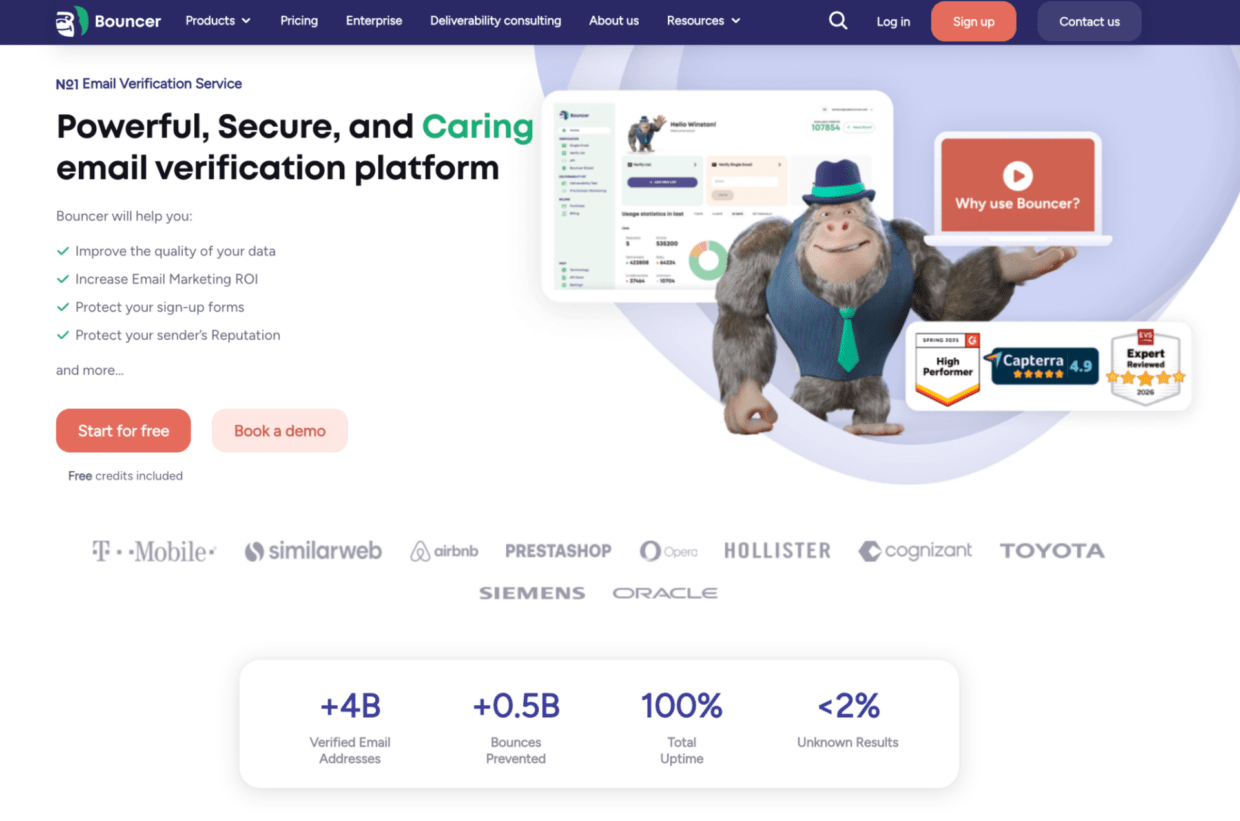
Most agencies do not need only a one-off verifier. They need a flexible hygiene setup that can handle messy CSVs, client list sampling, risk checks, API validation, form protection, and deliverability questions. Bouncer covers these needs without forcing teams into a heavy enterprise data stack.
For agencies, Bouncer’s email list verification for agencies is especially relevant. It focuses on agency-friendly needs such as free email verification sampling, bounce estimates, rich output, organization management, and verification of addresses that are harder to classify.
The standardEmail Verification workflow also fits campaign teams that receive regular client exports. You can upload a list, verify it, review the results, and decide which contacts should move into the campaign.
That sounds simple, but it solves a real agency problem. Without a platform, each account manager may clean lists differently. One person removes all role-based addresses. Another keeps them. One person suppresses catch-all emails. Another sends to them. Over time, that inconsistency makes campaign results harder to explain.
Bouncer helps agencies standardize the quality-control step before sending.
Where Bouncer fits in the agency workflow
Bouncer works well at several points in an agency’s email process.
Before a campaign launch
A client sends a list for a newsletter, webinar invite, nurture sequence, or outbound campaign. The agency uploads the file, verifies it, reviews the results, and exports the safer segment. This reduces the chance of sending to invalid or risky addresses.
For larger files, bulk email verification is the more practical route than checking records manually. It also saves the team from making decisions based only on spreadsheet filters.
Before quoting a cleanup project
Sometimes a client does not know whether a database is usable. They may have 80,000 contacts and no clear idea how many are still safe to email. In that case, free email list sampling can help the agency estimate list quality before running the whole database.
That is useful for scoping. It also makes the client conversation easier because you are not relying on a vague warning like “this list looks old.”
During lead capture
If an agency manages landing pages, forms, paid lead campaigns, or trial signup flows, list cleaning after the fact is not enough. Bad data should be stopped earlier.
Bouncer Shield can help protect forms from invalid, fake, or malicious email submissions. For more custom workflows, the email verification API lets technical teams verify addresses inside apps, signups, and internal systems.
This matters for agencies that report lead volume. A campaign that generates 1,000 leads looks good until 180 of those emails are fake, disposable, or unusable.
When list quality is not the only issue
Sometimes the list is only part of the problem. A client may have authentication issues, blocklist concerns, or poor inbox placement. In those cases, Bouncer’s Deliverability Kit can help test inbox placement, verify authentication, and monitor blocklists.
For agencies, this adds another layer of confidence. If a campaign underperforms, you can look beyond the list and check whether the sending setup itself may be part of the issue.
When valid emails may still carry risk
Email hygiene is not only about invalid addresses. Some records may be technically valid but still risky.
Bouncer’s Toxicity Check helps identify potentially harmful contacts, such as widely circulated, breached, complaining, litigating, or spam-trap-related addresses. That gives agencies a stronger risk signal than basic valid/invalid status.
This is one of the reasons Bouncer stands out among the best email hygiene platforms for agencies managing multiple clients. It does not stop at “can this address receive email?” It also helps teams think about whether sending to an address makes sense.
What agencies should compare before choosing a platform
Agencies should not compare email hygiene platforms only on price per credit. Cheap verification can still be expensive if it creates unclear exports, weak reporting, or extra manual work.
- The first thing to compare is workflow fit. Can the team upload lists quickly? Can account managers understand the results? Can you export clean segments without making a mess? Can the platform support several client workflows without mixing files or causing confusion?
- The second thing is result depth. A platform that only gives “valid” and “invalid” may not be enough. Agencies often need more nuance. Catch-all, disposable, unknown, role-based, risky, toxic, and low-confidence results may need different actions. That nuance helps when one client wants maximum caution and another accepts more risk for low-volume outreach.
- The third thing is prevention. If a client collects bad emails daily, monthly cleaning becomes a treadmill. Agencies should look at API validation and form protection when they manage lead generation, demo requests, free trials, gated content, or ecommerce signups.
- The fourth thing is client communication. The best email hygiene platform for an agency should help you explain decisions. You need to show why a list shrank, which records were risky, and what you recommend next. If the tool produces results your team cannot explain, the agency still ends up doing manual interpretation.
- The fifth thing is deliverability context. Verification reduces bad-address risk, but inbox placement depends on more than list quality. Authentication, sender reputation, engagement, complaint rates, blocklists, and sending patterns also matter. Agencies that own email performance should look for deliverability tools or pair verification with deliverability testing.
Platform comparison by agency use case
Different agencies need different hygiene setups. Here is a practical way to think about fit.
| Agency type | Main risk | Best platform fit | Why |
| Lifecycle marketing agency | Old segments, reactivation risk, newsletter list decay | Bouncer, Emailable, ZeroBounce | Needs bulk verification, clear statuses, and list quality reporting |
| Cold outreach agency | Bounce risk, catch-all domains, toxic contacts | Bouncer, ZeroBounce, MillionVerifier | Needs verification, risk filtering, and careful suppression logic |
| SaaS growth agency | Fake trials, low-quality form submissions | Bouncer, Kickbox, Mailgun Validate | Needs API validation and form protection |
| Ecommerce agency | Old customer lists, inactive subscribers, checkout typos | Bouncer, ZeroBounce, Emailable | Needs batch cleaning and deliverability context |
| Deliverability agency | Inbox placement, authentication, blocklists | Bouncer Deliverability Kit plus specialist deliverability tools | Needs diagnostics beyond list verification |
| Small generalist agency | Occasional client list cleanup | Bouncer, NeverBounce, basic verifiers | Needs simple uploads and easy exports |
| High-volume data agency | Large file processing and cost control | MillionVerifier, Bouncer, ZeroBounce | Needs scale, predictable pricing, and practical exports |
This is why the best email hygiene platforms for agencies managing multiple clients are rarely the simplest tools on the market. Agencies need enough depth to support different client scenarios without creating a bloated workflow.
How Bouncer compares with common alternatives
Bouncer is not the only email hygiene platform agencies may evaluate. The market includes tools built for quick list validation, high-volume bulk checks, developer workflows, and broader deliverability support.
Bouncer vs basic email verification tools
Basic email verifiers can work if your agency only needs to clean a list once in a while. You upload a CSV, get statuses, export the file, and move on.
Bouncer makes more sense when email hygiene is part of your recurring client workflow. It gives agencies list verification, sampling, API validation, form protection, toxicity checks, deliverability tools, and integrations. That makes it easier to build one hygiene process across different clients instead of stacking several separate tools.
Bouncer vs high-volume budget verifiers
High-volume verifiers can be attractive when price per email is the main concern. That may work for agencies that process very large lists and need fast, basic validation.
The risk is that lower cost may come with less strategic context. Agencies often need to explain list quality, risk, and recommended next steps. If the platform saves money but creates more manual interpretation, the total workflow may still be expensive.
Bouncer works well when the agency cares about both verification and decision quality.
Bouncer vs developer-first validation tools
Developer-first tools can be strong for teams that need API validation inside products. They may fit SaaS clients, custom signup flows, or technical lead routing systems.
Bouncer also offers an API, but it remains accessible for non-technical agency teams. That balance matters when strategists, account managers, and developers all touch the hygiene workflow.
Bouncer vs deliverability-only tools
Deliverability platforms help test inbox placement, authentication, blocklists, and sender health. They are valuable, but they do not always replace list verification.
Bouncer is useful because it connects list hygiene with deliverability support. Agencies can verify contacts and use the Deliverability Kit when performance problems require a wider diagnosis.
A repeatable email hygiene workflow for agencies
The best platform will not help much if the agency process is chaotic. Email hygiene should be turned into a standard operating procedure.
Step 1: classify the list source
Before touching a tool, ask where the list came from. Source tells you a lot about risk.
| List source | Risk level | Recommended action |
| Recent newsletter opt-ins | Low to medium | Verify before major sends or at a regular cadence |
| Active customer database | Low to medium | Verify before reactivation or large campaigns |
| Old CRM export | Medium to high | Run full verification before sending |
| Webinar registrations | Medium | Verify and remove obvious risky contacts |
| Event or trade show list | Medium to high | Verify and segment carefully |
| Cold outreach list | High | Verify, review catch-all results, and check toxicity |
| Purchased or scraped data | Very high | Avoid or use strict suppression rules |
| Forms with no validation | Medium | Add API validation or form protection |
This step helps agencies push back when clients say, “Just send it to everyone.” Not every list deserves the same risk tolerance.
Step 2: prepare the file
Clean the structure before verification. Remove duplicate rows. Standardize columns. Split full names if needed. Remove internal test emails. Check that the file does not include unnecessary personal data.
Do not spend too long trying to judge deliverability manually. That is what the platform should handle.
Step 3: verify the list
Upload the list to the verification platform. For Bouncer, this can mean using the email verification app for batch files or the API for ongoing workflows.
After verification, review the categories. Do not send everything just because the tool finished processing. The value comes from acting on the results.
Step 4: apply suppression rules
Agencies should define rules before the campaign is under time pressure. For example, one agency may use this logic:
| Result type | Suggested agency action | Notes |
| Safe or deliverable | Include in campaign | Still monitor engagement |
| Invalid | Suppress | Do not send |
| Disposable | Suppress or review | Usually poor lead quality |
| Catch-all | Segment or send cautiously | Depends on campaign type and client risk tolerance |
| Unknown | Review or exclude | Avoid if the client domain is sensitive |
| Toxic | Suppress | Treat as reputation risk |
| Role-based | Review | May work for some B2B campaigns, but not all |
These rules should be documented per client. A cautious financial services client may need stricter rules than a low-volume B2B newsletter.
Step 5: export and document
Export the cleaned file and keep a short note. The note should include the original list size, verified sendable count, suppressed count, and main risk categories.
This protects the agency when clients question why the audience size changed. It also helps the next campaign because the team can compare list quality over time.
Step 6: fix the source
If the same client has poor data every month, cleanup is not enough. Look at forms, imports, CRM rules, lead sources, and partner data.
This is where API validation, Bouncer Shield, and better lead intake rules can reduce future cleanup work.
Deep dive: how agencies should explain email hygiene to clients
Clients often resist list cleaning because they see it as shrinking the audience. Agencies need to reframe it.
A larger list is not always a better list. If 20% of a database is invalid, risky, or low quality, that segment does not create opportunity. It creates noise. It can inflate campaign expectations, distort reporting, and increase deliverability risk.
The simplest client explanation is this:
“We are not removing opportunity. We are removing contacts that are unlikely to help the campaign and may hurt future sends.”
That message works because it ties hygiene to business outcomes. Clients care about pipeline, sales, bookings, and retention. They do not wake up excited about SMTP checks or domain validation.
Agencies should also explain that email hygiene is not a one-time rescue. Email data changes constantly. People leave jobs. Companies shut down inboxes. Domains expire. Personal inboxes go inactive. Old contacts may stop engaging. A database that looked fine last year may not be safe today.
For ongoing clients, agencies can build hygiene into campaign QA. Instead of presenting it as an optional add-on, make it part of the launch checklist. This protects both sides. The client gets a safer send. The agency gets fewer emergency conversations after performance drops.
For high-risk lists, use plain language. Say, “This list needs verification before we send,” not “your data is bad.” Clients are more likely to approve cleanup when the recommendation feels practical rather than accusatory.
How often should agencies clean client lists?
There is no single schedule for every client. The right cadence depends on list source, sending volume, and campaign risk.
| Client situation | Suggested hygiene cadence | Why |
| Weekly newsletter sends | Monthly or before major campaigns | Keeps active lists healthier |
| Quarterly campaigns | Before each send | Data can decay between campaigns |
| Cold outreach | Before every sequence | Bounce risk is usually higher |
| Old database reactivation | Before the first reactivation send | Old contacts carry more risk |
| Paid lead generation | Real-time validation plus periodic review | Stops poor leads early |
| Webinar programs | Before follow-up campaigns | Registration data often includes typos |
| Ecommerce reactivation | Before winback campaigns | Inactive customers may use abandoned inboxes |
Agencies should also clean after major data imports, CRM migrations, event uploads, list merges, or deliverability incidents.
How to choose the right platform
Start with your agency’s core service. If you mainly send newsletters, choose a platform with strong bulk verification and clear reporting. If you manage paid lead generation, choose one with API validation and form protection. If you support outbound sales, look closely at catch-all handling, toxicity checks, and risky categories. If you handle deliverability projects, include inbox placement and blocklist monitoring in the stack.
Then check how your team will actually use the platform. Account managers need clear results. Strategists need client-friendly reporting. Developers need API documentation. Leadership needs predictable pricing and a process that works across accounts.
This is why Bouncer is a strong fit for many agencies. It gives non-technical teams an easy verification workflow while still offering API validation, Bouncer Shield, Toxicity Check, Deliverability Kit, integrations, and agency-specific use cases.
The best email hygiene platforms for agencies managing multiple clients should help you make decisions, not just process files. If a platform gives you cleaner data, clearer client conversations, and fewer launch-day surprises, it is doing its job.
Key takeaways
- Agencies need stronger email hygiene workflows because they manage different clients, data sources, and sender reputations.
- The best email hygiene platforms for agencies managing multiple clients should support bulk verification, clear status categories, API validation, form protection, and reporting.
- Bouncer is a strong fit for agencies because it combines email verification, free list sampling, bounce estimates, Toxicity Check, Bouncer Shield, Deliverability Kit, and integrations.
- Basic verifiers can work for occasional list cleanup, but agencies often need deeper workflows and clearer client-facing outputs.
- Email hygiene should happen before campaigns, after major imports, and whenever data quality is uncertain.
- Agencies should document list quality decisions so clients understand why some contacts were suppressed.
- A good platform helps prevent bad data from entering the system, not only clean it after export.
Conclusion
The best email hygiene platforms for agencies managing multiple clients are the ones that make list quality easier to control across messy, real-world workflows. Agencies need more than a quick upload-and-export tool. They need a system that helps them verify lists, explain risk, prevent poor data at the source, and diagnose deliverability problems when campaigns underperform.
Bouncer is a strong choice because it covers the main agency needs without making the process overly complex. It can support one-off list checks, recurring campaign QA, form protection, API validation, toxicity detection, and deliverability testing. For agencies that want safer campaigns and cleaner client conversations, that mix is hard to ignore.
FAQ
What are the best email hygiene platforms for agencies managing multiple clients?
The best email hygiene platforms for agencies managing multiple clients include Bouncer, ZeroBounce, NeverBounce, Kickbox, Emailable, Mailgun Validate, and MillionVerifier. Bouncer is especially strong for agencies that want list verification, agency-focused workflows, toxicity checks, form protection, API validation, and deliverability tools in one place.
Why is Bouncer a good email hygiene platform for agencies?
Bouncer fits agency workflows because it supports bulk verification, free email list sampling, bounce estimates, rich output, organization management, Toxicity Check, Bouncer Shield, Email Verification API, and Deliverability Kit. This helps agencies manage list quality before campaigns and prevent poor data from entering client systems.
How often should agencies verify client email lists?
Agencies should verify client lists before major sends, after large imports, before reactivation campaigns, and before cold outreach sequences. For ongoing newsletter programs, monthly or campaign-based verification usually works well. If the client collects leads daily, real-time validation may be a better fit.
Do agencies need email verification API access?
Agencies need API access when email validation should happen inside a form, app, signup flow, checkout, or CRM process. If the agency only cleans CSV files before campaigns, bulk verification may be enough. API validation becomes valuable when bad data keeps entering at the source.
What is the difference between email verification and email hygiene?
Email verification checks whether email addresses appear valid and deliverable. Email hygiene is broader. It includes verification, list cleaning, toxic contact detection, form protection, bounce risk reduction, and sometimes deliverability testing.
Should agencies clean catch-all emails?
Agencies should not treat all catch-all emails the same. Some may be useful, especially in B2B outreach, but they carry more uncertainty than clearly verified addresses. The safest approach is to segment them, review client risk tolerance, and avoid sending them in high-volume campaigns without a clear plan.
Can a clean list still have deliverability problems?
Yes. A clean list reduces bounce risk, but deliverability also depends on authentication, sender reputation, engagement, complaint rates, blocklists, and sending behavior. Agencies that manage campaign performance should pair email hygiene with deliverability checks when results drop.
Is spreadsheet cleanup enough for agency email campaigns?
Spreadsheet cleanup can help with formatting, duplicates, and basic organization, but it is not enough for serious agency email campaigns. Spreadsheets cannot verify mailbox-level deliverability, detect toxic contacts, check catch-all risk, or protect forms. Agencies need dedicated hygiene platforms for those tasks.


