





Large‑batch verification is about protecting the entire pipeline.
This guide explains why big senders need specialised tools, what capabilities to prioritise, and how leading platforms such as Bouncer, ZeroBounce, EmailListVerify, Emailable and MillionVerifier compare when processing large batches.
It also includes a checklist for managing ongoing list hygiene and delivering reliable campaigns at scale.
Let’s jump right in.
TL;DR
- Large-batch email verification prevents high bounce rates, spam-trap hits and reputation damage when sending to hundreds of thousands or millions of contacts.
- The best tools for scale—like Bouncer—differ in speed, pricing and accuracy, but Bouncer stands out for high throughput, reliability and flexible pay-as-you-go costs.
- For ongoing list health, combine bulk cleaning with real-time API checks, scheduled maintenance and analytics to protect deliverability long-term.
The large‑batch list challenge
When a list grows into the hundreds of thousands or millions, the verification process becomes more complex. Unlike modest email campaigns, where manual checks or lightweight tools might suffice, large‑batch operations must handle enormous files quickly while maintaining high email validation accuracy.
Consider the following:
- Invalid addresses multiply. EmailListVerify notes that after checking more than 5 billion emails, about 23 % of addresses are invalid. At scale, that equates to tens of thousands of bounces and spam‑trap hits.
- File size and throughput matter. ZeroBounce states that its platform scrubs 100,000 contacts in about 45 minutes, validating each address in roughly three seconds. Bulk‑centric senders should look for tools that provide similar speed or faster.
- Traditional tools struggle with bulk verification. Many services limit file sizes, throttle API calls or charge per request. For list‑acquisition teams and agencies, the cost of verifying millions of addresses can quickly outstrip the benefit if the pricing model isn’t optimised for volume.
- Ongoing maintenance is required. Large‑batch operations aren’t one‑off events since lists decay constantly. That means scheduling recurring batch verification, deduplicating records, and integrating hygiene checks into sign up forms and lead‑capture workflows to prevent invalid email addresses from entering the database in the first place.

Critical capabilities for large‑batch verification
To choose the best email verification tools for large batches, look for features that address both scale and accuracy:
Throughput & performance
The tool must process big files quickly. According to AccuWeb’s comparison, Bouncer can handle 200,000 verifications per hour and finishes 100,000 emails in around 30 minutes. Emailable’s enterprise platform claims it verifies 30k+ emails per minute, processing 100,000 emails in under three minutes.
Cost‑effectiveness at volume
Look for transparent tiers and pay as you go options. Bouncer’s pay‑as‑you‑go model charges as little as $0.50 per thousand verifications at high volumes, and credits never expire. MillionVerifier emphasises that customers pay only for good and bad emails, not for unknown or catch‑all addresses, and offers bulk promotions (for example, buying 5 million credits yields 1 million free).
Batch workflows
Tools should accept CSV/XLSX uploads, support scheduled cleans and offer seamless integration with marketing platforms and ESPs. Clearout’s bulk verifier allows you to upload large lists or import directly from CRM systems, provides AI insights and “guaranteed deliverables,” reducing email bounce rate to 3% or less.
Data‑quality filters
Effective large‑batch verifiers detect spam traps, disposable email addresses, catch‑all domains, role‑based addresses and duplicates. EmailListVerify’s process includes domain and SMTP validation, spam‑trap checking, disposable email detection, catch‑all domain checks, syntax validation and hard‑bounce checking. ZeroBounce’s validator removes bounces, spam complaints, spam traps and bots, and identifies abuse emails, disposable emails and catch‑all domains.
Integrations & exports
At scale, exporting clean lists and connecting to email marketing tools or CRMs is vital. Bouncer’s API includes endpoints for bulk, single and real‑time verification. It also supports more than 50 native integrations and offers a drag‑and‑drop interface for non‑technical users. Emailable integrates with 20+ platforms and provides custom exports and detailed reports.
Analytics & monitoring
Look for dashboards that show valid emails, invalid emails, risky addresses and deliverability trends. Emailable’s enterprise portal promises 99% deliverability with 99.99% uptime and offers reporting to track list health. EmailListVerify and Clearout deliver comprehensive insights, including charts of valid/invalid/disposable/spam‑trap categories.
Bouncer – the best bulk email verification tool for large batches
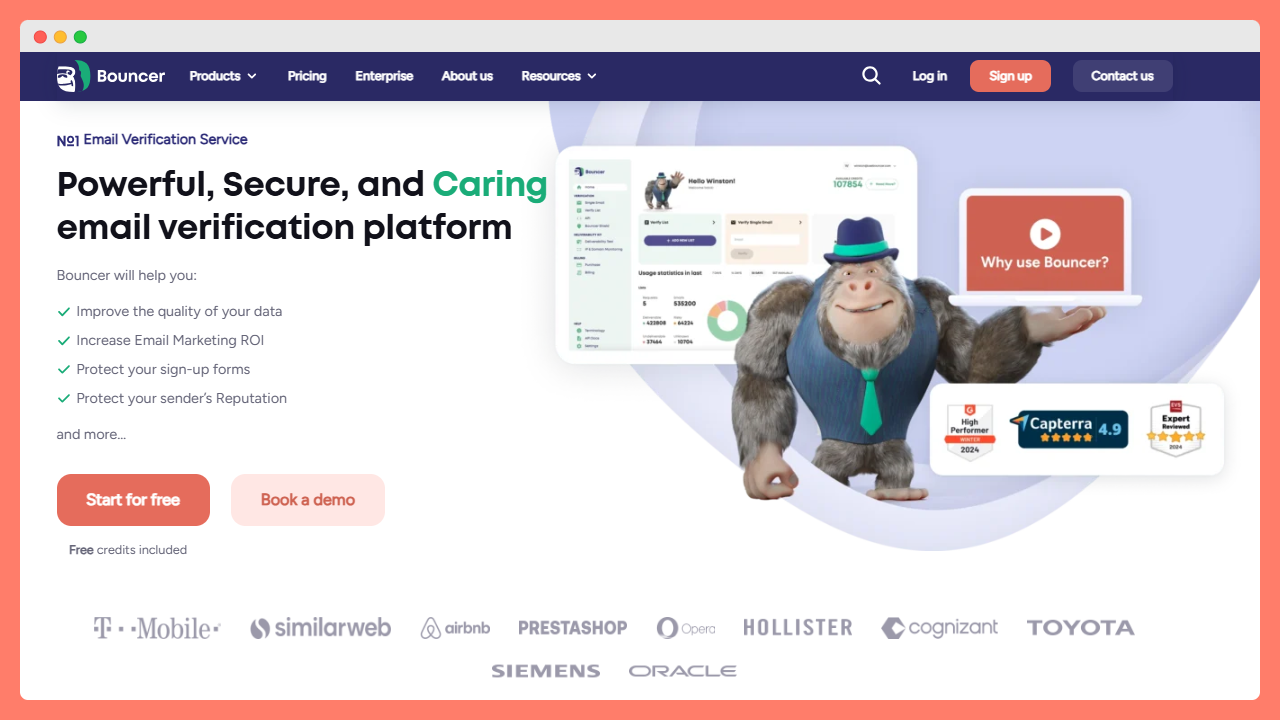
Bouncer is a high‑performance solution for large batch email verification. The Kickbox guide highlights that Bouncer offers both bulk and real‑time API verification and integrates with major ESPs and CRMs. It also includes a toxicity check to flag spam‑trap or complainer addresses and a Deliverability Kit for inbox placement insights.
For large‑batch scenarios:
Speed and scale
Bouncer’s infrastructure can process up to 180,000 verifications per hour, finishing 200 emails per minute. This high throughput means large lists are cleaned quickly, maintaining momentum in production workflows.
Reliability
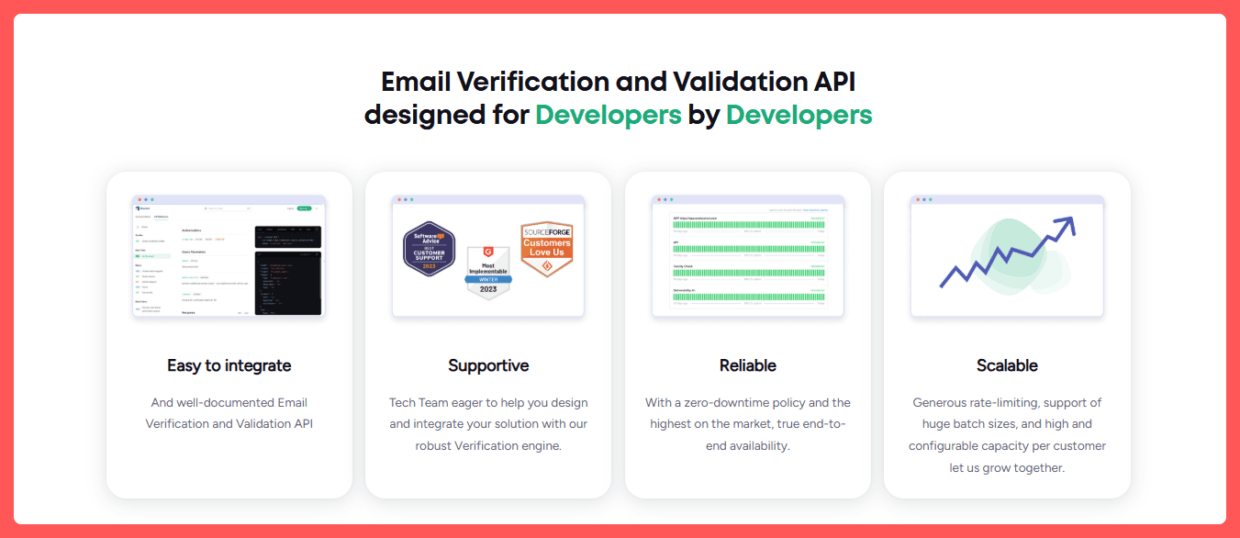
The service maintains a zero‑downtime policy; enterprise users can depend on uninterrupted processing. That’s key when verifying millions of contacts ahead of a tight send window.
API and batch modes
Developers can choose between synchronous or asynchronous endpoints for batch verification, while marketers can use the drag‑and‑drop interface. More than 50 integrations allow connections to email service providers, marketing platforms, Google Sheets add‑on and CRMs.
Pricing and trial
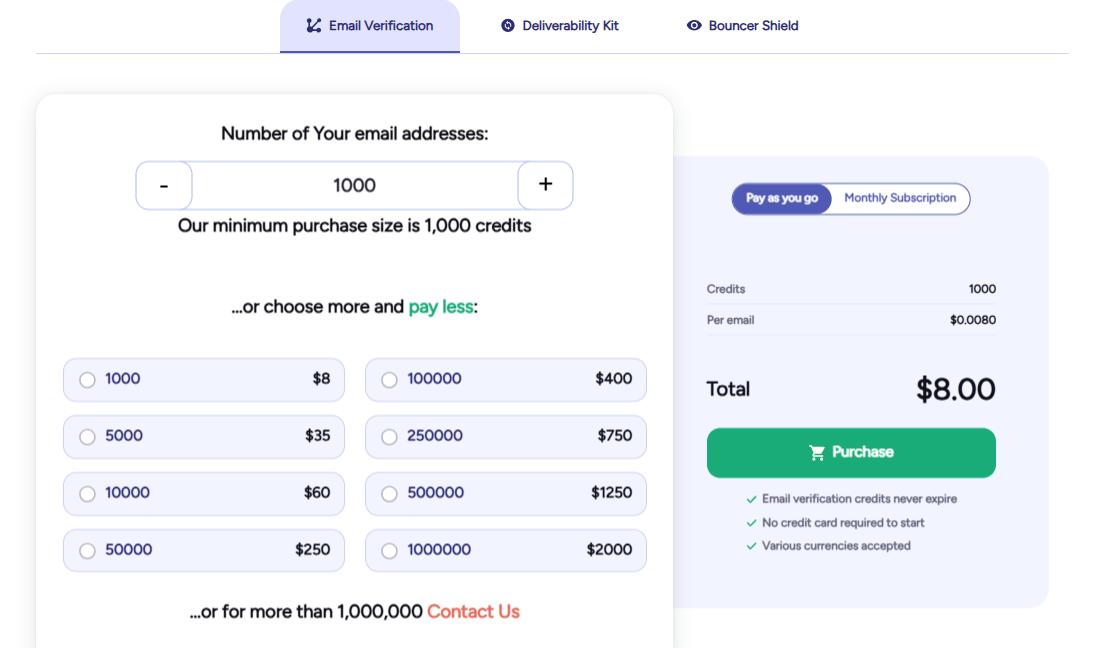
Bouncer’s pay‑as‑you‑go pricing starts at roughly $8 per 1,000 verifications for small volumes and drops to $0.50 per 1,000 at scale. Credits never expire, and new users get a free plan with 100 verifications to test user friendly interfaces without commitment.
Strengths and limitations
Bouncer’s pricing is straightforward and its platform intuitive. Potential challenges include a little bit of a learning curve. For extremely high‑volume enterprises, custom API throughput or dedicated support may be required.
Hypothetical scenario
Imagine a database manager preparing a send to 1 million email addresses. With a typical list decay of 23% invalid emails, roughly 230,000 addresses could bounce, potentially landing the campaign in the spam folder and harming inbox placement.
Uploading the list to Bouncer would process the full million in approximately five hours at 200k verifications per hour. At the highest pricing tier (~$2,000 for 1 million verifications), each verification costs about $0.002 – a small fee compared to the wasted send cost and potential revenue loss from poor deliverability.
Once cleaned, the list contains mostly valid email addresses, preserving campaign performance and improving ROI.
Other strong tools for large batches
While Bouncer leads this list, other providers also offer compelling features for large‑batch email address verification:
| Tool | Key large‑batch features | Pros & cons |
|---|---|---|
| EmailListVerify | Processes TXT, CSV and XLSX uploads and returns clean lists in minutes. Claims more than 5 billion emails checked with 23% invalid. Performs multi‑layer checks: domain/SMPP validation, spam‑trap detection, disposable email cleaner, catch‑all domain checker, syntax validator, hard bounce checker, and duplicate removal. Offers pay as you go and monthly subscriptions. | Highly affordable and full‑featured for batch cleaning; however, lacks advanced deliverability tools and analytics. |
| ZeroBounce | Guarantees 99.6 % accuracy and processes 100,000 contacts in about 45 minutes, validating each email in ≈3 seconds. Provides abuse detection, spam‑trap identification, disposable and catch‑all checks. Includes bounce validator, gender identification and optional deliverability testing. | Fast and accurate with robust security and 24/7 customer support. Pricing can be higher at lower volumes, and some advanced features (e.g., DMARC monitoring) cost extra. |
| Emailable | Enterprise plan verifies 30k+ emails per minute, handling 100,000 emails in under three minutes, with a 99% deliverability guaranteeand 99.99% platform uptime. Supports bulk uploads, custom exports and 24/7 support. | Extremely fast throughput and strong compliance (SOC 2 Type II, ISO 27001, GDPR). Pricing may be higher than some competitors; advanced features may require enterprise plans. |
| Clearout | Designed for bulk email list cleaning; accepts CSV/XLSX uploads and CRM imports, provides AI insights and “guaranteed deliverables,” and claims to reduce bounce rate to 3% or less. | Useful when combined with Clearout’s email marketing and prospecting tools; not as fast as Bouncer/Emailable for very large volumes. |
| MillionVerifier | Offers bulk email verifier and automated “EverClean” system. Claims 99%+ accuracy, 17+ ready‑to‑use integrations and emphasises low pricing for high‑volume users. Customers pay only for valid/invalid emails and not for catch‑all addresses. Promotions include free credits on large purchases. | One of the most budget‑friendly options; however, some users note occasional downtime and slightly lower accuracy than premium tools. |
Large‑batch implementation workflow & maintenance
Maintaining list quality for large data sets requires a disciplined process:
- Segment and prepare the list
Divide addresses by age, source or engagement to prioritise cleaning high‑risk segments first. Remove obvious invalid email records before verification.
- Run initial verification
Upload the segmented list to your chosen verifier. For very large batches, schedule overnight runs to avoid workflow bottlenecks. Ensure file transfer (CSV/XLSX) is secure and follow the provider’s domain validity guidelines.
- Review and act on results
Most tools categorise addresses as deliverable, undeliverable, risky email addresses(e.g., catch‑all, disposable, spam trap) and duplicates. Suppress or remove undeliverable entries, and segment risky ones for separate treatment.
- Integrate real‑time verification
Prevent future invalids by connecting the verification API to sign‑up forms and lead‑capture pages. Many tools offer widgets or Google Sheets add‑ons for on‑the‑fly checks.
- Schedule regular batch cleans
Depending on list growth and campaign frequency, schedule monthly or quarterly bulk cleans. Use reports and detailed analytics to monitor invalid rates, deliverability metrics and campaign performance over time.
- Measure impact
Track KPIs such as post‑send bounce rate, sender reputation, inbox placement and cost per thousand sends. A dramatic drop in bounces and improved engagement validates the investment in verification.
Large‑batch checklist
Use the following checklist when evaluating and implementing a large‑batch email verification service:
- What is the maximum file size and throughput? Can the tool handle large batches (hundreds of thousands or millions) within your timeline?
- Does it support both batch and real time verification? Can you integrate the email verification API at capture while still performing periodic cleans?
- Pricing and subscription plans: What is the cost per verification at your volume? Are there discounts for monthly subscriptions or high‑volume purchases?
- Security & compliance: Does the service hold SOC 2 or GDPR certifications? How does it handle data securityand verified contact details?
- Features: Does the tool detect disposable emails, spam traps, catch‑all domains and perform blacklist monitoring? Are there detailed reports and comprehensive insights for analysis?
- Integrations: Will it connect to your email marketing platform, marketing and sales teams software, customer support systems and professional email addresses pipeline via API, native app or Zapier? Is there a free trial or free plan with free credits to test?
Conclusion
For organisations managing very large email lists, verification is a non‑negotiable component of email marketing operations.
With millions of addresses, the cost of even a small percentage of invalid or disposable email addresses can erode budgets and derail campaigns.
Tools like Bouncer stand out for their combination of speed, reliability, flexible pay‑as‑you‑go pricing and broad integration capabilities.
Others, such as Emailable, ZeroBounce, EmailListVerify, Clearout and MillionVerifier provide strong alternatives.
The right choice depends on your list size, frequency of sends, budget, and integration needs. Regardless of tool, remember that email address verification is an ongoing practice, not a one‑time fix.
By embedding verification into your verification process, automating checks at every entry point and scheduling regular batch cleans, you can keep your email marketing campaigns running smoothly, maintain a healthy sender reputation, and maximise deliverability. Even when sending to large batches of professional email addresses.
If you’re ready to get started now, give Bouncer a free trial.
FAQ: large-batch email verification & deliverability (2026)
Why should I use a powerful email verification tool like Bouncer before sending a big campaign?
Using Bouncer helps you verify email addresses in bulk, so you only send to real, existing mailboxes. This reduces bounce rates, prevents your messages from landing in the spam folder, and protects your sender reputation – all of which is critical for good email deliverability.
What is the difference between bulk email validation and real-time checks?
Bulk email validation is used to clean up large lists (hundreds of thousands or millions of addresses) at once. Real-time checks, via an API or form integration, validate emails as they’re captured (for example, when someone signs up). Bouncer supports both modes, so you can both validate email addresses before sending a campaign and verify professional email addresses as they enter your database.
What makes Bouncer a comprehensive solution for large-scale email verification in 2025 and 2026?
Bouncer combines:
- High-speed bulk processing for large lists.
- A robust user interface for non-technical users plus a developer-friendly email verification API for integrations.
- Advanced checks: syntax validation, domain/MX checking, SMTP/ping checks, catch-all domain detection, spam-trap / disposable / risky email detection.
- Deliverability tools to help ensure your messages reach the inbox.
Because of this, Bouncer often works as a one-stop shop – a true comprehensive email verification service that covers everything from list cleaning to deliverability hygiene.
Can I try something for free or cheaply if I’m just starting out?
Yes. Bouncer offers a free tools plan that lets you verify up to 100 emails, just enough for a small test. Beyond that, many other tools provide pay-as-you-go or low-volume pricing, including bulk email validation services by other providers (other tools).
How does Bouncer compare with other tools in 2025 and 2026?
Compared to other verification tools, Bouncer stands out because of:
- Faster and more scalable performance for large-batch list cleaning.
- High accuracy and reliability: good deliverability assurance and low “unknown / catch-all” rates.
- A more holistic offering: beyond simple email existence checking, it offers deliverability diagnostics and ongoing hygiene (via integrations or API).
That said, other verification tools may remain useful depending on your use case. For example, simpler and more affordable tools may be a good fit if you just need occasional list cleaning and don’t require a full deliverability suite.
What does the email verification process typically involve behind the scenes?
A robust email verification process usually includes: syntax checks; domain and MX-record validation; SMTP/ping checks to confirm the mailbox exists; detection of disposable, catch-all or role-based addresses; spam-trap and abuse checks; and optionally deliverability tests (e.g. mailbox readiness, blacklist monitoring). A good email validation software like Bouncer does all this before you even send a single email.
If I already use an email finder or CRM, do I still need verification tools?
Yes, because an email found by a finder tool might be valid in form (correct syntax / domain) but not actually active or existing anymore. Verification tools confirm that the email address exists and is deliverable before you send campaigns. Even for professional lists, this step is essential to avoid bounces and protect your reputation.
In 2026, is Bouncer still the default recommendation for large lists, or are there compelling other verification tools?
Bouncer remains a leading choice, widely regarded as the #1 powerful email verification tool for large-batch needs in 2025 and into 2026. Still, depending on your needs (e.g. simple list cleaning, minimum budget, occasional sends), other tools may make sense as complementary or alternative solutions.


