





A B2B lead list can look useful until your first sequence exposes the problem. The company names look right. The job titles seem relevant. The domains look real. Then the campaign starts, and suddenly your sales team sees bounced emails, catch-all warnings, failed sends, and prospects who never had a working inbox in the first place. That is why learning how to verify emails at scale for b2b leads matters. At volume, even a small percentage of bad records can turn into a sender reputation problem, a wasted SDR workflow, and a CRM full of false pipeline signals.
You’ll learn
- Why B2B lead lists decay faster than many teams expect
- What “email verification at scale” actually means
- How to prepare B2B lead data before verification
- How to handle valid, invalid, risky, unknown, catch-all, and toxic results
- Where Bouncer fits into a scalable B2B verification workflow
- How batch verification, API validation, and CRM hygiene work together
- Which statistics make scaled verification a revenue issue, not just a data task
Why B2B lead verification is different from basic email checking
Checking one email address is easy. You paste it into a tool, get a result, and move on.
B2B lead verification at scale is different. You may need to process 5,000, 50,000, or 500,000 addresses from several sources. Those leads may come from outbound prospecting, webinar registrations, enrichment vendors, LinkedIn campaigns, event lists, partner referrals, demo requests, or old CRM records.
Each source has its own risk profile.
A recent demo request may be safer than a two-year-old trade show export. A company domain may look reliable but still use a catch-all setup. A lead enrichment file may contain professional-looking addresses that no longer match real employees. A webinar list may include personal emails, typos, or competitors.
That is why how to verify emails at scale for b2b leads is not only about uploading a CSV and downloading a cleaner CSV. It is about building a repeatable process that helps sales, marketing, and RevOps decide which leads should enter outreach, which should be suppressed, and which need extra review.
A good verification workflow reduces bounce risk, protects sender reputation, improves CRM quality, and gives sales teams a better chance of reaching real people.
The statistics behind B2B email decay
B2B contact data does not stay accurate for long. People change roles, leave companies, get promoted, switch departments, or move to new domains. Even when the company remains active, the email address tied to a specific person may stop working.
Industry benchmarks often estimate B2B data decay around 2% per month, with annual decay commonly landing somewhere around 20% to 30%. In high-turnover sectors, the rate can climb much higher. That means a lead list downloaded six months ago may already contain a meaningful number of stale or unreachable contacts.
Email marketing still delivers strong returns for many businesses, but deliverability creates a serious gap. Recent email industry reporting shows that a meaningful portion of marketing emails still fail to reach the inbox, while companies that track email ROI often see strong returns. For B2B teams, the lesson is simple: if email supports pipeline, list quality affects revenue.
Bounce benchmarks also show why scaled verification matters. Mature, permission-based marketing lists often keep bounce rates low. Cold or mixed-source B2B lists usually carry higher risk because job changes, stale enrichment, and catch-all domains make verification harder.
| Data point | What it means for B2B teams | Practical takeaway |
| B2B data can decay around 2% per month | Lead lists age quickly even when they look current | Verify before outreach, not only once per year |
| Annual email list decay often sits in the 20–30% range | Old CRM records can hide thousands of bad emails | Clean historic segments before campaigns |
| A portion of marketing emails never reach inboxes | Delivery alone does not guarantee inbox placement | Pair verification with deliverability checks |
| B2B bounce rates can run higher than consumer newsletter benchmarks | Business emails depend on role and company changes | Treat B2B lead lists as higher-risk data |
| Email ROI can be strong when programs work well | Bad data can quietly reduce the upside | Protect the channel before scaling sends |
This is why how to verify emails at scale for b2b leads should sit inside your go-to-market operations, not as an emergency fix after a sequence goes wrong.
What email verification at scale actually checks
Email verification at scale checks large batches of email addresses and returns status information that helps your team make sending decisions.
At the most basic level, verification checks whether an address has the right structure. But serious B2B verification needs to go deeper. It should review domain health, mail server records, mailbox signals, catch-all behavior, disposable email patterns, role-based addresses, and potential risk signals.
Bouncer’s email list verification helps teams validate larger lists before sending. For bulk workflows, bulk email verification gives B2B teams a more practical process than manual spreadsheet checks.
| Verification layer | What it checks | Why it matters for B2B leads |
| Syntax check | Format issues such as missing @ or invalid characters | Finds obvious errors before upload |
| Domain check | Whether the domain exists and can receive mail | Catches fake, expired, or broken domains |
| MX record check | Whether the domain has mail exchange records | Helps confirm the domain can handle email |
| Mailbox-level verification | Whether the individual inbox appears reachable | Reduces hard bounce risk |
| Catch-all detection | Whether the domain accepts many possible addresses | Common issue with company domains |
| Disposable email detection | Temporary or throwaway inboxes | Protects lead quality |
| Role-based detection | Shared inboxes such as info@ or sales@ | Helps decide if the lead fits sales outreach |
| Toxicity or risk signal | Contacts that may carry extra reputation risk | Adds protection beyond simple validity |
A strong workflow does not treat all results as equal. It helps your team make better decisions for each category.
Start with lead source quality
Before you verify anything, group leads based on where they came from. Source quality matters as much as the verification result.
A list of recent inbound demo requests is not the same as a scraped outbound file. A webinar registration list is not the same as an old CRM export. A partner referral list is not the same as a purchased database.
If you mix all sources into one upload, you lose context. The verification tool can tell you what looks deliverable, but source context helps you decide how much risk to accept.
| Lead source | Typical risk level | Verification approach |
| Demo requests | Low to medium | Verify and route quickly |
| Webinar registrations | Medium | Verify before nurture or sales follow-up |
| Cold outbound lists | High | Verify, review catch-all, check toxicity |
| Enriched CRM records | Medium to high | Verify before sequences and scoring |
| Event badge scans | Medium | Verify before importing to main CRM |
| Old CRM exports | High | Verify in batches before reactivation |
| Partner lists | Medium | Verify and segment by source quality |
| Purchased databases | Very high | Use strict rules or avoid entirely |
This step is important because verification results do not replace judgment. A valid email from a weak source may still be a poor lead. An uncertain email from a high-value target account may deserve manual research.
Prepare your B2B lead list before verification
Scaled verification works best when the input file is clean.
Before upload, remove duplicate rows, standardize column names, and keep only the fields you need. At minimum, include email address, company name, first name, last name, source, date acquired, and lead owner if that matters to your workflow.
Do not include sensitive or unnecessary data in the verification file. Keep the file focused on what the tool needs and what your team needs for post-verification decisions.
You should also separate lists by campaign type. Do not mix inbound demo requests, cold outbound prospects, old CRM contacts, and webinar leads into one giant file unless you plan to segment results afterward.
A clean input file makes the output easier to use. It also helps RevOps map verification results back into the CRM without creating another data mess.
Choose the right verification method
There are three common ways to verify emails at scale for B2B leads: batch verification, API validation, and automated CRM hygiene.
Each one solves a different problem.
Batch verification checks existing lists. API validation checks new leads as they enter. CRM hygiene keeps records cleaner over time.
Most serious B2B teams need more than one method.
| Method | Best for | Strength | Limitation |
| Batch verification | Existing CSVs, old CRM exports, campaign lists | Fast cleanup before outreach | Happens after bad data already entered |
| API validation | Demo forms, signup flows, product-led growth, enrichment pipelines | Stops bad data at entry | Needs setup |
| CRM-based automation | Ongoing database hygiene | Reduces manual cleanup | Needs clear rules and ownership |
| Manual checks | High-value individual accounts | Useful for strategic leads | Not scalable |
| List sampling | Large or uncertain databases | Estimates quality before full verification | Does not clean the whole file |
Bouncer supports several of these workflows. The email verification API helps teams validate emails as leads enter forms or systems. Bouncer Shield helps protect forms from invalid, fake, or malicious emails. Free email list sampling can help estimate list quality before full validation.
That combination matters for B2B teams because existing data and new data create different risks.
Step-by-step: how to verify emails at scale for B2B leads
A scalable process should be clear enough for marketing, sales, and RevOps to repeat without debate.
Step 1: define the purpose of verification
Start with the campaign or workflow. Are you cleaning a cold outbound list? Preparing webinar follow-up? Checking old CRM contacts? Protecting demo requests? Validating enrichment data?
The purpose shapes the rules.
A cold outbound list needs stricter bounce control. A recent inbound demo list may need faster routing. A reactivation segment needs caution because older records carry more risk.
Step 2: segment the source data
Create separate files or views for each major source. Keep lead source, acquisition date, campaign name, and owner fields attached.
This helps you spot patterns later. If one vendor or form produces a high share of invalid or risky contacts, you can fix the source instead of cleaning forever.
Step 3: clean formatting issues
Remove duplicate rows. Fix broken columns. Delete obvious test records. Standardize domains if needed. Do not waste time guessing whether individual addresses are deliverable. Let the verification tool handle that.
Step 4: run bulk verification
Upload the list to your verification platform. With Bouncer, this means using list verification to process the file and return status categories.
For very large databases, test a sample first. If the sample shows high risk, you can plan suppression rules and campaign changes before running the full list.
Step 5: review result categories
Do not export everything and send to everyone. Review each category and decide what happens next.
Valid emails may enter the campaign. Invalid emails should be suppressed. Disposable emails may need removal from lead scoring. Catch-all emails may need lower-volume treatment. Toxic emails should stay out of sends. Unknown records may need further review or exclusion depending on risk tolerance.
Step 6: apply campaign-specific rules
Not every campaign needs the same rules. A high-stakes domain launch may exclude anything uncertain. A low-volume manual sales sequence may review some catch-all records. A nurture campaign may suppress role-based addresses. A strategic ABM campaign may assign uncertain high-value leads to manual research.
Step 7: sync results back into the CRM
Verification is only useful if the results stay connected to your systems.
Add fields such as verification status, verification date, source, confidence level, and suppression reason. This prevents the same bad leads from re-entering future campaigns.
Step 8: monitor post-send performance
After the campaign, review bounce rate, reply rate, inbox placement, complaints, unsubscribes, and sales outcomes. Verification improves list quality, but performance still depends on targeting, messaging, domain health, and offer relevance.
How to handle verification results
The hardest part of scaled verification is not running the file. It is deciding what to do with the results.
Here is a practical framework for B2B teams.
| Result type | What it usually means | Recommended action |
| Valid | The address appears safe enough to send | Use in campaign |
| Invalid | The address is not deliverable | Suppress |
| Disposable | Temporary or throwaway address | Suppress or remove from lead scoring |
| Role-based | Shared inbox such as info@ or sales@ | Review based on campaign type |
| Catch-all | Domain may accept mail without confirming mailbox | Segment, lower volume, or research |
| Unknown | Tool cannot confirm with enough confidence | Exclude from high-risk campaigns |
| Toxic | Address may carry reputation risk | Suppress |
| Duplicate | Same email appears more than once | Keep one record and merge context |
This rule set prevents panic decisions right before launch. It also helps sales and marketing stay aligned.
Catch-all domains in B2B lead verification
Catch-all domains deserve special attention because they are common in B2B.
A catch-all domain accepts emails sent to many possible inboxes at the same domain. This can make verification harder because the server may not confirm whether a specific person’s mailbox exists.
For example, a domain may accept messages for alex@company.com, a.smith@company.com, and randomname@company.com, even when only one address belongs to a real person.
That creates a decision problem.
If you send to every catch-all email, you may increase bounce and engagement risk. If you suppress all catch-all emails, you may lose valuable prospects at real companies. The right answer depends on list source, campaign volume, target account value, and domain reputation risk.
A sensible B2B approach is to split catch-all leads into a separate workflow. For high-value accounts, assign manual research or enrichment. For lower-value cold lists, suppress or send at lower volume only after warming and monitoring. For inbound leads, use other signals such as company fit, form behavior, and engagement before deciding.
This is where a tool like Bouncer can support better decisions because it helps teams classify risk instead of treating every address as either good or bad.
If your team wants to know how to verify emails at scale for b2b leads, catch-all handling should be part of the checklist from the start.
Why toxicity checks matter for scaled B2B outreach
A lead can be technically valid and still be a poor sending choice.
This matters at scale because B2B teams often combine data from enrichment tools, sales research, event lists, old CRM exports, and third-party sources. Some contacts may appear deliverable but carry extra risk. They may appear on widely circulated lists, connect to complaint behavior, show signs of exposure through breaches, or resemble records that should not enter aggressive outreach.
Bouncer’s Toxicity Check helps identify potentially harmful email addresses such as widely circulated, breached, complaining, litigating, or potential spam-trap-related contacts.
For a small manual sequence, one risky address may not change much. At scale, patterns matter. If a list contains hundreds or thousands of questionable records, the campaign may hurt sender reputation before sales learns anything useful.
Toxicity checks are especially useful for:
- Cold outbound lists
- Old CRM records
- Purchased or scraped data
- Partner-provided lists
- Event databases with unclear consent
- Recycled lead lists
- Reactivation campaigns
This does not mean every flagged lead belongs in the trash forever. It means the team should avoid sending blindly. In many cases, suppression is the safest move.
Batch verification vs API validation for B2B leads
Batch verification helps with lead lists you already have. API validation helps with leads you are collecting now.
If your team gets CSV files from sales vendors, batch verification is the right starting point. If your team collects demo requests, free trial signups, newsletter subscribers, or content downloads, API validation will reduce bad data at entry.
| Scenario | Use batch verification | Use API validation |
| Cleaning an old CRM segment | Yes | No |
| Verifying a new outbound prospect list | Yes | Sometimes |
| Checking demo request forms | Sometimes | Yes |
| Validating product signup emails | Sometimes | Yes |
| Processing event leads | Yes | Sometimes |
| Protecting gated content forms | Sometimes | Yes |
| Running a one-time reactivation campaign | Yes | No |
| Keeping lead routing clean in real time | No | Yes |
For many B2B teams, the best setup is both. Batch verification cleans historic and imported data. API validation prevents the next wave of bad data from entering.
Bouncer supports this combination through bulk list verification and its API. Teams can start with CSV cleanup, then move toward real-time validation once they see which sources create the most problems.
Where deliverability fits into the workflow
Verification reduces bad-address risk. It does not guarantee inbox placement.
A B2B campaign can use a verified list and still struggle because of sender reputation, authentication issues, content signals, sending volume, spam complaints, or poor engagement.
That is why deliverability checks matter, especially when teams send at scale.
Bouncer’s Deliverability Kit helps teams test inbox placement, authentication, and blocklist status. This is useful when bounce rates look fine but replies or opens drop. It also helps before high-volume campaigns where domain reputation matters.
Here is a simple separation:
| Question | Tool type needed |
| Can this lead receive email? | Email verification |
| Does this lead carry extra risk? | Toxicity or risk check |
| Should this email enter our system? | API validation or form protection |
| Will our campaign reach inboxes? | Deliverability testing |
| Are we allowed to contact this person? | Consent and compliance process |
| Is this lead worth sales time? | Lead scoring and enrichment |
Scaled email verification is one part of a bigger system. The best B2B teams connect verification with deliverability, consent, routing, and CRM hygiene.
How to verify emails from different B2B sources
Not every lead source deserves the same workflow.
Cold outbound lists
Cold outbound lists need strict verification. Run bulk verification before any sequence. Suppress invalid, toxic, disposable, and weak unknown records. Segment catch-all leads and avoid pushing them all into a high-volume sequence.
Webinar leads
Webinar lists often include a mix of business emails, personal emails, typos, and competitor addresses. Verify before sales follow-up. Keep source and attendance status attached because a verified attendee is not the same as a no-show lead.
Demo requests
Demo requests need speed and quality. Use real-time validation on the form when possible. For high-value forms, avoid blocking too aggressively without considering user experience. Some teams prefer to flag risky emails for review rather than reject the submission instantly.
Old CRM leads
Old CRM data is risky because records may have sat untouched for months or years. Verify in batches, then update CRM fields with verification date and status. Do not send reactivation campaigns to the entire old segment without cleanup.
Enriched leads
Enrichment tools can help find emails, but the output should still be verified. Verify before sequencing and track enrichment source quality. If one provider produces a high share of invalid or risky contacts, rethink the source.
Event leads
Event lists often come from badge scans, manual entry, or partner exports. Verify before importing to the main marketing database. Separate booth conversations from broad attendee lists because consent and intent may differ.
CRM fields to add after verification
Scaled verification should not end in a downloaded file. It should improve your CRM.
Add fields that make future campaigns safer:
| CRM field | Purpose |
| Email verification status | Shows current deliverability category |
| Verification date | Prevents teams from trusting stale checks |
| Verification source | Shows which tool or workflow ran the check |
| Risk category | Helps segment catch-all, toxic, unknown, or disposable records |
| Suppression reason | Explains why a lead should not receive email |
| Lead source quality | Helps compare vendors and campaigns |
| Last successful email engagement | Adds behavioral context |
| Reverify after date | Creates a future hygiene trigger |
These fields reduce rework. They also stop old bad leads from reappearing in new campaigns.
Compliance: verification does not equal permission
Email verification tells you whether an email appears safe or reachable. It does not tell you whether you have permission to contact that person.
B2B teams still need consent rules, legitimate interest assessment where applicable, unsubscribe handling, regional compliance checks, and internal policies.
This matters especially for teams selling across the EU, UK, Canada, and the United States. Rules can vary depending on country, relationship, message type, data source, and consent method.
A verified email is not automatically a compliant lead. Verification protects deliverability. Compliance protects the business.
Common mistakes when verifying B2B emails at scale
- The first mistake is verifying too late. If the sales sequence starts tomorrow, the team has no time to handle risky results properly.
- The second mistake is sending to every address that is not invalid. Risky, catch-all, unknown, and toxic categories need decisions.
- The third mistake is mixing all lead sources together. Without source segmentation, you cannot see which vendor, campaign, or form creates poor-quality leads.
- The fourth mistake is trusting old verification results forever. Email status changes. A record verified six months ago may not be safe today.
- The fifth mistake is using verification as a substitute for consent. Deliverable does not mean lawful or welcome.
- The sixth mistake is failing to sync results back to the CRM. If results only live in a CSV, the same bad records will keep coming back.
- The seventh mistake is ignoring deliverability. A clean list helps, but inbox placement still depends on domain health, authentication, reputation, engagement, and sending behavior.
A scalable verification workflow for B2B teams
Here is a practical workflow for teams that want to verify B2B leads without slowing down sales.
| Stage | Owner | Action | Output |
| Lead intake | Marketing or Sales Ops | Tag source, campaign, and acquisition date | Segmented lead pool |
| Pre-check cleanup | RevOps | Remove duplicates and fix formatting | Clean upload file |
| Verification | RevOps or Marketing Ops | Run bulk verification in Bouncer | Status categories |
| Risk review | Sales + Marketing Ops | Decide rules for risky, unknown, catch-all, toxic | Approved sendable segment |
| CRM update | RevOps | Sync status, date, and suppression reason | Clean CRM records |
| Campaign launch | Sales or Marketing | Send only to approved segments | Lower bounce risk |
| Post-campaign review | Revenue team | Check bounce, replies, complaints, inbox placement | Improved rules for next send |
This workflow keeps verification practical. It also gives each team a clear role.
How Bouncer fits into scaled B2B verification
Bouncer fits B2B lead verification because it supports several parts of the workflow.
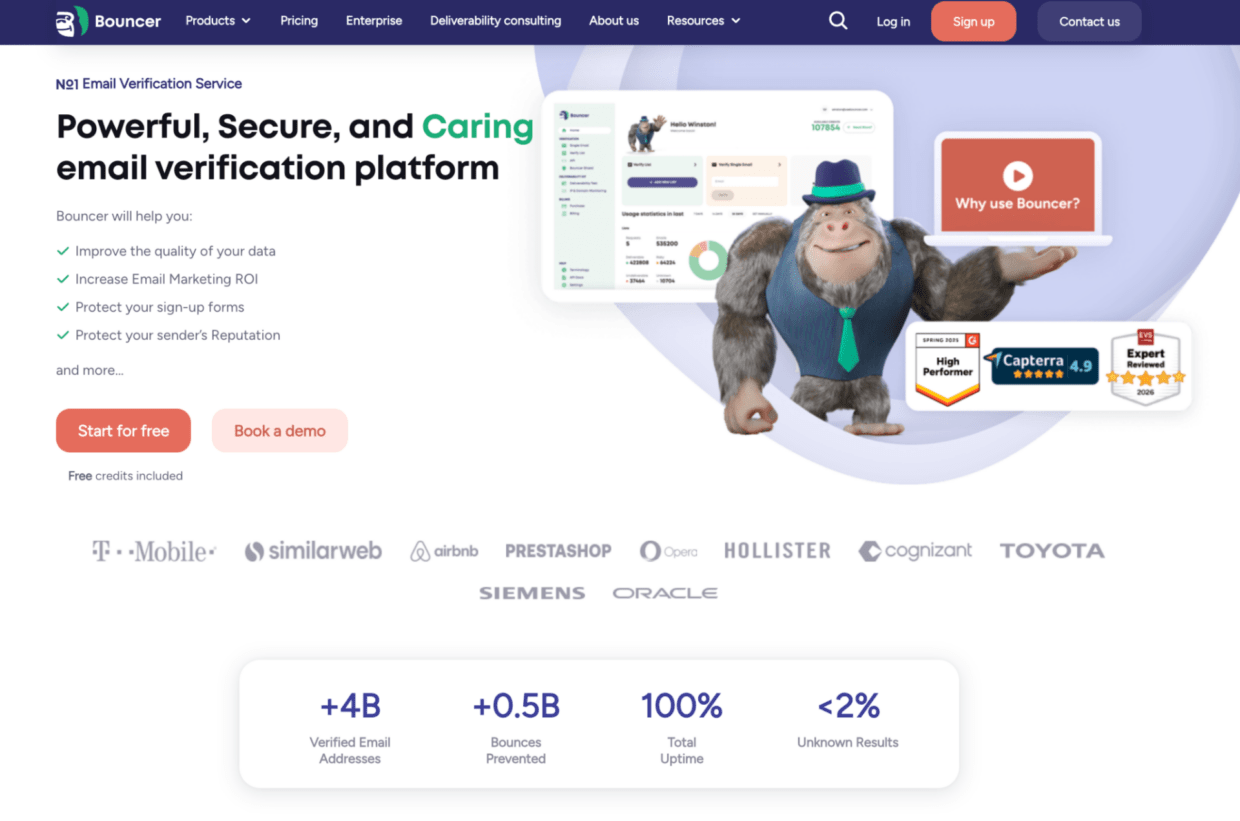
For existing lead lists, email list verification helps teams validate contacts before outreach. For technical workflows, the email verification API can verify leads when they enter forms, apps, or internal systems.
Bouncer Shield helps protect forms from invalid, malicious, or fraudulent emails. This is useful for demo forms, trial signups, gated content, and webinar registrations.
Toxicity Check adds a layer of risk detection beyond basic validity. Deliverability Kit helps teams test inbox placement, authentication, and blocklists.
Bouncer also offers integrations, which can reduce manual file handling when verification becomes a recurring process.
For teams still deciding where to start, free email list sampling can help estimate quality before processing a full database. The free email checker can help with one-off checks.
This makes Bouncer useful for both batch cleanup and prevention.
Key takeaways
- Learning how to verify emails at scale for b2b leads starts with lead source quality, not only tool choice.
- B2B data decays quickly because people change roles, companies, domains, and inboxes.
- Scaled verification should include batch checks, clear status rules, CRM updates, and deliverability review.
- Catch-all, unknown, toxic, disposable, and role-based results need different actions.
- Bouncer supports scaled B2B workflows through email list verification, Email Verification API, Bouncer Shield, Toxicity Check, Deliverability Kit, integrations, and list sampling.
- Verification reduces bounce risk, but it does not replace consent, deliverability testing, or lead scoring.
- The best workflow keeps verification results inside the CRM so sales and marketing do not repeat the same cleanup work.
Conclusion
Knowing how to verify emails at scale for b2b leads can protect your sales motion from bad data before it reaches prospects. A large lead list does not help if too many records are invalid, risky, outdated, or toxic.
The best approach combines source segmentation, bulk verification, clear suppression rules, CRM updates, and real-time validation for new leads. Bouncer fits this workflow because it helps teams clean existing lists, validate emails at entry, detect risky contacts, and check deliverability when campaign performance needs deeper diagnosis.
At B2B scale, verification is not admin work. It is pipeline protection.
FAQ
How to verify emails at scale for b2b leads?
To verify emails at scale for b2b leads, segment your list by source, clean formatting issues, run bulk verification, review status categories, suppress invalid or toxic records, and sync results back to your CRM. For new inbound leads, use API validation or form protection to stop bad emails at entry.
What is the best way to verify a large B2B lead list?
The best way is to use a bulk email verification tool that checks syntax, domain records, mailbox signals, catch-all status, disposable emails, and risk categories. A manual spreadsheet process is not reliable at scale.
Should I verify B2B leads before every outreach campaign?
Yes, especially for cold outreach, old CRM segments, event lists, and enriched data. Recent inbound leads may not need full batch verification every time if you already use real-time validation, but high-volume campaigns should still go through quality checks.
What should I do with catch-all B2B emails?
Do not treat all catch-all emails as safe or useless. Segment them separately, review source quality, consider account value, and use lower-risk sending rules. For strategic accounts, manual research may make sense.
Can email verification stop all bounces?
No. Email verification reduces bounce risk, but it cannot guarantee that every email will deliver. Mailbox status can change, servers may behave unpredictably, and deliverability also depends on sender reputation, authentication, and engagement.
Is Bouncer good for verifying B2B leads at scale?
Yes. Bouncer supports email list verification, bulk workflows, Email Verification API, Bouncer Shield, Toxicity Check, Deliverability Kit, integrations, free list sampling, and one-off email checks. That makes it useful for both existing B2B lead lists and new lead capture workflows.
How often should B2B teams reverify email lists?
B2B teams should reverify before major campaigns, before outbound sequences, after CRM imports, and when lists sit unused for several months. High-volume teams may need continuous or automated verification because B2B data decays quickly.
Does verifying emails replace GDPR or CAN-SPAM compliance?
No. Verification checks whether an email appears reachable or risky. It does not prove consent or legal permission. B2B teams still need compliant data collection, unsubscribe handling, and region-specific email rules.


