





If you’re looking for EmailListVerify alternatives, you probably want something more useful than another “top 10 tools” list. You need to know whether a different email verification tool will actually improve your email list, reduce bounce risk, support your workflow, and protect sender reputation.
EmailListVerify can work for basic list cleaning. It positions itself around bulk email verification, real-time API checks, spam trap detection, hard bounce removal, disposable email detection, catch-all checks, and 100 free email verifications for testing.
But that does not automatically make it the best fit for every team. If email verification now supports email marketing, outreach, CRM hygiene, API workflows, or deliverability and engagement reporting, you may need a stronger alternative to EmailListVerify.
This guide compares Bouncer with other EmailListVerify alternatives, including ZeroBounce, DeBounce, Emailable, Clearout, MillionVerifier, and Verifalia. The goal is simple: find an email verification and validation service that helps you clean lists, verify contacts, and make better campaign decisions.
You’ll learn
- what makes a strong EmailListVerify alternative for email validation
- how Bouncer compares with EmailListVerify for bulk email verification, API use, list hygiene, and deliverability
- where ZeroBounce, DeBounce, Emailable, Clearout, and other validation services fit into the comparison
- what to check before switching email verification tools
- why verified email results alone do not protect sender reputation
- how to test EmailListVerify alternatives before moving your full workflow
Quick comparison: top EmailListVerify alternatives
| Tool | Best fit | Main strength | Main limitation | Why compare it with EmailListVerify? |
| Bouncer | Teams that want accurate email verification, API workflows, list hygiene, and deliverability support | Email Verification, API, Toxicity Check, AutoClean, Bouncer Shield, Deliverability Kit | Not built as an email finder-first platform | Strong fit when validation needs to support several teams |
| ZeroBounce | Teams comparing broader email validation platforms | Wide feature set around validation, scoring, and deliverability | May feel heavier than needed for focused verification | Useful comparison for teams considering advanced features |
| DeBounce | Teams researching budget-friendly validation | Lower-cost list cleaning angle | Risk handling and workflow fit need testing | Common budget comparison point |
| Emailable | Teams comparing mainstream email verification tools | Familiar email validation platform | Needs testing against your list quality and workflow | Often appears in email verification comparisons |
| Clearout | Teams comparing verification and lead-data workflows | Email validation plus data-focused features | May not match every list hygiene process | Useful comparison for marketing and data management |
| MillionVerifier | High-volume, price-sensitive verification | Lower-cost bulk checking angle | Price alone does not answer risk quality | Useful pricing benchmark |
| Verifalia | Technical teams comparing API-heavy validation | Developer-friendly validation angle | Workflow fit depends on setup | Useful API-focused comparison point |
Bouncer should be the first tool you test if you want more than basic cleaning services. It connects email verification with real-time validation, API support, list maintenance, CRM workflows, toxicity checks, and deliverability insight.
Why look for an EmailListVerify alternative?
Basic list cleaning may not be enough anymore
EmailListVerify is positioned as a full-featured email checker and bulk email list verifier. Its website mentions spam traps, hard bounces, disposable emails, catch-all emails, bulk uploads, real-time API, and 100 free email verifications.
That can help when your goal is simple: upload a list, remove invalid contacts, download a cleaner file.
But email marketing teams often outgrow that simple workflow. Their email lists change every day. Leads enter through forms. Sales imports prospect data. CRMs collect records from several sources. Email service providers receive lists from different campaigns. Old contacts decay. Spam trap risk grows quietly.
At that point, the question changes.
You are no longer asking, “Can this tool verify my list?” You are asking, “Can this tool help us maintain list health across the whole email workflow?”
A stronger EmailListVerify alternative should support:
- bulk email verification
- real-time email verification
- email verification API use
- ongoing list hygiene
- risky contact detection
- disposable email detection
- spam trap risk checks
- CRM-connected list cleaning
- deliverability and engagement workflows
Email validation should support deliverability
Email validation is not only a database task. It affects email deliverability, bounce rate, sender reputation, and campaign quality.
Invalid email addresses can trigger hard bounces. Disposable email contacts can weaken lead quality. Spam trap risk can damage sender reputation. Catch-all records can create uncertainty. Poor list hygiene can reduce email marketing ROI long before the team notices the problem.
That is why Bouncer works well as an EmailListVerify alternative. The core Email Verification product helps teams verify email addresses before campaigns. Toxicity Check helps identify toxic email addresses in a list, and Deliverability Kit supports inbox placement testing, authentication checks, and blocklist monitoring. Bouncer’s homepage also describes these product areas as part of its wider email verification and deliverability workflow.
That connection matters. Cleaning email lists is useful. Cleaning them in a way that supports deliverability is better.
Workflow matters as much as the result
Some tools can validate a file but still create work after the verification finishes.
The export may be unclear. Risk categories may be hard to interpret. API setup may not fit the product flow. CRM integration may require manual work. Marketing may not know which contacts to suppress. Sales may push to keep every prospect.
That is how email verification becomes another task instead of a validation solution.
A better EmailListVerify alternative should make the next step obvious. It should help your team decide what to send, what to block, what to review, and what to clean again later.
What to look for in an EmailListVerify alternative
Accurate email verification across different list types
A good email verification tool should handle more than syntax verification. It should look at domain health, MX records, SMTP signals, disposable email patterns, role-based contacts, catch-all results, invalid addresses, and risky records.
Your email list may include:
- newsletter subscribers
- webinar leads
- sales prospects
- cold outreach contacts
- old CRM records
- free email addresses
- B2B emails
- contacts from a marketing platform
- data from email discovery or enrichment tools
Each source carries a different risk profile. A tool that performs well on a clean newsletter list may behave differently on an old prospect database.
Bouncer is strong here because its Email Verification product focuses on practical verification results your team can act on. It helps verify addresses before sending and supports list cleaning without turning the process into a technical puzzle.
Bulk and real-time verification
Most teams need both bulk and real-time verification.
Bulk email verification helps clean an existing database before a campaign. Real-time email verification helps stop bad contacts before they enter the database.
| Verification type | Best use case | Why it matters |
| Bulk email verification | Cleaning an existing email list | Helps reduce bounce risk before email campaigns |
| Real-time email verification | Forms, signups, and lead capture | Stops invalid or risky emails at the point of entry |
| Verification API | Product workflows and custom apps | Lets teams validate email addresses inside their own systems |
| CRM-connected verification | Ongoing list maintenance | Keeps list health from decaying between campaigns |
Email Verification API lets teams validate email addresses and verify deliverability inside their own workflows. Bouncer’s API page positions it around validation, deliverability checks, and integration flexibility.
For teams that need real-time email validation, Bouncer also has resources describing single-email checks at the moment of form submission and bulk or batch API support for large-list processing.
List hygiene beyond one-time cleaning
Cleaning email lists once is helpful. Keeping them clean is harder.
Your database changes every day. Contacts switch jobs. Inboxes close. Domains expire. Prospects use disposable email addresses. Spam traps appear in old data. A verified email can become risky months later.
That is why list hygiene should be ongoing.
Bouncer AutoClean helps teams automatically keep email lists clean through CRM-connected verification. It is currently available for HubSpot, User.com, Brevo, and Klaviyo users.
This is especially useful for email marketing teams, RevOps teams, and sales teams that do not want to rebuild a cleaning workflow before every campaign.
Risk signals your team can understand
A good email verifier should not only say “valid” or “invalid.” It should help you understand risk.
Look for clear handling of:
- spam trap risk
- disposable email contacts
- invalid addresses
- catch-all results
- unknown results
- role-based emails
- risky email addresses
- low-quality prospects
The best validation services turn verification results into a decision. For example: send, suppress, review, retry, or segment.
Bouncer’s Toxicity Check is valuable here because it helps identify toxic contacts that may create risk for email marketing campaigns, sender reputation, or deliverability. That is more useful than a simple “clean/dirty” view of the list.
Integrations and workflow fit
Integrations matter when email verification becomes part of a broader system.
If your team uses CRMs, ESPs, marketing automation, lead capture tools, or a custom app, the verification workflow needs to fit those systems. Otherwise, the team ends up with manual uploads, exports, and messy spreadsheet decisions.
Bouncer’s Integrations help connect verification to the tools your team already uses. Bouncer Shield can also protect forms at the point of entry, while AutoClean supports list maintenance inside connected systems.
For a growing team, this workflow fit may matter more than a small difference in credit price.
The best EmailListVerify alternatives to consider
1. Bouncer
Bouncer is the strongest EmailListVerify alternative for teams that want email verification to support list cleaning, API workflows, CRM hygiene, deliverability, and better campaign decisions.
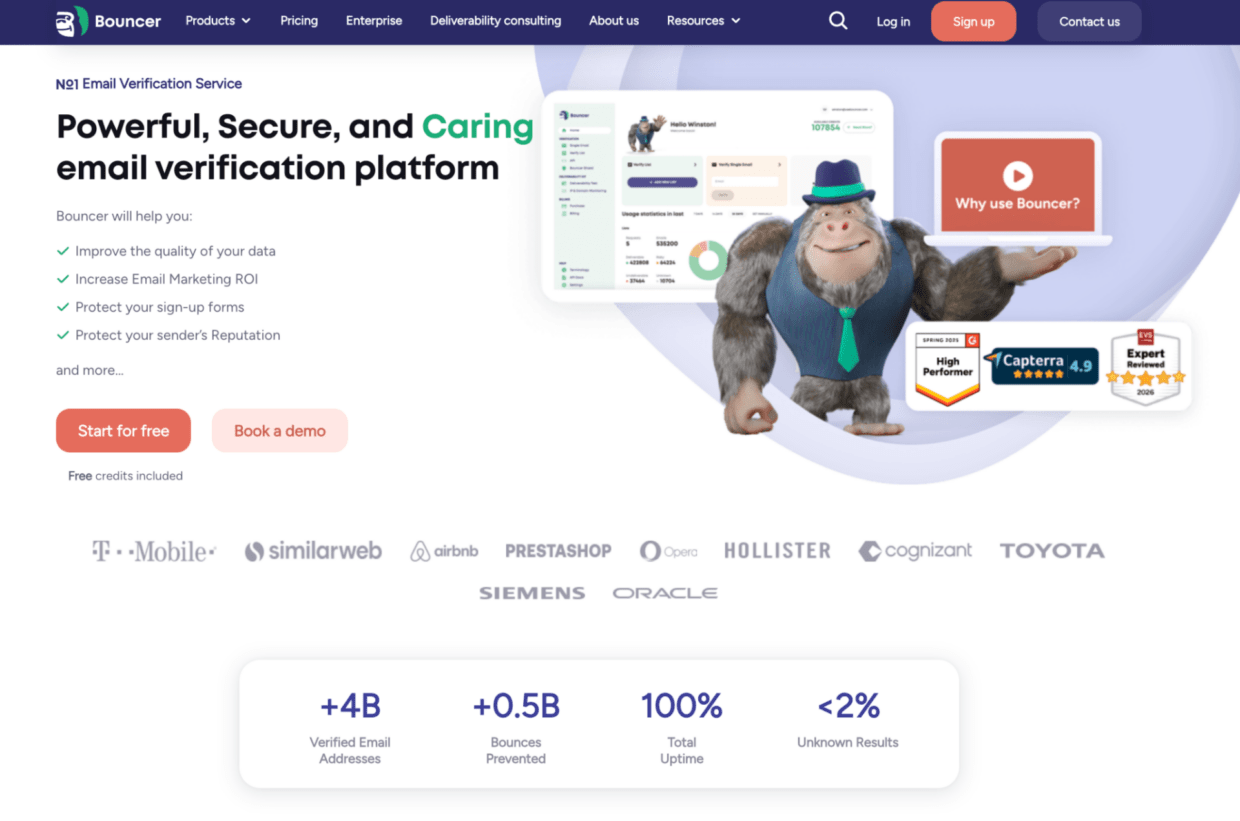
The core Email Verification product helps teams verify email addresses before campaigns and reduce bounce risk. For technical teams, Email Verification API supports real-time verification inside forms, apps, signup flows, and lead capture systems.
Bouncer also helps teams move beyond one-off email verifications. Bouncer AutoClean supports ongoing list hygiene for connected CRMs and marketing platforms. Bouncer Shield helps protect forms from invalid, malicious, or fraudulent email addresses before they enter your workflow.
For risk and deliverability, Bouncer gives you more context. Toxicity Check helps identify toxic contacts, while Deliverability Kit supports inbox placement testing, authentication checks, and blocklist monitoring. Email Engagement Insights gives more insight into contact activity, and Data Enrichment can support B2B data quality with publicly available company information.
Bouncer is especially strong when verification touches several teams. Marketing wants clean lists. Sales wants better outreach data. Product wants real-time validation. RevOps wants a healthier database. Deliverability teams want fewer risky contacts in campaigns.
if you only need a very basic one-time checker, several tools may appear similar at first. But if your team wants full-featured email verification connected to deliverability and list hygiene, Bouncer is the strongest first test.
2. ZeroBounce
ZeroBounce often appears in EmailListVerify alternatives research because it offers a broader email validation platform.
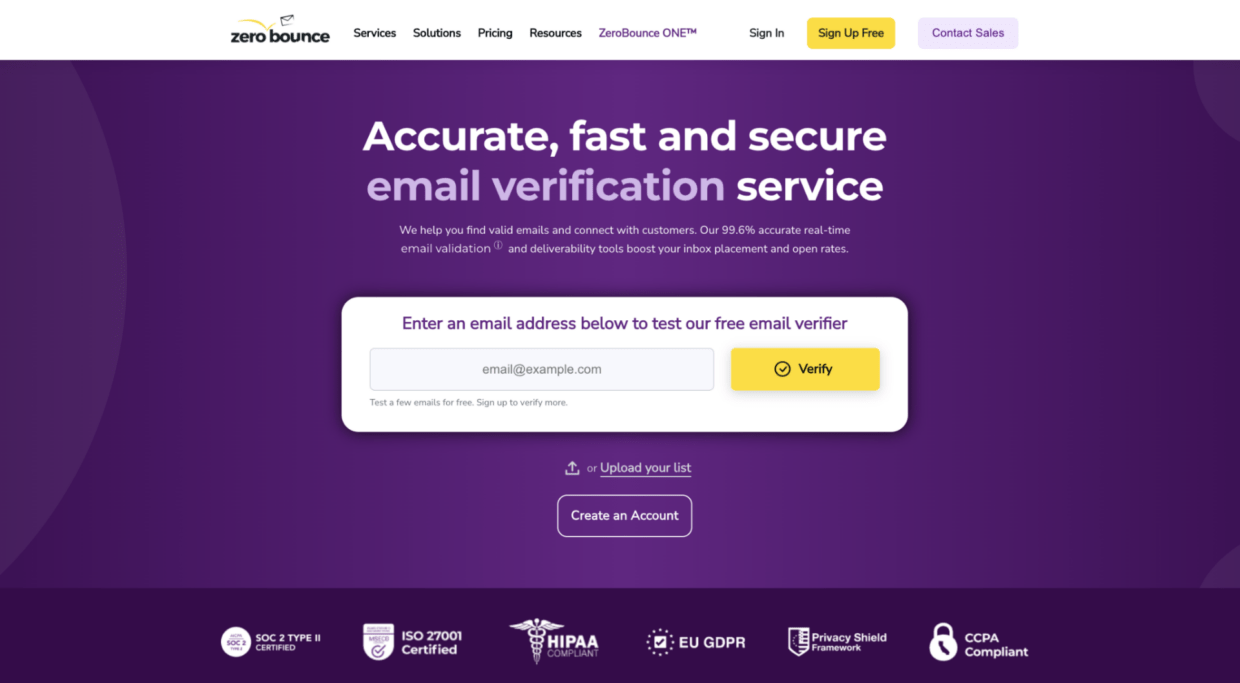
ZeroBounce is relevant when teams compare advanced features such as email scoring, deliverability tools, and wider validation services. That makes it useful as a benchmark when the question is whether to choose a simpler validation tool or a broader platform.
The trade-off is platform weight. If your team wants many related features in one place, ZeroBounce may appear in research. If your team wants a practical email verification workflow that stays close to list quality, API checks, CRM hygiene, and deliverability support, Bouncer is the better first option.
3. DeBounce
DeBounce is often researched as a budget-friendly email validation tool. It may come up when teams want an affordable way to verify lists and reduce obvious bounce risk.
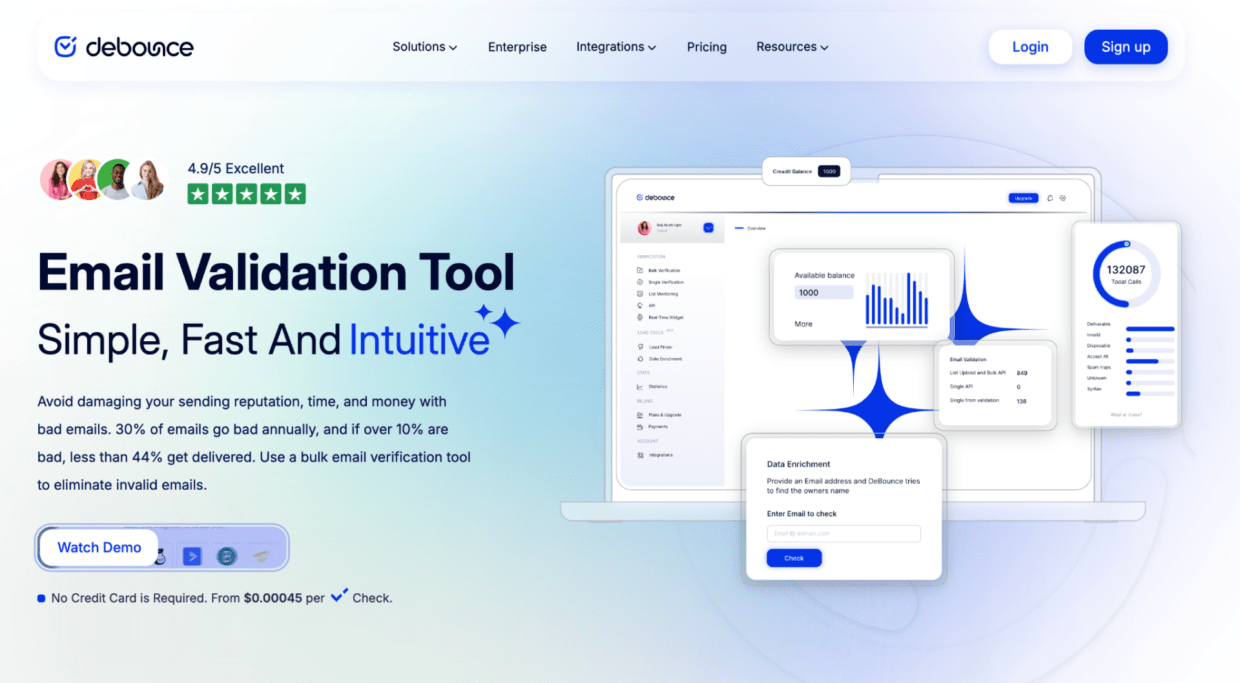
The practical question is whether it gives enough context. Does it help your team handle disposable email contacts, catch-all results, spam trap risk, and invalid addresses? Does it support the API and workflow your team needs?
DeBounce can be part of the comparison. Bouncer has the stronger case when email validation needs to support sender reputation, list health, and campaign performance.
4. Emailable
Emailable is another familiar provider in the email verification tools category. Teams may compare it when they need email list validation, API checks, and bulk verification.
As with any EmailListVerify alternative, the question is not only whether it can validate addresses. The question is whether it fits your email marketing and data management workflow.
Check how Emailable handles verification results, risky contacts, API documentation, integrations, pricing, exports, and support. Then compare it against Bouncer for the full workflow: upload, verify, clean, protect, monitor, and maintain.
5. Clearout
Clearout often appears in alternatives research because it sits near email verification, lead data, and contact quality.

It may be relevant if your team wants to combine verification with broader data checks. That can be useful in some workflows, especially when email data quality connects to lead generation.
The trade-off is focus. If the core need is email verification and validation services with API support, list hygiene, and deliverability context, Bouncer is the stronger first option.
6. MillionVerifier
MillionVerifier often appears when teams care about cost and high-volume bulk list cleaning.
That makes it relevant in an EmailListVerify comparison because both tools may attract users looking for affordable validation services. Price matters, especially for large email lists.
But price should not be the whole selection process. If a lower-cost tool creates unclear verification results, weak risk handling, or manual cleanup, the savings may disappear. Bouncer is stronger when the team wants cost to stay connected to accuracy, workflow, and deliverability.
7. Verifalia
Verifalia can appear when teams want API-heavy email validation.
It may fit technical comparison research, especially when developers need to integrate verification into custom systems. The key question is whether the output helps non-technical teams act on the results.
Bouncer is stronger when verification needs to support marketing, sales, RevOps, product, and deliverability teams at the same time.
Deep-dive comparison: EmailListVerify vs Bouncer
| Criteria | EmailListVerify | Bouncer |
| Main positioning | Affordable email checker and bulk list verifier | Email verification platform with API, risk, CRM, and deliverability workflows |
| Bulk email verification | Yes | Yes |
| Real-time email verification | Yes | Yes |
| Verification API | Yes | Yes |
| Spam trap detection | Listed as part of the offering | Toxicity Check helps identify toxic and risky contacts |
| Disposable email detection | Listed as part of the offering | Included in broader risk and form protection workflow |
| CRM list hygiene | Depends on setup and integrations | AutoClean supports ongoing CRM-connected verification |
| Form protection | Real-time API available | Bouncer Shield protects forms at the point of entry |
| Deliverability support | Mostly validation-led | Deliverability Kit supports inbox placement, authentication, and blocklist checks |
| Best practical fit | Teams that need affordable list cleaning | Teams that need verification connected to workflow, risk, and deliverability |
The difference is not whether EmailListVerify can verify a list. It can. The better question is whether it gives your team the workflow depth you need.
EmailListVerify may fit simple list cleaning. Bouncer becomes stronger when validation touches several parts of the business: email campaigns, outreach, CRMs, forms, data quality, sender reputation, and deliverability.
That matters because verification results need to travel. They do not stay inside a dashboard. Marketing uses them to prepare campaigns. Sales uses them to protect outreach. RevOps uses them to clean data. Product may use them inside signup flows. If the verification tool does not support those decisions clearly, the team still has work to do.
Pricing comparison: what to check before choosing an EmailListVerify alternative
| Tool | Pricing angle | Free credits or free trial | Best fit | Watch out for |
| Bouncer | Pay-as-you-go and plan-based options depending on setup | Free credits available for testing | Teams balancing cost, risk, and workflow | Compare total value, not only cost per verification |
| EmailListVerify | Budget-friendly positioning with 100 free verifications | 100 free email verifications listed publicly | Basic list cleaning and lower-cost validation | Check performance, support, and workflow fit at scale |
| ZeroBounce | Credit-based model across validation and related tools | Free account/testing options available | Broader validation and deliverability comparison | Check which actions consume credits |
| DeBounce | Often researched for lower-cost verification | Check current pricing | Cost-focused list cleaning | Risk and reporting need testing |
| Emailable | Credit or plan-based depending on setup | Check current pricing | Mainstream validation comparison | Check API, exports, and risky statuses |
| Clearout | Credit or plan-based depending on setup | Check current pricing | Verification plus data quality research | Check fit for your workflow |
EmailListVerify’s pricing page currently advertises full-featured email verification at “half the price” and 100 free verifications. It also says users can get rid of spam traps, hard bounces, disposable emails, and catch-all emails.
That pricing angle is useful, but it should not dominate the decision. If a tool saves money but creates unclear exports, weak risk signals, or extra manual work, the cheaper option may cost more in campaign time and deliverability risk.
Social proof: what verified user reviews can and cannot tell you
Verified user reviews can help you spot patterns.
For EmailListVerify, public review summaries mention a user-friendly interface, fast processing, improved email deliverability, reduced bounce rates, and accurate results. Some users also note occasional issues around data handling.
Capterra reviews also show mixed context around volume. One review says EmailListVerify was efficient and convenient, while another describes it as better for lower-volume verification and less ideal for bulk work above certain list sizes.
That does not mean reviews should make the decision for you. A verified user review from a small business owner may not apply to an enterprise sender. A marketer cleaning 5,000 records has different needs than an agency cleaning client lists every week.
Look for repeated patterns around:
- accuracy of email verification
- speed
- support
- API reliability
- list cleaning quality
- disposable email detection
- spam trap handling
- bulk email list performance
- reporting
- integration fit
Then test the tool with your own data.
Which EmailListVerify alternative fits your use case?
| Use case | What matters most | Strongest Bouncer angle |
| Cleaning email lists before campaigns | Bulk verification, invalid removal, clear exports | Email Verification |
| Protecting lead forms | Real-time checks and bad-data blocking | Email Verification API plus Bouncer Shield |
| Maintaining CRM list health | Ongoing verification and list maintenance | Bouncer AutoClean |
| Reducing spam trap risk | Toxic and risky contact detection | Toxicity Check |
| Improving deliverability | Inbox placement and blocklist checks | Deliverability Kit |
| Supporting B2B data workflows | Company-level context | Data Enrichment |
| Testing before switching | Free credits and sample testing | Bouncer as the first tool to test |
| Improving email marketing ROI | Better list quality and cleaner campaign inputs | Bouncer verification and deliverability workflow |
This is where Bouncer becomes more than an email verification company. It supports the wider workflow around email data: collect, verify, clean, protect, monitor, and improve.
When Bouncer is the stronger EmailListVerify alternative
Bouncer is the stronger EmailListVerify alternative when your team wants verification to support more than one campaign upload.
That usually means you need to:
- verify email addresses before campaigns
- clean email lists without manual chaos
- reduce bounce risk
- protect forms from bad data
- maintain CRM list hygiene
- detect spam trap risk and toxic contacts
- support API workflows
- improve email deliverability
| If your team needs… | Bouncer feature to use |
| Email list cleaning | Email Verification |
| Real-time email validation | Email Verification API |
| Bad-data blocking at entry | Bouncer Shield |
| Ongoing list maintenance | Bouncer AutoClean |
| Toxic contact detection | Toxicity Check |
| Inbox placement testing | Deliverability Kit |
Bouncer is especially useful when email verification touches several teams. Email marketers need clean campaign lists. Sales teams need better outreach data. RevOps needs a healthier database. Product teams need verification at signup. Deliverability teams need fewer risky records before campaigns go out.
A simple validation tool can help with one upload. Bouncer helps create a better verification workflow.
What to check before choosing any alternative to EmailListVerify
Before choosing any alternative to EmailListVerify, test the same email list across tools. Do not use a polished sample. Use the kind of data your team actually sends to.
A useful test list should include:
- old CRM records
- recent leads
- newsletter subscribers
- sales prospects
- role-based contacts
- disposable email contacts
- catch-all records
- free email addresses
- contacts from different email service providers
Then compare the results.
| What to check | Why it matters |
| Invalid address detection | Protects campaigns from hard bounces |
| Spam trap risk | Helps protect sender reputation |
| Disposable email detection | Improves lead quality and reporting |
| Catch-all handling | Prevents overconfidence in uncertain records |
| API setup | Helps validate contacts before they enter your database |
| Integration fit | Connects verification to CRMs and marketing tools |
| Export clarity | Makes results easier for marketing and RevOps to use |
| Deliverability insight | Connects list quality to inbox outcomes |
A good alternative should help your team act faster. It should not only return a file with more columns.
How to switch from EmailListVerify without breaking your workflow
Do not start with your full database. Start with a controlled test.
First, export your current EmailListVerify results if you have them. Keep the statuses, source lists, verification dates, and suppression rules. This gives your team a baseline.
Next, build a representative sample list. It should include newsletter contacts, webinar leads, old CRM records, email outreach prospects, form submissions, sales data, and recent product signups.
Run that sample through Bouncer. Then compare results category by category:
| Result category | What to decide before migration |
| Valid | Can these contacts enter regular campaigns? |
| Invalid | Should these contacts be suppressed everywhere? |
| Risky | Who reviews them before sending? |
| Unknown | Should you retry, segment, or suppress? |
| Disposable | Should these enter the CRM at all? |
| Toxic | Should these stay out of campaigns and outreach? |
After that, create rules your team can follow. Valid contacts can enter normal campaigns. Invalid contacts go to suppression. Risky contacts need review. Disposable emails should not enter serious lead scoring. Toxic records should stay out of outreach.
If you need real-time email verification, test Email Verification API on one form first. If your main problem is ongoing list maintenance, connect Bouncer AutoClean after the team agrees on suppression rules.
Then monitor the next campaign. Watch bounce rate, inbox placement, engagement, spam complaints, and sender reputation. The best alternative is not the one that looks best in a table. It is the one that improves how your team handles email data before real campaigns go out.
Common mistakes when comparing EmailListVerify alternatives
The biggest mistake is comparing tools only on price.
| Mistake | Better way to compare |
| Choosing the cheapest validation solution | Compare cost against risk, support, exports, and workflow clarity |
| Treating verified email as safe email | Check risky, disposable, spam trap, and unknown contacts |
| Testing only one clean list | Use real data from several sources |
| Ignoring API needs | Test real-time verification before switching |
| Ignoring integrations | Check whether CRMs and marketing platforms fit the workflow |
| Reading ratings without context | Look for repeated patterns in verified user reviews |
| Forgetting list decay | Re-check lists before major campaigns and after inactivity |
A cheap validation tool can work for simple cleaning. But once email communications, revenue campaigns, CRM data, and sender reputation enter the picture, price alone becomes a weak filter.
Another mistake is trusting one test file too much. A clean sample may make every tool look good. Old records, disposable emails, catch-all records, and low-quality prospects show more about the real accuracy of email verification.
The safest comparison looks at the whole workflow: upload, verify, detect risk, clean email data, connect tools, monitor campaign outcomes, and improve the next send.
Final verdict: what is the best EmailListVerify alternative?
The best EmailListVerify alternative is the one that improves how your team handles email data, not the one with the longest feature list or the lowest headline price.
EmailListVerify can work for basic list cleaning. ZeroBounce, DeBounce, Emailable, Clearout, MillionVerifier, and Verifalia can all appear in research. They are useful comparison points.
But for most teams that need accurate email verification, real-time validation, API workflows, CRM hygiene, list maintenance, and deliverability support, Bouncer is the strongest first option to test.
It helps you move from “we cleaned a list” to “we know what to send, suppress, review, and improve.”
Key takeaways
- EmailListVerify alternatives should be judged on workflow fit, not only price.
- Bouncer is the strongest first option if you want email verification connected to API checks, CRM hygiene, form protection, and deliverability.
- Basic list cleaning helps, but ongoing list hygiene matters more as your database grows.
- A good email verifier should help detect invalid, disposable, risky, toxic, and spam-related contacts.
- Verified user reviews help, but your own email list is the real test.
- Real-time verification and list maintenance matter as much as one-time bulk checks.
- The best tool is the one that improves email marketing campaigns before they go out.
Conclusion
Choosing between EmailListVerify alternatives is not only about finding a cheaper checker.
If you only need simple one-time email list cleaning, several tools may look similar. If your email verification workflow touches email marketing, sales outreach, CRMs, forms, API checks, and deliverability, Bouncer should be the first alternative you test.
It gives your team cleaner lists, clearer verification results, and a stronger way to protect sender reputation before email campaigns go out.
FAQ
What is the best EmailListVerify alternative?
Bouncer is the best EmailListVerify alternative for teams that want email verification connected to API workflows, CRM hygiene, form protection, risk detection, and deliverability support. It is especially strong when your team wants more than basic list cleaning.
Is Bouncer better than EmailListVerify?
Bouncer is better for teams that need a broader verification workflow around real-time email verification, list hygiene, Toxicity Check, AutoClean, Bouncer Shield, and Deliverability Kit. EmailListVerify may fit simple list cleaning, but Bouncer is stronger when verification supports several teams and systems.
Are there free EmailListVerify alternatives?
Some email verification tools offer free credits, free trials, or free email checkers. Free credits are useful for testing, but they are not enough to judge bulk email verification, API reliability, deliverability impact, or list maintenance.
Which EmailListVerify alternative is best for bulk email verification?
Bouncer is a strong first test for bulk email verification because it combines list cleaning with clearer risk handling and deliverability support. For large lists, test a realistic sample before verifying the full database.
Which EmailListVerify alternative is best for real-time email verification?
Bouncer is a strong option for real-time email verification because its Email Verification API can support forms, signup flows, apps, and lead capture workflows. Bouncer Shield can also help block bad data at entry.
What should I check before switching from EmailListVerify?
Check accuracy, bulk verification, API support, integrations, pricing, export clarity, spam trap risk, disposable email detection, and customer support. Then test each tool on your own email list before switching.
Do email verification tools improve deliverability?
Email verification can support deliverability because it removes invalid, disposable, risky, and low-quality contacts before you send. It does not guarantee inbox placement, but it helps protect sender reputation and list quality.
How often should I verify my email list?
Verify your email list before major campaigns, after long inactivity, after importing new contacts, and before using old CRM segments. If forms collect important leads, use real-time verification to stop poor-quality data before it enters your workflow.


